English
English
Appearance

Give AI agents durable, content-addressed file storage on IPFS via our first-party MCP server. Works with Claude Code, Cursor, Windsurf, and Claude Desktop out of the box.
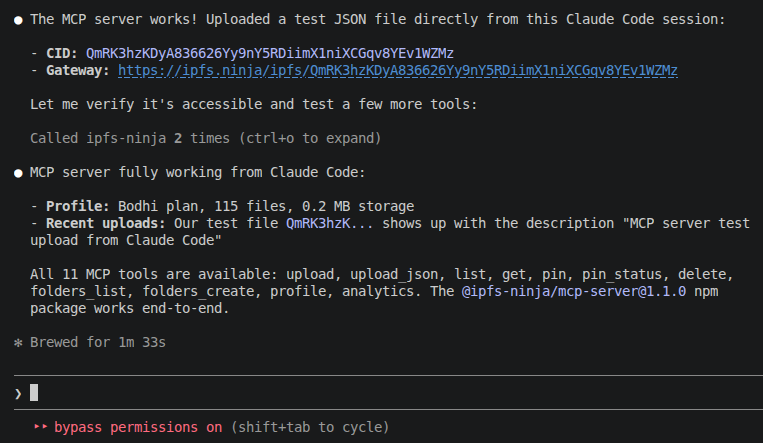
Model Context Protocol (MCP) is an open standard for connecting AI assistants to external tools. An MCP server exposes typed tools that an LLM can call during a conversation — the client (Claude Code, Cursor, Windsurf, Claude Desktop) discovers the tools at startup and passes them to the model.
Our MCP server, published on npm as @ipfs-ninja/mcp-server, exposes 12 tools that map one-to-one to our REST API. The agent uploads, pins, lists, and retrieves IPFS content by name — no glue code, no HTTP boilerplate.
Agent memory built on a vector DB is bound to a specific embedding model — swap the model and every vector is meaningless. Content-addressed storage (IPFS CIDs) gives agents:
Use IPFS as the durable source of truth; layer vector search on top for retrieval. See the companion blog post for the full pattern.
The MCP server runs locally via npx — there is no hosted MCP endpoint to point at. The client spawns npx -y @ipfs-ninja/mcp-server as a subprocess, and the server calls our REST API at https://api.ipfs.ninja with the bearer key held in your config.
stdionpx -y @ipfs-ninja/mcp-serverIPFS_NINJA_API_KEY env var (bearer key held server-side, never exposed to the model)The server exposes 12 tools grouped by concern:
| Tool | Purpose |
|---|---|
ipfs_upload | Upload file content (base64 or text) |
ipfs_upload_json | Upload a JSON object as a permanent file |
ipfs_import_car | Import a CAR file (DAG import) |
ipfs_list | List your uploaded files, filterable by time range |
ipfs_get | Get file metadata for a CID |
ipfs_delete | Unpin and delete a file from your account |
| Tool | Purpose |
|---|---|
ipfs_pin | Pin an existing IPFS CID to your account |
ipfs_pin_status | Check pin progress |
| Tool | Purpose |
|---|---|
ipfs_folders_list | List your folders |
ipfs_folders_create | Create a new folder |
| Tool | Purpose |
|---|---|
ipfs_profile | Plan, storage bytes, bandwidth used |
ipfs_analytics | Daily bandwidth and file stats |
Every tool returns a JSON payload matching the corresponding REST response. See MCP Server for full input/output schemas.
One command:
claude mcp add ipfs-ninja \
  --transport stdio \
  -e IPFS_NINJA_API_KEY=bws_your_full_api_key_here \
  -- npx -y @ipfs-ninja/mcp-server
Restart Claude Code and run /mcp to verify.
Open Settings > MCP Servers > Add Server:
| Field | Value |
|---|---|
| Name | ipfs-ninja |
| Transport | stdio |
| Command | npx |
| Args | -y @ipfs-ninja/mcp-server |
| Env | IPFS_NINJA_API_KEY=bws_... |
Add to ~/Library/Application Support/Claude/claude_desktop_config.json (macOS) or %APPDATA%\Claude\claude_desktop_config.json (Windows):
{
  "mcpServers": {
    "ipfs-ninja": {
      "command": "npx",
      "args": ["-y", "@ipfs-ninja/mcp-server"],
      "env": {
        "IPFS_NINJA_API_KEY": "bws_your_full_api_key_here"
      }
    }
  }
}
Fully quit and relaunch.
The IPFS_NINJA_API_KEY env var is passed as an X-Api-Key bearer header on every REST call to api.ipfs.ninja. It stays on your local machine — the MCP transport does not forward env vars to the LLM. The model only sees tool names and parameters, not the credential.
Keys don't expire, but you can revoke and rotate them at any time from the API Keys dashboard. Create separate keys per environment (dev / staging / prod) so you can revoke one without affecting the others.
There is no per-tool scoping today — a key with API access can call every MCP tool. If you need to hand a limited-scope credential to a client-side agent, use signed upload tokens instead of the raw API key; those are time-limited and scoped to upload operations only.
IPFS itself is public — anyone with the CID can retrieve the file from any gateway that has it pinned. If your agent handles sensitive data, encrypt payloads before uploading (AES-256 or your preferred sealed-box scheme) and store the decryption key on your side. The CID then points to opaque ciphertext.
See the MCP Server API reference for common errors (IPFS_NINJA_API_KEY environment variable is required, API error 402, API error 403, and "server not showing in /mcp").