English
English
Appearance

Get aggregated usage statistics for your account — uploads over time, storage growth, file type breakdown, and gateway bandwidth. Filterable by time range and API key.
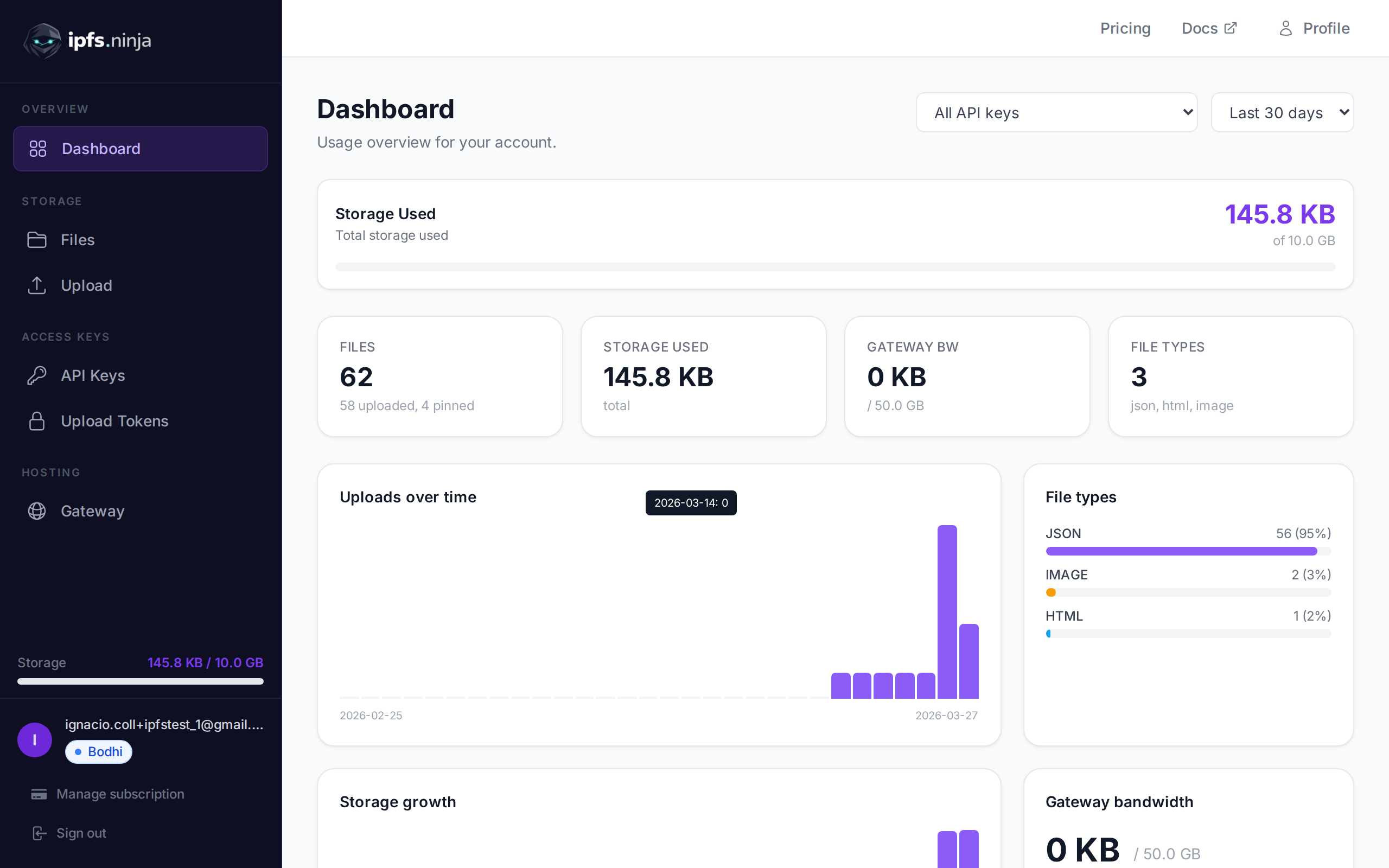
GET /analytics
| Parameter | Type | Required | Description |
|---|---|---|---|
from | number | Yes | Start timestamp in unix milliseconds. |
to | number | Yes | End timestamp in unix milliseconds. |
apiKey | string | No | Filter by API key prefix (e.g. "bws_0a3ff5f7") or signed token prefix (e.g. "eyJ0b2tlbklk"). Only shows uploads made with that key or token. |
curl "https://api.ipfs.ninja/analytics?from=1711036800000&to=1711641600000" \
-H "X-Api-Key: bws_your_api_key_here"200 OK {
"period": { "from": 1711036800000, "to": 1711641600000 },
"totals": {
"uploads": 42,
"pins": 8,
"totalFiles": 50,
"storageMB": 15.3,
"storageKB": 15667.2,
"fileTypes": { "json": 25, "image": 12, "pdf": 5 }
},
"daily": [
{ "date": "2026-03-21", "uploads": 20, "sizeMB": 8.1 },
{ "date": "2026-03-22", "uploads": 22, "sizeMB": 7.2 }
],
"storageGrowth": [
{ "date": "2026-03-21", "cumulativeMB": 8.1 },
{ "date": "2026-03-22", "cumulativeMB": 15.3 }
],
"dailyBandwidth": [
{ "date": "2026-03-21", "bandwidthMB": 600, "requests": 1840 },
{ "date": "2026-03-22", "bandwidthMB": 600, "requests": 1755 }
],
"gatewayBandwidthMB": 1200,
"gatewayBandwidthLimitMB": 51200,
"plan": "karma",
"bandwidthBlocked": false
}TIP
gatewayBandwidthMB reflects the current month's usage regardless of the from/to range. The apiKey filter only applies to upload metrics — gateway bandwidth is account-wide. Signed upload token prefixes are stored in the same field as API key prefixes, so you can filter by signed token prefix (e.g. eyJ0b2tlbklk) to see uploads made with a specific signed token.