
Connect Claude Code to IPFS with our MCP server (5-minute setup)
Wire IPFS Ninja into Claude Code, Cursor, Windsurf, or Claude Desktop as 12 native tools using our first-party MCP server. Copy-paste config, verification steps, and use-case examples in under 5 minutes.
 by Nacho Coll
Nacho founded IPFS.NINJA to make content-addressed storage feel as simple as an S3 PUT — a single API call, a permanent CID, no wallets or peer discovery to reason about.
- Our MCP server (`@ipfs-ninja/mcp-server`) plugs IPFS Ninja into Claude Code, Cursor, Windsurf, and Claude Desktop as 12 native tools.
- Setup is one `claude mcp add` command with your API key — no cloning, no build step, `npx` handles the rest.
- Once connected, the agent can upload files, pin CIDs, list your files, check storage, and manage folders from a natural-language prompt.
- Works with the 7-day trial (full Bodhi capacity: 10 GB / 200 files / 20 GB bandwidth / 1 dedicated gateway) — no credit card required to build a demo.
If you’re already using Claude Code, Cursor, Windsurf, or Claude Desktop, you can give your agent durable, content-addressed file storage in about five minutes. This tutorial walks you through it end-to-end.
What you’ll build#
By the end of this post you’ll have an AI agent that can, from a natural-language prompt:
- Upload a file to IPFS and hand you back a permanent CID.
- Pin an existing CID from the IPFS network to your account.
- List your recent files.
- Check your storage and bandwidth usage.
- Create folders to organise metadata.
All 12 of our REST API operations exposed as native tools — with no glue code on your side.
What is MCP?#
Model Context Protocol (MCP) is an open standard published by Anthropic in late 2024. It defines a JSON-RPC schema for exposing typed tools to an LLM: each tool has a name, an input schema, and a return shape. The client (Claude Code, Cursor, Windsurf, Claude Desktop) discovers the tools at startup and lets the model call them during a conversation.
The important properties for our purposes:
- The API key stays on your machine. MCP config lives locally; the model never sees the credential.
- The transport is
stdio. No hosted service to depend on, no webhook to wire up — the client spawns the server as a subprocess. - Tool schemas are typed. The model understands what each tool takes and returns, so tool-calling is deterministic instead of “generate JSON and hope.”
Everything below is a copy-paste config + a verification step.
Prerequisites#
- Node.js 18+ — the MCP server runs via
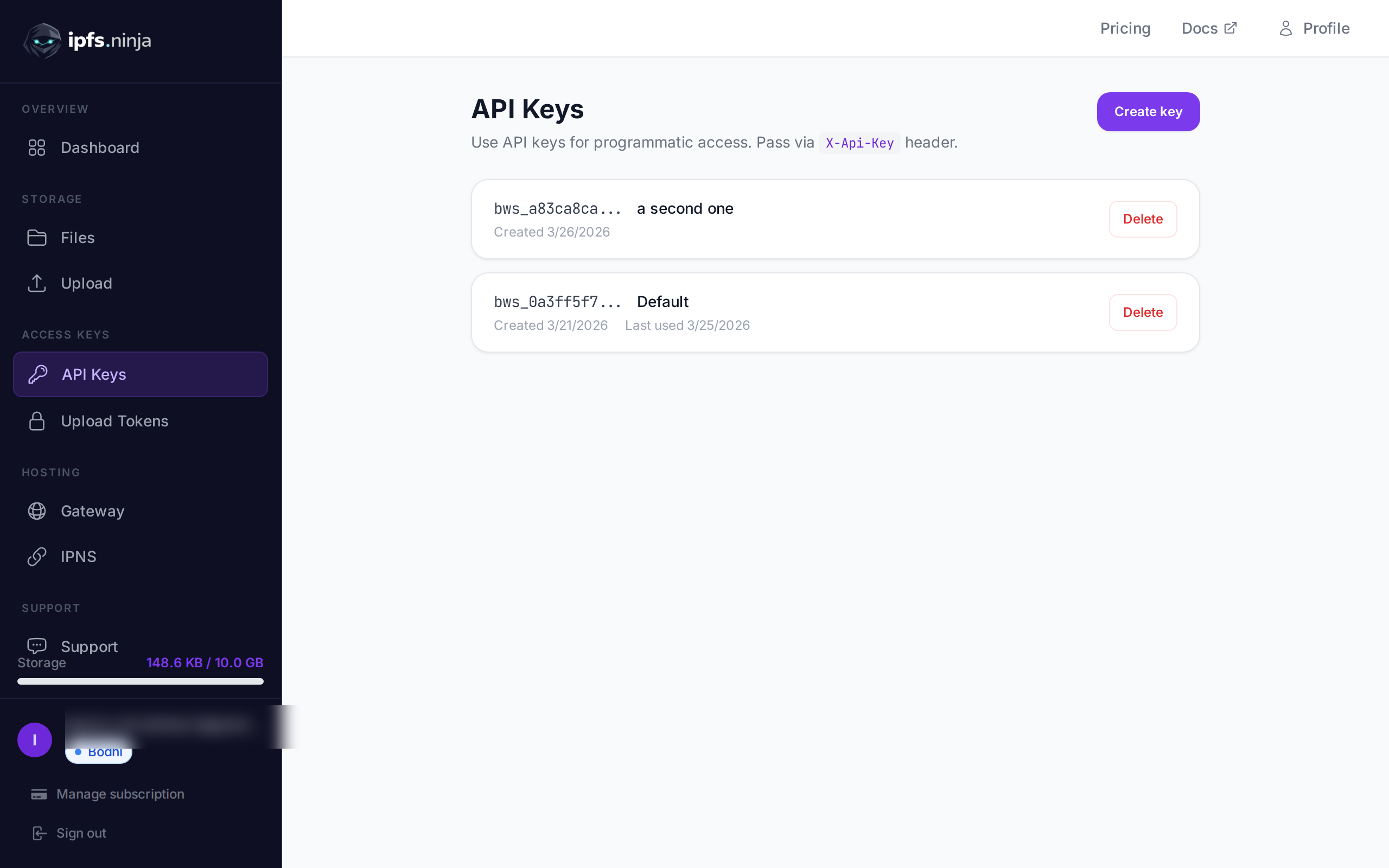
npx, so no global install required. Check withnode --version. - An IPFS Ninja API key. Start your 7-day trial — full Bodhi capacity (10 GB / 200 files / 20 GB bandwidth / 1 dedicated gateway), no credit card required. Then Bodhi $5/mo, Karma $19/mo, or Nirvana $59/mo on day 8. Go to Dashboard > API Keys and generate one. It’ll look like
bws_a1b2c3d4e5f6....
Keep that key handy — you’ll paste it into your MCP config in a moment.
Setup: Claude Code (fastest)#
Claude Code ships a first-class mcp add command. Run this in your terminal:
claude mcp add ipfs-ninja \
  --transport stdio \
  -e IPFS_NINJA_API_KEY=bws_your_full_api_key_here \
  -- npx -y @ipfs-ninja/mcp-server
That’s it. Restart Claude Code (exit and relaunch), then type /mcp in the input box. You should see ipfs-ninja listed with 12 tools connected.
If you’d rather edit the config file directly, drop this into ~/.claude/settings.json:
{
  "mcpServers": {
    "ipfs-ninja": {
      "type": "stdio",
      "command": "npx",
      "args": ["-y", "@ipfs-ninja/mcp-server"],
      "env": {
        "IPFS_NINJA_API_KEY": "bws_your_full_api_key_here"
      }
    }
  }
}
Same result.
Setup: Cursor#
Open Settings > MCP Servers > Add Server and paste:
| Field | Value |
|---|---|
| Name | ipfs-ninja |
| Transport | stdio |
| Command | npx |
| Args | -y @ipfs-ninja/mcp-server |
| Env | IPFS_NINJA_API_KEY=bws_your_full_api_key_here |
Save and reload the Cursor window. The tools appear under Available MCP tools.
Setup: Windsurf#
Windsurf uses the same MCP settings panel. Open Settings > MCP and add a new server with the same values as Cursor above. Reload the window. Verify via Cascade > Available tools.
Setup: Claude Desktop#
Claude Desktop reads MCP servers from a config file:
- macOS:
~/Library/Application Support/Claude/claude_desktop_config.json - Windows:
%APPDATA%\Claude\claude_desktop_config.json
Add:
{
  "mcpServers": {
    "ipfs-ninja": {
      "command": "npx",
      "args": ["-y", "@ipfs-ninja/mcp-server"],
      "env": {
        "IPFS_NINJA_API_KEY": "bws_your_full_api_key_here"
      }
    }
  }
}
Fully quit Claude Desktop (the tray icon too — not just the window) and relaunch. In a new conversation you should see a slider / plug icon indicating available MCP tools.
Verify the connection#
The quickest smoke test is to ask the agent something that requires a real API call:
You: How much IPFS storage am I using?You should see the agent call the ipfs_profile tool and report your plan, storage bytes, and bandwidth. If you see an error like IPFS_NINJA_API_KEY environment variable is required, the env block is missing or misspelled — check the config file. If you see API error 403: Forbidden, the key is wrong or was revoked — regenerate one at the API Keys page.
Example workflows#
Upload a file and share the CID#
You: Upload the file ./deck.pdf to IPFS as "Q3 investor deck"
     and give me the gateway URL.

Claude: [calls ipfs_upload with base64-encoded PDF]
     → CID: bafybeigdyrzt5sfp7udm7hu76uh7y26nf3efuylqabf3oclgtqy55fbzdi
     → Size: 2.4 MB
     → https://ipfs.ninja/ipfs/bafybeigdyrzt5sfp7udm7hu76uh7y26nf3efuylqabf3oclgtqy55fbzdi
The CID is permanent. The gateway URL is shareable and immutable — the same URL will resolve to the same bytes in ten years.
Pin an existing CID from the network#
You: Pin QmYwAPJzv5CZsnA625s3Xf2nemtYgPpHdWEz79ojWnPbdG
     (the IPFS readme) to my account.

Claude: [calls ipfs_pin]
     → Pin initiated. Status: pinning.

You: Is it done yet?

Claude: [calls ipfs_pin_status]
     → Status: pinned. Size: 8 KB.
Useful for anchoring third-party content — an NFT metadata JSON, a public dataset — into your own account so it’s guaranteed to stay available on your dedicated gateway.
List and inspect recent files#
You: What did I upload this week?

Claude: [calls ipfs_list with from/to timestamps]
     → 8 files, most recent:
       • deck.pdf   — 2.4 MB — 2 days ago
       • corpus.jsonl — 1.2 MB — 4 days ago
       • hero.webp   — 380 KB — 5 days ago
     [truncated to top 5]
Store agent memory as JSON#
You: Store this session summary as permanent JSON on IPFS
     and give me the CID:

     { "session": "2026-07-11-refactor",
       "files_touched": ["src/app.ts", "src/db.ts"],
       "tests_added": 3,
       "next_step": "wire the migration into CI" }

Claude: [calls ipfs_upload_json]
     → CID: bafybeicdrnfz6c...
     → https://ipfs.ninja/ipfs/bafybeicdrnfz6c...
Next week, in a new session, you can hand the CID back to the agent and it’ll fetch the exact same bytes. Content-addressed memory that survives model swaps — see our companion post on agent memory for the full pattern.
Check usage and analytics#
You: What's my bandwidth this week?

Claude: [calls ipfs_analytics with days=7]
     → 4.1 MB served across 63 requests, 4 files hit.
     → Well under the 2 GB free-plan bandwidth cap.
The full tool list#
For reference, the 12 tools the MCP server exposes:
| Tool | Purpose |
|---|---|
ipfs_upload | Upload arbitrary file content (base64 or text) |
ipfs_upload_json | Upload a JSON object as a permanent file |
ipfs_import_car | Import a CAR file (DAG import) |
ipfs_list | List your files, filterable by time range |
ipfs_get | Get metadata for a CID (size, type, upload date) |
ipfs_delete | Unpin and delete a file from your account |
ipfs_pin | Pin an existing IPFS CID to your account |
ipfs_pin_status | Check pin progress for a CID |
ipfs_folders_list | List your folders |
ipfs_folders_create | Create a new folder |
ipfs_profile | Plan, storage bytes, bandwidth used |
ipfs_analytics | Daily bandwidth and file stats |
Reference docs for each: MCP Server.
Troubleshooting#
IPFS_NINJA_API_KEY environment variable is required — the env block is missing or misspelled in your MCP config. Double-check the key name (IPFS_NINJA_API_KEY, not IPFS_API_KEY).
API error 402: not enough storage — you’ve hit your plan’s storage cap. The 7-day trial and Bodhi plan are capped at 10 GB. Upgrade at ipfs.ninja/pricing (Karma bumps to 100 GB, Nirvana to 1 TB) or delete files with ipfs_delete.
API error 403: Forbidden — the API key is invalid or was revoked. Generate a new one at Dashboard > API Keys and update the config.
Server not showing in /mcp — you forgot to restart the client, or node --version is < 18. npx needs Node 18+.
Command not found: npx — Node isn’t on your PATH. Install Node 18+ from nodejs.org or via your package manager.
Next steps#
- Read IPFS storage for AI agents for the “why” behind content-addressed agent memory.
- Skim the full MCP Server reference for every tool’s input/output shape.
- If you’d rather integrate directly against REST, the Upload API tutorial covers the same operations at the HTTP level.
Ready to give your agent IPFS? Start your 7-day trial — full Bodhi capacity, no credit card required. Then Bodhi $5/mo, Karma $19/mo, or Nirvana $59/mo.
Frequently asked questions
What is MCP?
Do I need to write any code?
Where does the API key live?
Which clients does the server support?
How do I know it's actually connected?
About the author
Nacho Coll
Founder & Engineer at IPFS.NINJA
Nacho founded IPFS.NINJA to make content-addressed storage feel as simple as an S3 PUT — a single API call, a permanent CID, no wallets or peer discovery to reason about. Writes about IPFS internals, decentralized storage patterns, and the pinning-service landscape from the operator side of the wire.