English
English
Appearance

All paid plans (Bodhi, Karma, Nirvana) include a private IPFS gateway at a unique subdomain. This gateway only serves files pinned to your account — it won't resolve CIDs from other users or the public IPFS network.
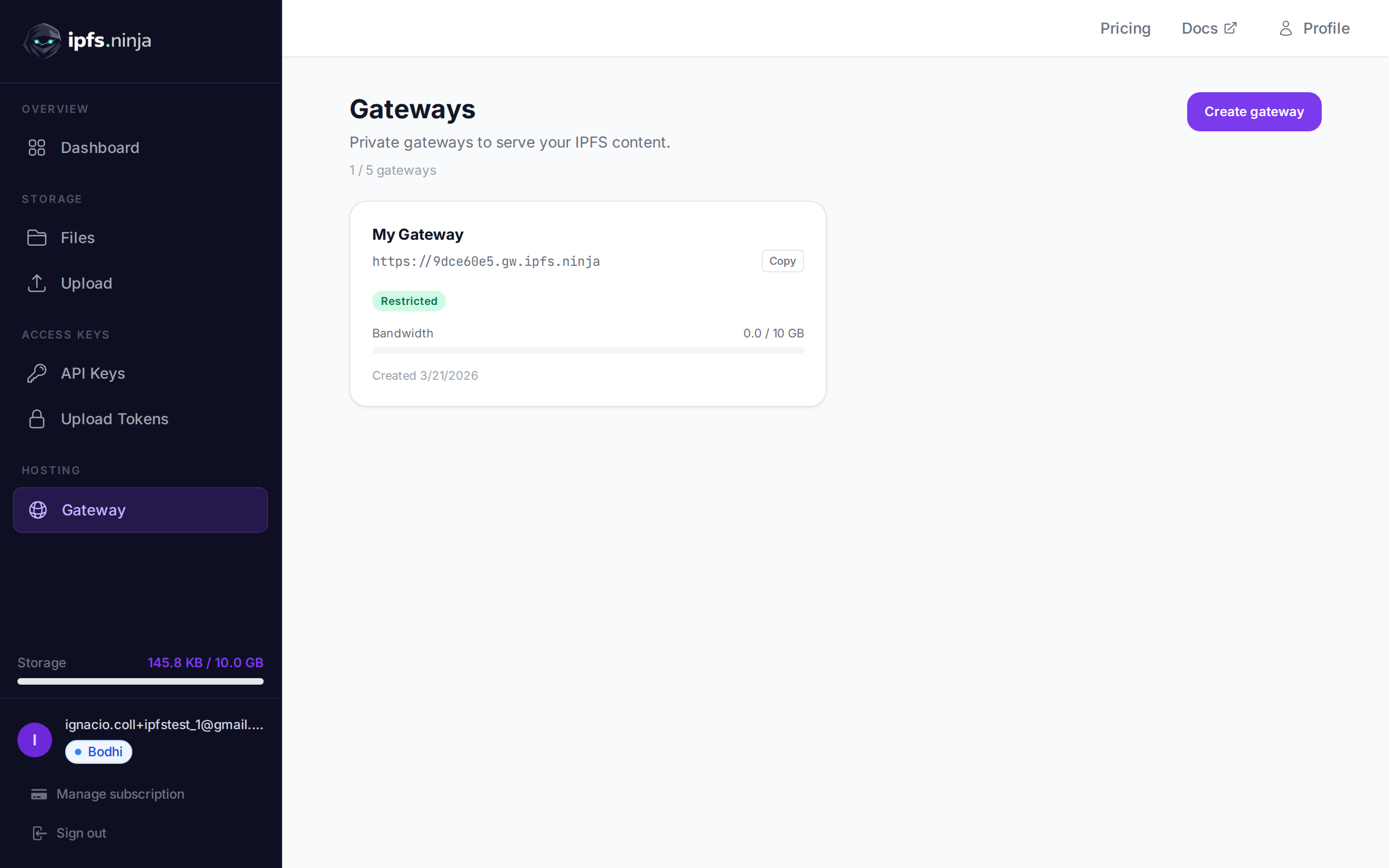
Your gateway URL is shown in your Gateway page and returned by the /user/profile endpoint:
https://<your-slug>.gw.ipfs.ninja/ipfs/<CID>| Mode | Behavior |
|---|---|
| Open (default) | Anyone with your gateway URL + CID can access your files. No token needed. |
| Token required | Requests must include a gateway token via ?token=gwt_... query param or X-Gateway-Token header. |
Monthly bandwidth (apex + dedicated gateway combined):
| Plan | Bandwidth/mo |
|---|---|
| Trial (7 days) | 20 GB |
| Bodhi | 20 GB |
| Karma | 100 GB |
| Nirvana | 500 GB |
Apex gateway
The shared apex gateway at https://ipfs.ninja/ipfs/<CID> is available on all plans and requires no authentication, but only serves CIDs that are uploaded or pinned by an IPFS Ninja user. Requests for any other CID return HTTP 410 Gone.
For a CID you don't own, either (a) POST /pin to pin it to your account, then use the apex URL, or (b) use a third-party gateway like https://ipfs.io/ipfs/<CID> or https://dweb.link/ipfs/<CID>.
For production-grade embedding (videos, NFT viewers, sites), the dedicated gateway above is the recommended pattern — it offers higher rate limits, configurable access controls, and dedicated bandwidth.
The public apex gateway (https://ipfs.ninja/ipfs/<CID>) answers cross-origin requests, so browser JavaScript on any origin can fetch() a gateway URL or load it into an <img>/<canvas> without the browser blocking or tainting the response.
OPTIONS) Browsers send a CORS preflight before certain cross-origin requests (custom headers, non-simple methods). Every OPTIONS /ipfs/* request gets:
HTTP/2 204
Access-Control-Allow-Origin: *
Access-Control-Allow-Methods: GET, HEAD, OPTIONS
Access-Control-Allow-Headers: Content-Type, Range, User-Agent, X-Requested-With
Access-Control-Max-Age: 86400curl -X OPTIONS https://ipfs.ninja/ipfs/bafybeigdyrzt5sfp7udm7hu76uh7y26nf3efuylqabf3oclgtqy55fbzdi \
-H "Origin: https://example.com" -iGET/HEAD) GET/HEAD responses from the apex gateway include:
Access-Control-Allow-Origin: *
Access-Control-Expose-Headers: Content-Length, Content-Range, X-Ipfs-Path, X-Ipfs-Roots, X-Chunked-Output, X-Stream-Output
Access-Control-Allow-Origin: * is a constant wildcard, not an echo of the request's Origin header, and no Access-Control-Allow-Credentials header is sent — credentialed cross-origin requests (cookies, Authorization) aren't supported from the apex gateway, but public content never needed them.
<img
  src="https://ipfs.ninja/ipfs/bafybeigdyrzt5sfp7udm7hu76uh7y26nf3efuylqabf3oclgtqy55fbzdi"
  crossorigin="anonymous"
  id="gateway-img"
/>
<script>
  const img = document.getElementById("gateway-img");
  img.onload = () => {
    const canvas = document.createElement("canvas");
    canvas.width = img.naturalWidth;
    canvas.height = img.naturalHeight;
    canvas.getContext("2d").drawImage(img, 0, 0);
    // Access-Control-Allow-Origin on the response means the canvas
    // isn't tainted — toDataURL()/getImageData() both work here.
    console.log(canvas.toDataURL("image/png").slice(0, 32));
  };
</script>
See Browser uploads with CORS → Cross-origin reads from the public gateway for a full walkthrough, including a fetch() example that reads Content-Range off a Range request.
Configure access controls for your dedicated gateway.
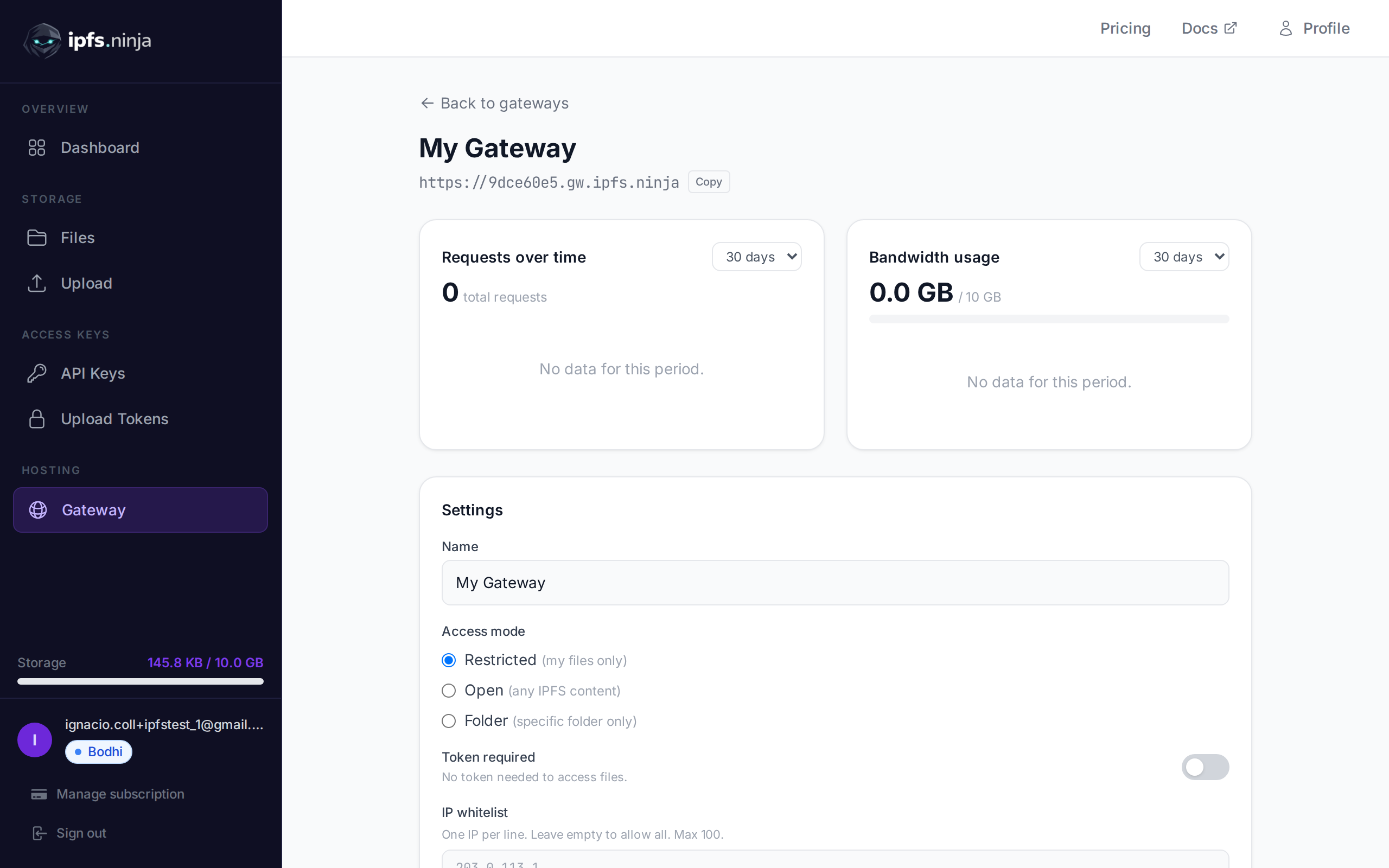
PUT /gateway-settings
| Parameter | Type | Required | Description |
|---|---|---|---|
tokenRequired | boolean | No | Enable/disable gateway token requirement. |
ipWhitelist | string[] | No | Array of IP addresses to allow. Max 100. Empty array removes the whitelist. |
allowedOrigins | string[] | No | Array of allowed origins for browser requests. Max 100. Must use http:// or https:// format (e.g. https://myapp.com). Empty array allows all origins. |
# Enable token-required mode
curl -X PUT https://api.ipfs.ninja/gateway-settings \
  -H "X-Api-Key: bws_your_api_key_here" \
  -H "Content-Type: application/json" \
  -d '{"tokenRequired": true}'

# Set IP whitelist
curl -X PUT https://api.ipfs.ninja/gateway-settings \
  -H "X-Api-Key: bws_your_api_key_here" \
  -H "Content-Type: application/json" \
  -d '{"ipWhitelist": ["203.0.113.1", "198.51.100.0"]}'

# Clear IP whitelist (allow all IPs)
curl -X PUT https://api.ipfs.ninja/gateway-settings \
  -H "X-Api-Key: bws_your_api_key_here" \
  -H "Content-Type: application/json" \
  -d '{"ipWhitelist": []}'

# Restrict to specific origins
curl -X PUT https://api.ipfs.ninja/gateway-settings \
  -H "X-Api-Key: bws_your_api_key_here" \
  -H "Content-Type: application/json" \
  -d '{"allowedOrigins": ["https://myapp.com", "https://staging.myapp.com"]}'

# Remove origin restrictions (allow all origins)
curl -X PUT https://api.ipfs.ninja/gateway-settings \
  -H "X-Api-Key: bws_your_api_key_here" \
  -H "Content-Type: application/json" \
-d '{"allowedOrigins": []}'When allowedOrigins is configured, only browser requests from the listed origins are allowed. The gateway checks the Origin and Referer headers on incoming requests.
Origin or Referer header that does not match any entry are rejected with a 403 response.Origin header (such as server-side fetches or curl) pass through without restriction.This is useful for embedding gateway content in your web application while preventing other sites from hotlinking your files.
Gateway tokens (gwt_ prefix) are read-only and safe to embed in frontend applications. Unlike API keys, a gateway token can only access files through your dedicated gateway — it cannot upload, delete, or manage your account.
| Capability | API Key (bws_) | Gateway Token (gwt_) |
|---|---|---|
| Upload / delete files | ✅ Yes | ❌ No |
| List / get file metadata | ✅ Yes | ❌ No |
| Read files via gateway | ❌ No | ✅ Yes |
| Safe to embed in frontend | ❌ No | ✅ Yes |
POST /gateway-tokens
| Parameter | Type | Required | Description |
|---|---|---|---|
name | string | No | Label for the token (e.g. "Frontend"). Defaults to "Default". |
201 Created {
"token": "gwt_a1b2c3d4e5f6789012345678abcdef01",
"tokenPrefix": "gwt_a1b2c3d4",
"tokenName": "Frontend",
"gatewayId": null,
"createdAt": 1711036800000
}WARNING
The full token is only returned once at creation. Store it securely.
GET /gateway-tokens
[
  {
    "tokenPrefix": "gwt_a1b2c3d4",
    "tokenName": "Frontend",
    "gatewayId": null,
    "createdAt": 1711036800000
  }
]DELETE /gateway-tokens/:prefix
| Parameter | Type | Required | Description |
|---|---|---|---|
prefix | string | Yes | The token prefix to delete (e.g. "gwt_a1b2c3d4"). |
When your gateway has token-required mode enabled, pass the token as a query parameter or header:
# Query parameter
curl "https://a1b2c3d4.gw.ipfs.ninja/ipfs/QmXk7VRz...?token=gwt_your_token"

# Or header
curl https://a1b2c3d4.gw.ipfs.ninja/ipfs/QmXk7VRz... \
  -H "X-Gateway-Token: gwt_your_token"