Latviešu
Latviešu
Appearance

Nirvana plan users get a private IPFS gateway at a unique subdomain. This gateway only serves files pinned to your account — it won't resolve CIDs from other users or the public IPFS network.
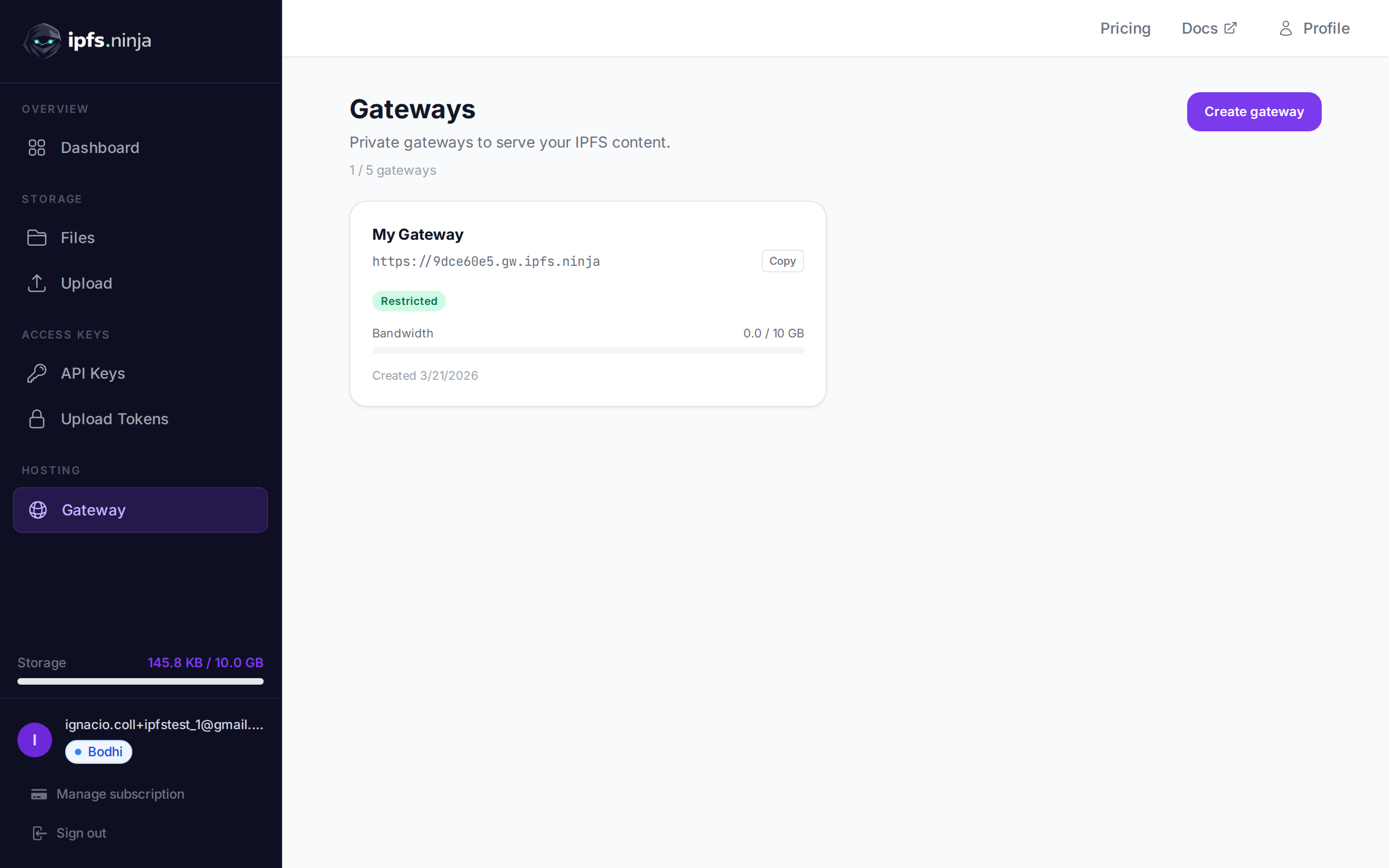
Your gateway URL is shown in your Gateway page and returned by the /user/profile endpoint:
https://<your-slug>.gw.ipfs.ninja/ipfs/<CID>| Mode | Behavior |
|---|---|
| Open (default) | Anyone with your gateway URL + CID can access your files. No token needed. |
| Token required | Requests must include a gateway token via ?token=gwt_... query param or X-Gateway-Token header. |
Apex vārteja
Koplietotā apex vārteja https://ipfs.ninja/ipfs/<CID> ir pieejama visos plānos un nepieprasa autentifikāciju, taču apkalpo tikai CID, kurus ir augšupielādējis vai piesprausti IPFS Ninja lietotājs. Pieprasījumi citiem CID atgriež HTTP 410 Gone.
CID, kas tev nepieder, vari (a) izpildīt POST /pin, lai piespraustu to savam kontam, un pēc tam izmantot apex URL, vai (b) izmantot trešās puses vārteju, piemēram, https://ipfs.io/ipfs/<CID> vai https://dweb.link/ipfs/<CID>.
Ražošanas līmeņa iegulšanai (video, NFT skatītāji, vietnes) iepriekš minētā dedicētā vārteja ir ieteicamais modelis — tā piedāvā augstākus ātruma ierobežojumus, konfigurējamas piekļuves kontroles un dedicētu joslas platumu.
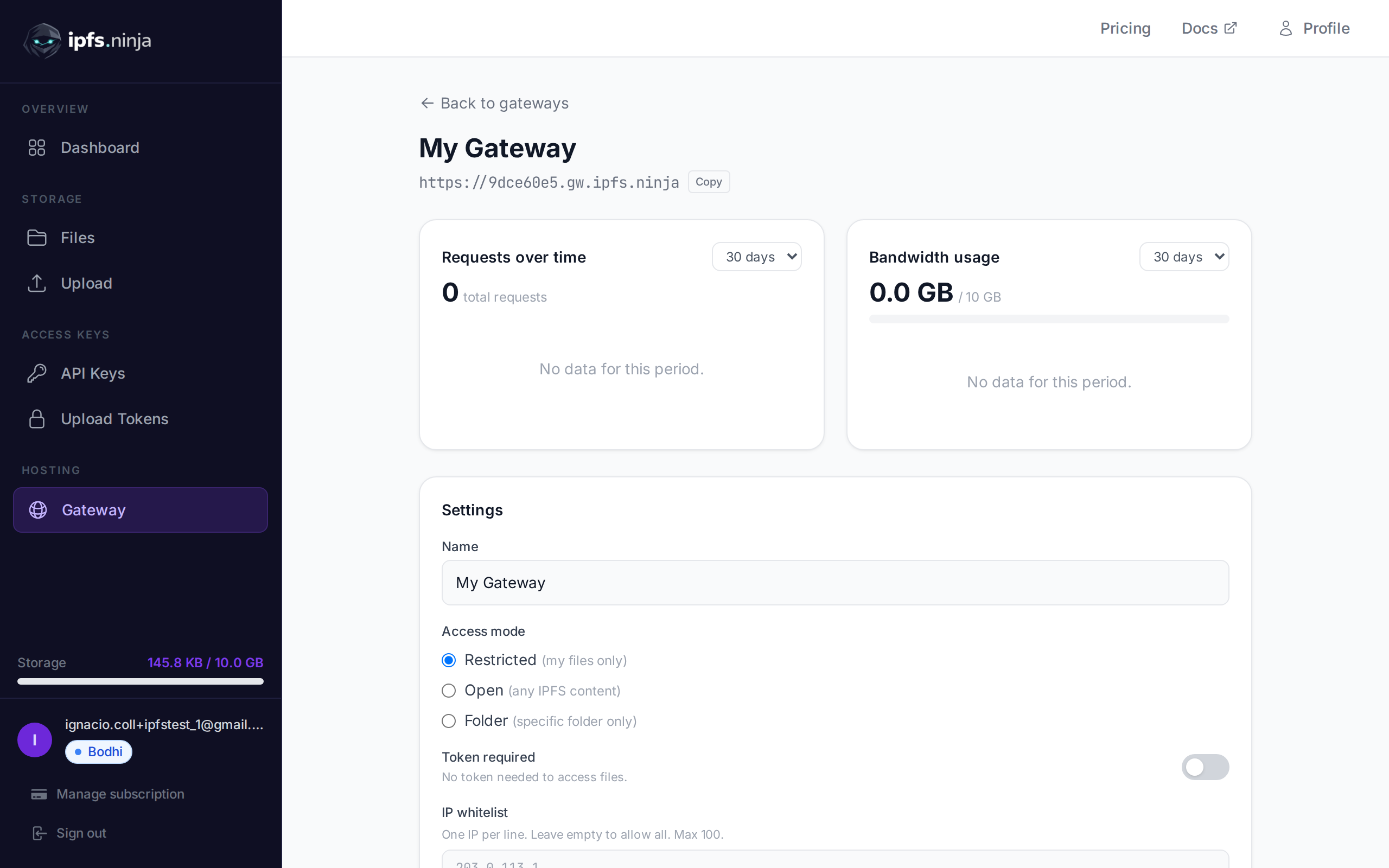
Configure access controls for your dedicated gateway.
PUT /gateway-settings
| Parameter | Type | Required | Description |
|---|---|---|---|
tokenRequired | boolean | No | Enable/disable gateway token requirement. |
ipWhitelist | string[] | No | Array of IP addresses to allow. Max 100. Empty array removes the whitelist. |
allowedOrigins | string[] | No | Array of allowed origins for browser requests. Max 100. Must use HTTPS format (e.g. https://myapp.com). Empty array allows all origins. |
# Enable token-required mode
curl -X PUT https://api.ipfs.ninja/gateway-settings \
  -H "X-Api-Key: bws_your_api_key_here" \
  -H "Content-Type: application/json" \
  -d '{"tokenRequired": true}'

# Set IP whitelist
curl -X PUT https://api.ipfs.ninja/gateway-settings \
  -H "X-Api-Key: bws_your_api_key_here" \
  -H "Content-Type: application/json" \
  -d '{"ipWhitelist": ["203.0.113.1", "198.51.100.0"]}'

# Clear IP whitelist (allow all IPs)
curl -X PUT https://api.ipfs.ninja/gateway-settings \
  -H "X-Api-Key: bws_your_api_key_here" \
  -H "Content-Type: application/json" \
  -d '{"ipWhitelist": []}'

# Restrict to specific origins
curl -X PUT https://api.ipfs.ninja/gateway-settings \
  -H "X-Api-Key: bws_your_api_key_here" \
  -H "Content-Type: application/json" \
  -d '{"allowedOrigins": ["https://myapp.com", "https://staging.myapp.com"]}'

# Remove origin restrictions (allow all origins)
curl -X PUT https://api.ipfs.ninja/gateway-settings \
  -H "X-Api-Key: bws_your_api_key_here" \
  -H "Content-Type: application/json" \
-d '{"allowedOrigins": []}'When allowedOrigins is configured, only browser requests from the listed origins are allowed. The gateway checks the Origin and Referer headers on incoming requests.
Origin or Referer header that does not match any entry are rejected with a 403 response.Origin header (such as server-side fetches or curl) pass through without restriction.This is useful for embedding gateway content in your web application while preventing other sites from hotlinking your files.
Gateway tokens (gwt_ prefix) are read-only and safe to embed in frontend applications. Unlike API keys, a gateway token can only access files through your dedicated gateway — it cannot upload, delete, or manage your account.
| Capability | API Key (bws_) | Gateway Token (gwt_) |
|---|---|---|
| Upload / delete files | ✅ Yes | ❌ No |
| List / get file metadata | ✅ Yes | ❌ No |
| Read files via gateway | ❌ No | ✅ Yes |
| Safe to embed in frontend | ❌ No | ✅ Yes |
POST /gateway-tokens
| Parameter | Type | Required | Description |
|---|---|---|---|
name | string | No | Label for the token (e.g. "Frontend"). Defaults to "Default". |
201 Created {
"token": "gwt_a1b2c3d4e5f6789012345678abcdef01",
"tokenPrefix": "gwt_a1b2c3d4",
"tokenName": "Frontend",
"createdAt": 1711036800000
}WARNING
The full token is only returned once at creation. Store it securely.
GET /gateway-tokens
[
  {
    "tokenPrefix": "gwt_a1b2c3d4",
    "tokenName": "Frontend",
    "createdAt": 1711036800000
  }
]DELETE /gateway-tokens/:prefix
| Parameter | Type | Required | Description |
|---|---|---|---|
prefix | string | Yes | The token prefix to delete (e.g. "gwt_a1b2c3d4"). |
When your gateway has token-required mode enabled, pass the token as a query parameter or header:
# Query parameter
curl "https://a1b2c3d4.gw.ipfs.ninja/ipfs/QmXk7VRz...?token=gwt_your_token"

# Or header
curl https://a1b2c3d4.gw.ipfs.ninja/ipfs/QmXk7VRz... \
  -H "X-Gateway-Token: gwt_your_token"