Bahasa Indonesia
Bahasa Indonesia
Appearance

Nirvana plan users get a private IPFS gateway at a unique subdomain. This gateway only serves files pinned to your account — it won't resolve CIDs from other users or the public IPFS network.
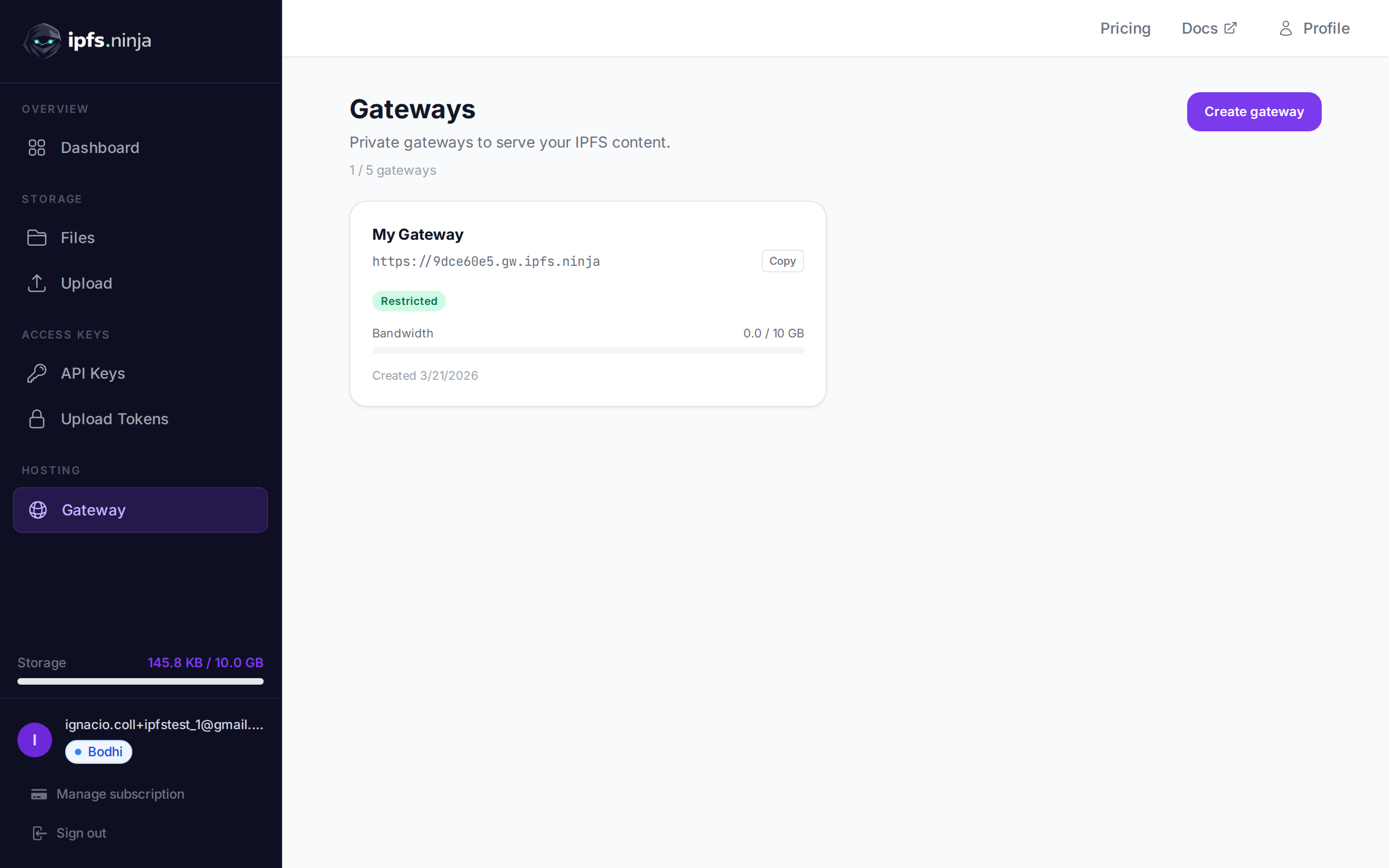
Your gateway URL is shown in your Gateway page and returned by the /user/profile endpoint:
https://<your-slug>.gw.ipfs.ninja/ipfs/<CID>| Mode | Behavior |
|---|---|
| Open (default) | Anyone with your gateway URL + CID can access your files. No token needed. |
| Token required | Requests must include a gateway token via ?token=gwt_... query param or X-Gateway-Token header. |
Gateway apex
Gateway apex bersama di https://ipfs.ninja/ipfs/<CID> tersedia di semua paket dan tidak memerlukan autentikasi, tetapi hanya melayani CID yang telah diunggah atau disematkan oleh pengguna IPFS Ninja. Permintaan untuk CID lainnya mengembalikan HTTP 410 Gone.
Untuk CID yang bukan milik Anda, Anda dapat (a) melakukan POST /pin untuk menyematkannya ke akun Anda, lalu menggunakan URL apex, atau (b) menggunakan gateway pihak ketiga seperti https://ipfs.io/ipfs/<CID> atau https://dweb.link/ipfs/<CID>.
Untuk penyematan tingkat produksi (video, penampil NFT, situs), gateway khusus di atas adalah pola yang direkomendasikan — menawarkan batas kecepatan yang lebih tinggi, kontrol akses yang dapat dikonfigurasi, dan bandwidth khusus.
Configure access controls for your dedicated gateway.
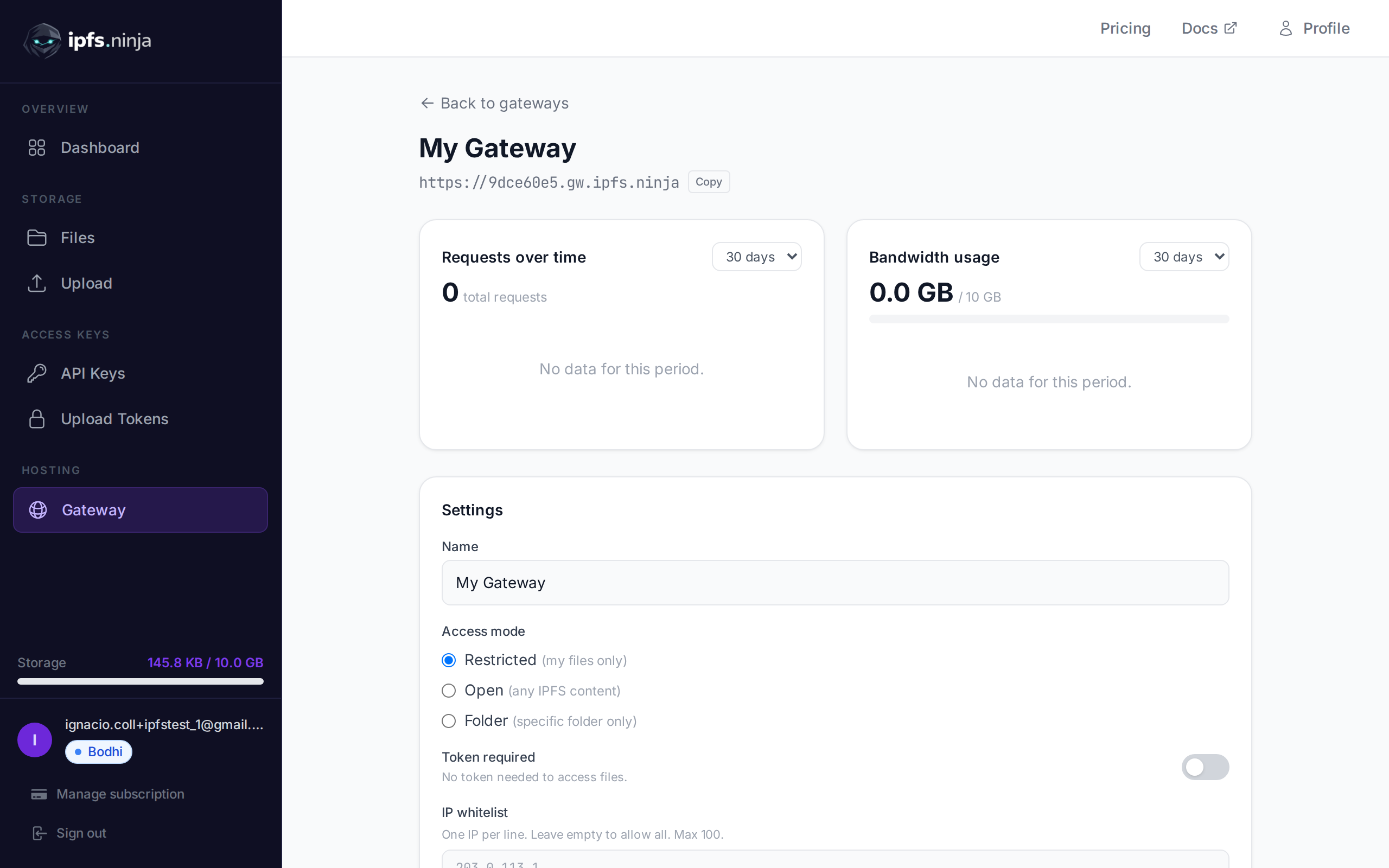
PUT /gateway-settings
| Parameter | Type | Required | Description |
|---|---|---|---|
tokenRequired | boolean | No | Enable/disable gateway token requirement. |
ipWhitelist | string[] | No | Array of IP addresses to allow. Max 100. Empty array removes the whitelist. |
allowedOrigins | string[] | No | Array of allowed origins for browser requests. Max 100. Must use HTTPS format (e.g. https://myapp.com). Empty array allows all origins. |
# Enable token-required mode
curl -X PUT https://api.ipfs.ninja/gateway-settings \
  -H "X-Api-Key: bws_your_api_key_here" \
  -H "Content-Type: application/json" \
  -d '{"tokenRequired": true}'

# Set IP whitelist
curl -X PUT https://api.ipfs.ninja/gateway-settings \
  -H "X-Api-Key: bws_your_api_key_here" \
  -H "Content-Type: application/json" \
  -d '{"ipWhitelist": ["203.0.113.1", "198.51.100.0"]}'

# Clear IP whitelist (allow all IPs)
curl -X PUT https://api.ipfs.ninja/gateway-settings \
  -H "X-Api-Key: bws_your_api_key_here" \
  -H "Content-Type: application/json" \
  -d '{"ipWhitelist": []}'

# Restrict to specific origins
curl -X PUT https://api.ipfs.ninja/gateway-settings \
  -H "X-Api-Key: bws_your_api_key_here" \
  -H "Content-Type: application/json" \
  -d '{"allowedOrigins": ["https://myapp.com", "https://staging.myapp.com"]}'

# Remove origin restrictions (allow all origins)
curl -X PUT https://api.ipfs.ninja/gateway-settings \
  -H "X-Api-Key: bws_your_api_key_here" \
  -H "Content-Type: application/json" \
-d '{"allowedOrigins": []}'When allowedOrigins is configured, only browser requests from the listed origins are allowed. The gateway checks the Origin and Referer headers on incoming requests.
Origin or Referer header that does not match any entry are rejected with a 403 response.Origin header (such as server-side fetches or curl) pass through without restriction.This is useful for embedding gateway content in your web application while preventing other sites from hotlinking your files.
Gateway tokens (gwt_ prefix) are read-only and safe to embed in frontend applications. Unlike API keys, a gateway token can only access files through your dedicated gateway — it cannot upload, delete, or manage your account.
| Capability | API Key (bws_) | Gateway Token (gwt_) |
|---|---|---|
| Upload / delete files | ✅ Yes | ❌ No |
| List / get file metadata | ✅ Yes | ❌ No |
| Read files via gateway | ❌ No | ✅ Yes |
| Safe to embed in frontend | ❌ No | ✅ Yes |
POST /gateway-tokens
| Parameter | Type | Required | Description |
|---|---|---|---|
name | string | No | Label for the token (e.g. "Frontend"). Defaults to "Default". |
201 Created {
"token": "gwt_a1b2c3d4e5f6789012345678abcdef01",
"tokenPrefix": "gwt_a1b2c3d4",
"tokenName": "Frontend",
"createdAt": 1711036800000
}WARNING
The full token is only returned once at creation. Store it securely.
GET /gateway-tokens
[
  {
    "tokenPrefix": "gwt_a1b2c3d4",
    "tokenName": "Frontend",
    "createdAt": 1711036800000
  }
]DELETE /gateway-tokens/:prefix
| Parameter | Type | Required | Description |
|---|---|---|---|
prefix | string | Yes | The token prefix to delete (e.g. "gwt_a1b2c3d4"). |
When your gateway has token-required mode enabled, pass the token as a query parameter or header:
# Query parameter
curl "https://a1b2c3d4.gw.ipfs.ninja/ipfs/QmXk7VRz...?token=gwt_your_token"

# Or header
curl https://a1b2c3d4.gw.ipfs.ninja/ipfs/QmXk7VRz... \
  -H "X-Gateway-Token: gwt_your_token"