Türkçe
Türkçe
Appearance

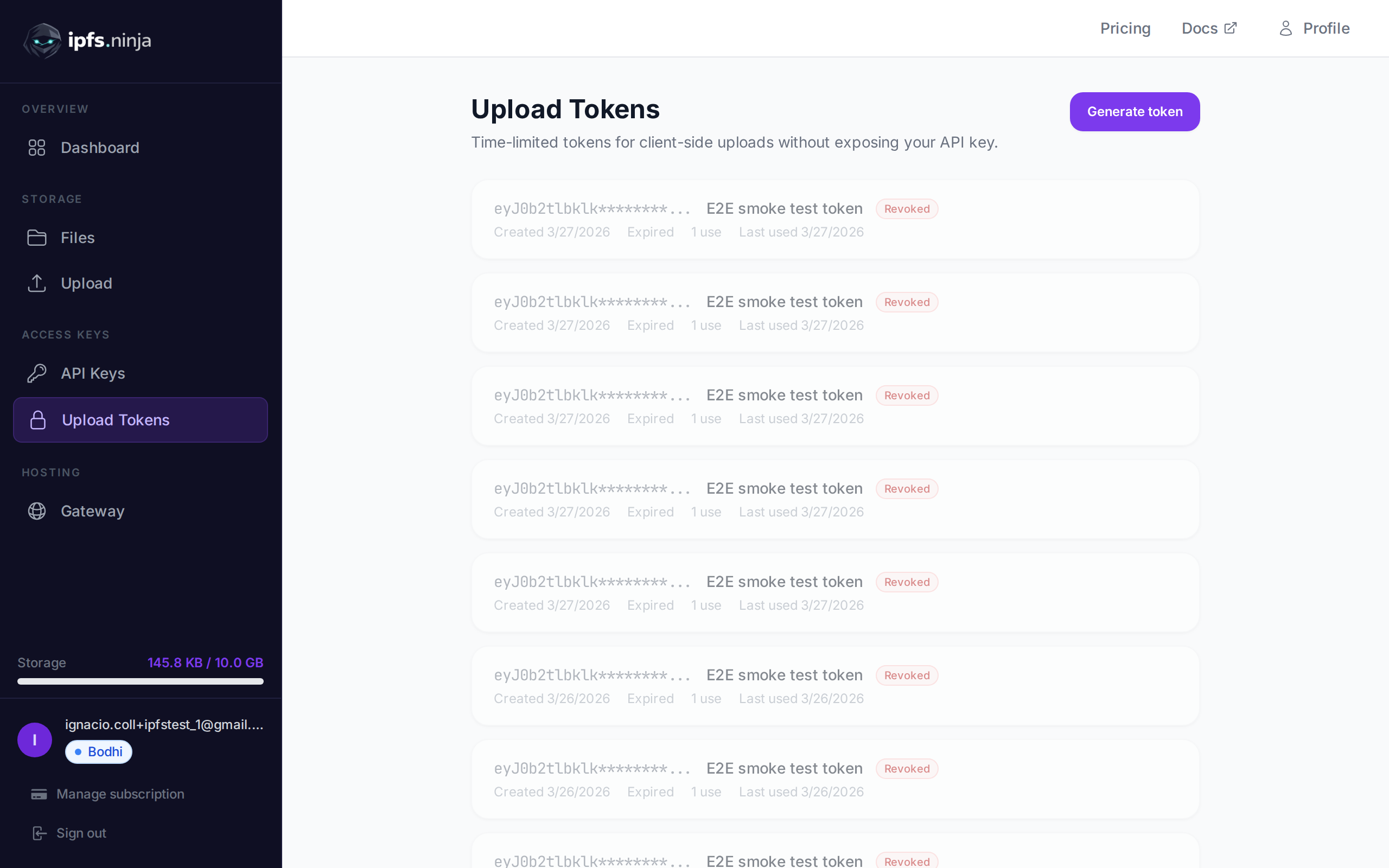
İmzalı yükleme token'ları, istemci tarafı yüklemeler için tasarlanmış süreli kimlik bilgileridir. Tarayıcıların ve mobil uygulamaların API anahtarınızı açığa çıkarmadan doğrudan IPFS Ninja'ya dosya yüklemesine olanak tanır.
Tipik bir akış: sunucunuz API anahtarınızı kullanarak imzalı bir token oluşturur, istemciye iletir ve istemci dosya yüklemek için kullanır. Token, belirtilen süre sonunda otomatik olarak sona erer.
POST /upload/signed-url
Yeni bir imzalı yükleme token'ı oluşturun.
| Parametre | Tür | Zorunlu | Açıklama |
|---|---|---|---|
name | string | Hayır | Token için etiket (örn. "Mobile app uploads"). |
expiresIn | number | Evet | Token ömrü saniye cinsinden. |
curl -X POST https://api.ipfs.ninja/upload/signed-url \
  -H "X-Api-Key: bws_your_api_key_here" \
  -H "Content-Type: application/json" \
-d '{"name": "Mobile app", "expiresIn": 3600}'201 Created {
"token": "sup_a1b2c3d4e5f6789012345678abcdef01...",
"tokenId": "tok_9876543210abcdef",
"tokenPrefix": "sup_a1b2c3d4",
"tokenName": "Mobile app",
"expiresAt": 1711040400000
}WARNING
Tam token yalnızca oluşturulduğunda bir kez döndürülür. Güvenli bir şekilde saklayın veya doğrudan istemcinize iletin.
GET /signed-tokens
Hesabınızın tüm imzalı token'larını kullanım istatistikleri dahil döndürür.
curl https://api.ipfs.ninja/signed-tokens \
-H "X-Api-Key: bws_your_api_key_here"200 OK [
{
"tokenId": "tok_9876543210abcdef",
"tokenPrefix": "sup_a1b2c3d4",
"tokenName": "Mobile app",
"expiresAt": 1711040400000,
"useCount": 15,
"lastUsedAt": 1711038600000,
"createdAt": 1711036800000
}
]DELETE /signed-tokens/:tokenId
İmzalı bir token'ı anında iptal edin. Bu token kullanılarak yapılacak sonraki yükleme denemeleri reddedilir.
| Parametre | Tür | Zorunlu | Açıklama |
|---|---|---|---|
tokenId | string | Evet | İptal edilecek token ID'si (örn. "tok_9876543210abcdef"). |
curl -X DELETE https://api.ipfs.ninja/signed-tokens/tok_9876543210abcdef \
-H "X-Api-Key: bws_your_api_key_here"200 OK {
"message": "Token revoked"
}İmzalı token ile yüklemek için Authorization başlığıyla Signed şeması kullanarak iletin:
curl -X POST https://api.ipfs.ninja/upload/new \
  -H "Authorization: Signed sup_a1b2c3d4e5f6789012345678abcdef01..." \
  -H "Content-Type: application/json" \
  -d '{"content": {"name": "example"}, "description": "Client upload"}'
İstek gövdesi ve yanıt formatı standart dosya yükleme ile aynıdır.
İmzalı token her kullanıldığında useCount artar ve lastUsedAt güncellenir. Token etkinliğini GET /signed-tokens ile izleyebilirsiniz.
İmzalı token'lar analitik API_KEY_PREFIX alanında ön ekleriyle kaydedilir. Bu, API anahtarı ön ekine göre filtrelediğiniz gibi imzalı token ön ekine göre de analizleri filtreleyebileceğiniz anlamına gelir. Ayrıntılar için Analizler bölümüne bakın.
Sunucunuzda bir token oluşturun ve istemci tarafı JavaScript'te kullanın:
// Server-side: generate a token valid for 1 hour
const res = await fetch("https://api.ipfs.ninja/upload/signed-url", {
  method: "POST",
  headers: {
    "X-Api-Key": "bws_your_server_key",
    "Content-Type": "application/json"
  },
  body: JSON.stringify({ name: "Web form", expiresIn: 3600 })
});
const { token } = await res.json();
// Pass `token` to the client

// Client-side: upload a file using the signed token
const file = document.getElementById("fileInput").files[0];
const reader = new FileReader();
reader.onload = async () => {
  const base64 = reader.result.split(",")[1];
  const uploadRes = await fetch("https://api.ipfs.ninja/upload/new", {
    method: "POST",
    headers: {
      "Authorization": `Signed ${token}`,
      "Content-Type": "application/json"
    },
    body: JSON.stringify({
      content: base64,
      description: "User upload"
    })
  });
  const data = await uploadRes.json();
  console.log("Uploaded:", data.cid);
};
reader.readAsDataURL(file);