

Storj Chapter 11: Move Your Data Off Before It's Locked
Storj Labs filed Chapter 11 on 2026-07-26. Network still runs, future uncertain. Full runbook to mirror buckets to IPFS.NINJA with runnable code inside.
 by Nacho Coll
Nacho founded IPFS.NINJA to make content-addressed storage feel as simple as an S3 PUT — a single API call, a permanent CID, no wallets or peer discovery to reason about.
- Storj Labs filed Chapter 11 on 2026-07-26; network operations continue but long-term availability is unknowable.
- Dump your Storj bucket inventory now with uplink ls, before any restructuring changes access.
- Stream each object through IPFS.NINJA's /upload/new endpoint — you get content-addressed CIDs back.
- Verify every upload, rewrite link.storjshare.io URLs to IPFS.NINJA gateways, then rotate access grants.
Storj Labs filed for Chapter 11 bankruptcy protection on 2026-07-26, according to Coindesk and Crowdfund Insider. Network operations continue as of publish — your data is still accessible, your access grants still work. Chapter 11 is a reorganization, not a shutdown. But your long-term availability guarantees just got weaker, and if your product page still says “backed by Storj,” that’s a conversation your customers will start asking about. This guide walks you through mirroring your Storj data to IPFS.NINJA — inventory, upload, URL swap, verification.
TL;DR — five steps#
- Inventory your Storj data. Use
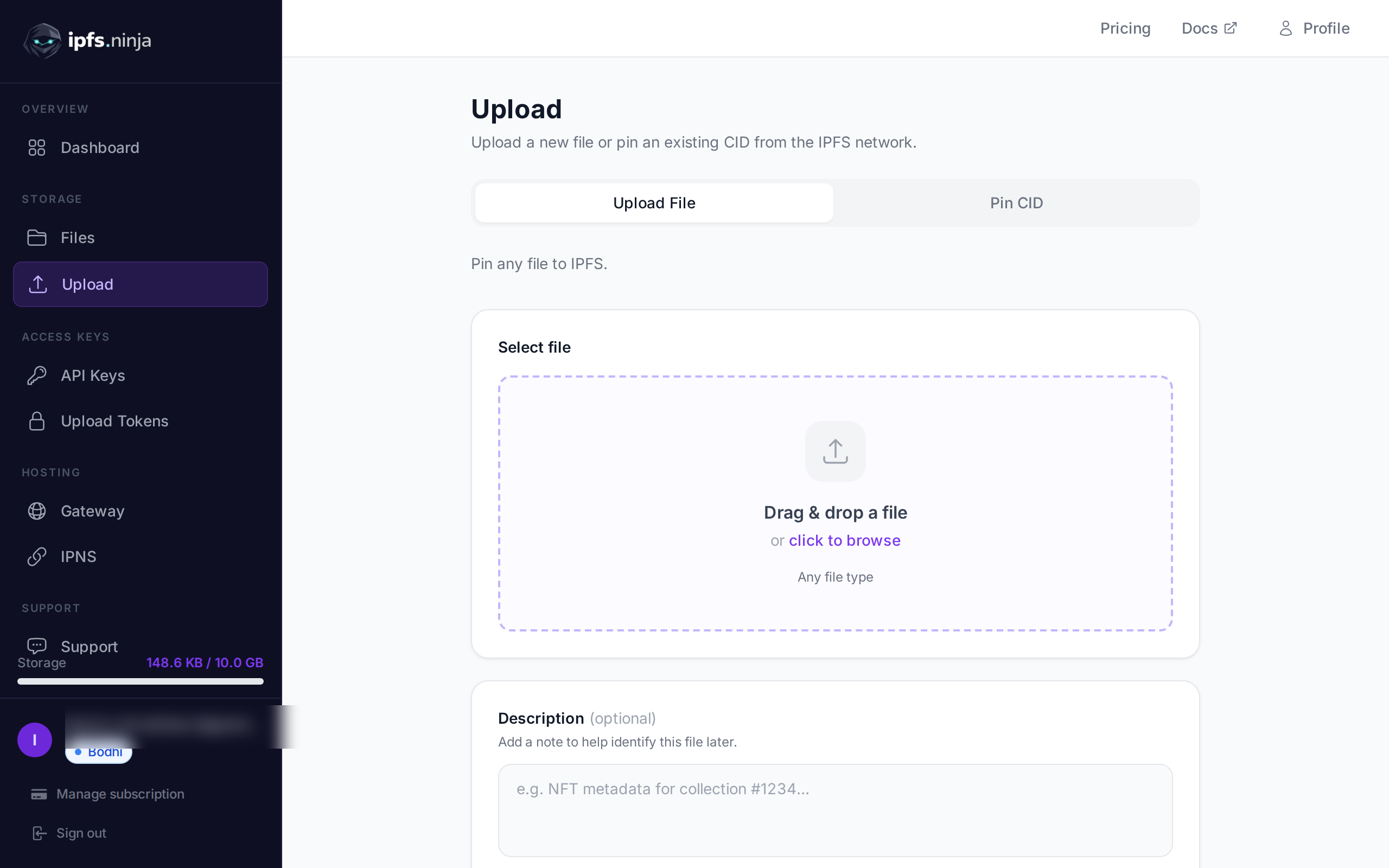
uplink ls --recursiveto dump every bucket + object key while access is still working normally. - Create an IPFS.NINJA account. The 7-day trial runs on full Bodhi capacity (10 GB storage, unlimited files, 20 GB bandwidth, 1 dedicated gateway, S3-compatible API) with no credit card.
- Stream each object to IPFS.
uplink cp sj://bucket/key -piped intoPOST https://api.ipfs.ninja/upload/new— you get a content-addressed CID back for each file. - Rewrite public URLs. Swap
link.storjshare.io/.../bucket/keyforipfs.ninja/ipfs/<cid>(or your dedicated gateway subdomain) using the CID map you built in step 3. - Verify + rotate. Confirm every CID resolves through the gateway, then revoke your Storj access grants so nothing keeps hitting the old buckets.
What actually happened#
Storj Labs — the Delaware-based company that runs the Storj DCS network — filed Chapter 11 in the District of Delaware on 2026-07-26. Two independent outlets reported the filing:
| Date | Event | Source |
|---|---|---|
| 2026-07-26 | Storj Labs files Chapter 11 in Delaware bankruptcy court | Coindesk |
| 2026-07-27 | Filing confirmed by second outlet; STORJ token slides ~16% on the news | Coindesk, Crowdfund Insider |
| Ongoing | Storj network operations continue; storage nodes independently operated by third parties still serve reads and accept writes | Public network status |
Two things to hold in mind at the same time:
- The Storj network is architecturally decentralized. Files are erasure-coded across storage nodes run by many independent operators. Those nodes don’t stop running because the company that coordinates them files Chapter 11 today. As of publish, uplink calls still work.
- Chapter 11 outcomes are not predictable. Reorganizations can end in an emerged, healthier company; they can end in Chapter 7 conversion; they can end in an asset sale to a new operator with different terms. The satellites, storage-node payment rails, and access-grant infrastructure all sit under the corporate umbrella that’s now in bankruptcy. Whether any of that changes, and on what timeline, isn’t something we or anyone else can tell you today.
We don’t know when — or whether — Storj data will become harder to reach. But every risk officer we’ve spoken to this month has landed at the same place: the cost of proactively mirroring your data to a second provider is small; the cost of waiting until you can’t is unbounded. If your app depends on Storj, the sensible move is to have a second copy somewhere before the news changes.
There’s also the softer problem: “decentralized storage” as a search query took a reputational hit the day the Chapter 11 news broke. If your marketing page positions your product as “hosted on decentralized cloud storage,” some of that copy is now attracting scrutiny it wasn’t before. That’s a separate reason to move — not because your data is at risk today, but because your brand’s association with the category needs a story.
Step 1 — Inventory your Storj data#
Storj’s official CLI is uplink. Install it, authenticate with your access grant, and dump the full object listing to a file. (Storj’s documentation site may see disruption during the reorganization — if docs.storj.io is unavailable, the CLI source and release binaries also live on GitHub.)
# One-time — paste your access grant when prompted
uplink access import main 'YOUR_ACCESS_GRANT_STRING'

# List every bucket
uplink ls > storj-buckets.txt
cat storj-buckets.txt
# BKT 2024-05-11 18:03:11 my-app-uploads
# BKT 2024-11-02 09:41:22 my-app-static

# Dump every object across every bucket, recursively
for bucket in $(awk '{print $NF}' storj-buckets.txt); do
  uplink ls --recursive "sj://${bucket}" \
    | awk -v b="$bucket" '{print "sj://"b"/"$NF}'
done > storj-inventory.txt

wc -l storj-inventory.txt   # this is your migration size
Expected output — one Storj URI per line:
sj://my-app-uploads/users/42/avatar.png
sj://my-app-uploads/users/42/banner.jpg
sj://my-app-static/releases/v1.4.0/bundle.tar.gz
...
Keep storj-inventory.txt as the source of truth for the rest of the migration. If any part of this listing errors out unexpectedly, that’s your first signal to escalate the migration timeline.
Step 2 — Create your IPFS.NINJA account#
Sign up — the 7-day trial runs on full Bodhi capacity, no credit card:
- Unlimited files (as of the 2026-08-26 tier update)
- 10 GB storage
- 20 GB bandwidth per month
- 1 dedicated gateway (
<slug>.gw.ipfs.ninja) - 1 IPNS key + 10 publishes/month
- 3 API keys
- S3-compatible endpoint (drop-in for the S3 clients you were probably using to hit Storj’s S3 gateway)
- MCP server, CAR import
At day 8, pick Bodhi ($5/mo, same limits), Karma ($19/mo, 100 GB / 100 GB bandwidth), or Nirvana ($59/mo, 1 TB / 500 GB bandwidth). If your Storj account holds more than 1 TB, get in touch before you run the migration — we’ll help you plan it out.
Generate an API key in the dashboard (API Keys → New key). The key looks like bws_a1b2c3d4e5f6a7b8c9d0e1f2a3b4c5d6:
export NINJA_KEY="bws_a1b2c3d4e5f6a7b8c9d0e1f2a3b4c5d6"Step 3 — Stream every object to IPFS.NINJA#
Two operations chained per file: uplink cp to stream the object out of Storj, POST /upload/new to push it into IPFS.NINJA. You get a CID back per object — that’s the new address you’ll rewrite URLs to in step 4.
For a quick single-file test:
# Pipe an object through IPFS.NINJA's upload endpoint
uplink cp "sj://my-app-uploads/users/42/avatar.png" - \
  | curl -s -X POST "https://api.ipfs.ninja/upload/new" \
      -H "X-Api-Key: $NINJA_KEY" \
      -F "file=@-;filename=avatar.png" \
      -F 'description=migrated from storj'
# → { "cid": "bafybeig...", "size": 48231, "type": "image" }
Full endpoint reference: ipfs.ninja/docs/api/files.
For the full migration, run it from Node.js so retries, backoff, concurrency and the CID map are handled properly. The script below works on Node.js 18 or later using the built-in fetch and shells out to uplink for the read side. No dependencies to install.
// migrate-from-storj.mjs
// Requires Node.js 18+ and the Storj `uplink` CLI in PATH.
// Run: node migrate-from-storj.mjs storj-inventory.txt
import { readFile, writeFile } from "node:fs/promises";
import { spawn } from "node:child_process";

const API_KEY = process.env.NINJA_KEY;
const API_BASE = "https://api.ipfs.ninja";
const CONCURRENCY = 3;      // uplink is I/O-heavy; keep this low
const MAX_RETRIES = 3;

if (!API_KEY) {
  console.error("Set NINJA_KEY in your environment.");
  process.exit(1);
}

const sleep = (ms) => new Promise((r) => setTimeout(r, ms));

function streamFromStorj(sjUri) {
  // uplink cp <sj-uri> - writes the object to stdout
  const proc = spawn("uplink", ["cp", sjUri, "-"], {
    stdio: ["ignore", "pipe", "pipe"],
  });
  return proc;
}

async function uploadObject(sjUri, attempt = 1) {
  const filename = sjUri.split("/").pop();
  const proc = streamFromStorj(sjUri);

  const form = new FormData();
  // Read the full object into memory. If your objects are >100MB,
  // split by bucket and use CAR import instead — ping us for guidance.
  const chunks = [];
  for await (const chunk of proc.stdout) chunks.push(chunk);
  const exit = await new Promise((r) => proc.on("close", r));
  if (exit !== 0) throw new Error(`uplink exited ${exit} for ${sjUri}`);

  const blob = new Blob([Buffer.concat(chunks)]);
  form.append("file", blob, filename);
  form.append("description", "migrated from storj");

  try {
    const res = await fetch(`${API_BASE}/upload/new`, {
      method: "POST",
      headers: { "X-Api-Key": API_KEY },
      body: form,
    });

    if (res.status === 402) {
      const body = await res.json();
      throw new Error(`plan limit: ${body.error} (${body.dimension})`);
    }
    if (!res.ok) throw new Error(`HTTP ${res.status}: ${await res.text()}`);
    return await res.json();
  } catch (err) {
    if (attempt >= MAX_RETRIES) throw err;
    await sleep(1000 * 2 ** (attempt - 1)); // 1s, 2s, 4s
    return uploadObject(sjUri, attempt + 1);
  }
}

async function main() {
  const inputPath = process.argv[2] || "storj-inventory.txt";
  const uris = (await readFile(inputPath, "utf8"))
    .split("\n")
    .map((l) => l.trim())
    .filter(Boolean);

  console.log(`Migrating ${uris.length} objects, concurrency=${CONCURRENCY}...`);

  const cidMap = {};   // sj://... → cid
  const failed = [];

  for (let i = 0; i < uris.length; i += CONCURRENCY) {
    const batch = uris.slice(i, i + CONCURRENCY);
    const outcomes = await Promise.allSettled(batch.map((u) => uploadObject(u)));

    outcomes.forEach((o, idx) => {
      const uri = batch[idx];
      if (o.status === "fulfilled") {
        cidMap[uri] = o.value.cid;
        console.log(`  ok    ${uri} → ${o.value.cid}`);
      } else {
        failed.push({ uri, error: o.reason.message });
        console.error(`  fail  ${uri} → ${o.reason.message}`);
      }
    });
  }

  await writeFile("cid-map.json", JSON.stringify(cidMap, null, 2));
  await writeFile("failed.json", JSON.stringify(failed, null, 2));
  console.log(
    `\nDone. ${Object.keys(cidMap).length} succeeded, ${failed.length} failed.`,
  );
  console.log(`CID map: cid-map.json  |  Failures: failed.json`);
}

main().catch((e) => {
  console.error(e);
  process.exit(1);
});
Run it:
export NINJA_KEY="bws_..."
node migrate-from-storj.mjs storj-inventory.txt
Expected output:
Migrating 1842 objects, concurrency=3...
  ok    sj://my-app-uploads/users/42/avatar.png → bafybeig...
  ok    sj://my-app-uploads/users/42/banner.jpg → bafybeih...
  ...
Done. 1837 succeeded, 5 failed.
CID map: cid-map.json  |  Failures: failed.json
cid-map.json is the file you’ll drive the URL rewrite from. failed.json gets retried — the usual culprits are objects that were mid-write on the Storj side, transient network errors on very large files, or plan quota if you underestimated storage.
Step 4 — Rewrite public URLs#
If you were serving files publicly through Storj Linksharing, your URLs look like this:
https://link.storjshare.io/s/<access-key>/<bucket>/<object-key>
https://link.storjshare.io/raw/<access-key>/<bucket>/<object-key>
The pattern to replace across your codebase (app config, database rows, CDN rewrites, docs, README files, on-chain metadata if you have any):
// Before — Storj Linksharing
const url = `https://link.storjshare.io/raw/${grant}/my-app-uploads/${key}`;

// After — IPFS.NINJA dedicated gateway (recommended for production)
const cid = cidMap[`sj://my-app-uploads/${key}`];
const url = `https://myapp.gw.ipfs.ninja/ipfs/${cid}`;

// After — IPFS.NINJA public apex (shared, fine for testing)
const url = `https://ipfs.ninja/ipfs/${cid}`;
If URLs are stored in a database, a one-shot migration script that reads cid-map.json and updates each row is safer than trying to intercept them at request time. Environment-driven base URL is the pattern that lets you flip back quickly if you spot a regression:
const gatewayBase =
  process.env.IPFS_GATEWAY_BASE || "https://myapp.gw.ipfs.ninja/ipfs/";
If you were using Storj’s S3-compatible endpoint (gateway.storjshare.io) directly from an S3 SDK, the drop-in replacement is IPFS.NINJA’s S3-compatible endpoint — same SDK, new endpoint + credentials. That path is worth its own dedicated pass; ping our support if you were on that path and we’ll walk through it.
Step 5 — Post-migration verification#
Before you touch anything on the Storj side, confirm every uploaded object actually resolves through both the public and dedicated gateways. A Cloudflare misconfiguration on either could silently degrade one but not the other, and you want to catch that before users do.
# Iterate the cid-map and HEAD-check both gateways
jq -r 'to_entries[] | .value' cid-map.json | while read cid; do
  public=$(curl -s -o /dev/null -w "%{http_code}" -I \
    "https://ipfs.ninja/ipfs/$cid")
  dedicated=$(curl -s -o /dev/null -w "%{http_code}" -I \
    "https://myapp.gw.ipfs.ninja/ipfs/$cid")
  echo "$cid public=$public dedicated=$dedicated"
done | grep -v " public=200 dedicated=200$" | tee gateway-failures.txt
If gateway-failures.txt is empty, every CID is retrievable. If not, wait 5 minutes — some pins are asynchronous when the CID isn’t already in the cluster — then re-run before escalating.
Additionally, spot-check a handful of files by downloading them from both providers and diffing the bytes. Storj and IPFS both use content-integrity guarantees, but a manual sha256sum comparison on a few sample files is a cheap sanity check:
uplink cp "sj://my-app-uploads/users/42/avatar.png" - | sha256sum
curl -s "https://ipfs.ninja/ipfs/bafybeig.../" | sha256sum
# Both hashes should match.
Only after the gateway check passes and your spot-diffs match: revoke your Storj access grants, remove Storj credentials from your app/CI/secrets manager, and delete any dead code paths that still call link.storjshare.io or gateway.storjshare.io.
Feature comparison: Storj → IPFS.NINJA#
| Feature | Storj DCS | IPFS.NINJA |
|---|---|---|
| Pricing model | Per-GB storage + per-GB egress | Flat monthly tier ($0 / $5 / $19 / $59) |
| Native gateway | link.storjshare.io (Linksharing) | ipfs.ninja public + <slug>.gw.ipfs.ninja dedicated |
| S3-compatible API | gateway.storjshare.io | Included on paid plans, drop-in for S3 clients |
| Data addressing | Path-based (sj://bucket/key) | Content-addressed (CID hash of the bytes) |
| Availability model | Erasure-coded across independent storage nodes | Pinned across our cluster + CDN-backed gateway |
| Public sharing | Linksharing access URLs, revocable per grant | Public by CID; anyone with the CID can fetch it |
| Access control | Serverside encrypted, per-grant scoped access | API-key auth on uploads; retrieval is public by CID |
| Client CLI | uplink | curl + REST, or S3 SDK, or @ipfs-ninja/mcp-server for AI agents |
| Free tier | 25 GB (subject to change during reorganization) | 7-day trial on Bodhi capacity, no card |
The two big model differences to internalize:
Content addressing vs path addressing. On Storj, a file is sj://bucket/key — you can overwrite the file at that key and consumers keep hitting the same URL. On IPFS, a file’s address is a hash of its bytes; if you replace the file, the CID changes. That’s a feature (immutability, verifiability, no cache invalidation) but it’s a mental-model shift if your app assumed mutable keys. IPNS covers the case where you actually need a stable pointer to changing content.
Public-by-CID retrieval. IPFS content is public to anyone holding the CID. That’s the right default for the static assets, NFT metadata, and public docs most Storj users were serving through Linksharing anyway. If you were leaning on Storj’s access-grant scoping for genuinely sensitive data, that data doesn’t belong on public IPFS — you want a different pattern (client-side encryption before upload, or a private object store) regardless of provider.
Why we wrote this#
Our support inbox picked up in the first week of August with variations of the same question: “We were on Storj and the Chapter 11 news is making our board nervous. How fast can we mirror to you?” The tickets aren’t panicked — Storj hasn’t gone dark, and nobody’s data is currently unreachable — but they’re clear about the same reasoning we’d apply: the cost of a proactive mirror is knowable and small; the cost of a reactive migration if things get worse is much larger.
Nobody wins when a decentralized-storage provider hits the news for the wrong reason. Storj Labs filed Chapter 11 in July, Fleek deprecated its dedicated IPFS product earlier this year, NFT.Storage sunset its free tier back in 2024, and Infura IPFS shut down entirely on 2026-08-15. The category is thinner every quarter, which is exactly why we’re still building here: we run IPFS.NINJA on infrastructure we control, we ship the boring reliability work every week (unlimited files on Bodhi as of yesterday, dedicated CDN-backed gateways, IPNS on every paid plan, an MCP server for AI agents), and our runway is not a chapter of bankruptcy code.
Storj still has an active network, real customers, and — as of the filing — a viable path through reorganization. This post isn’t a prediction about what happens next to them. It’s a runbook for the risk-adjacent engineer whose job is to make sure the answer to “where is our data” doesn’t change unexpectedly.
Ready to start mirroring? Start your 7-day trial — full Bodhi capacity (10 GB / unlimited files / 20 GB bandwidth / 1 dedicated gateway). No credit card required. Then Bodhi $5/mo, Karma $19/mo, or Nirvana $59/mo. Ping hello@ipfs.ninja if your Storj account holds more than 1 TB and we’ll help you plan the cutover.
About the author
Nacho Coll
Founder & Engineer at IPFS.NINJA
Nacho founded IPFS.NINJA to make content-addressed storage feel as simple as an S3 PUT — a single API call, a permanent CID, no wallets or peer discovery to reason about. Writes about IPFS internals, decentralized storage patterns, and the pinning-service landscape from the operator side of the wire.