

Migrate From Infura IPFS After Shutdown — Recover Every Pin
Infura IPFS shut down 2026-08-15. Recover your CID list, re-pin every CID to a live provider, swap gateway URLs — full runbook with working code inside.
 by Nacho Coll
Nacho founded IPFS.NINJA to make content-addressed storage feel as simple as an S3 PUT — a single API call, a permanent CID, no wallets or peer discovery to reason about.
- Export your Infura pin list now, or reconstruct it from git history and chain events.
- Re-pin every CID via IPFS.NINJA's /pin endpoint — CIDs never change across providers.
- Swap infura-ipfs.io gateway URLs for ipfs.ninja or your dedicated gateway subdomain.
- Verify each pin status, then delete Infura credentials from your app and CI.
Infura IPFS shut down on 2026-08-15. If you were pinning through ipfs.infura.io:5001 or serving through a *.infura-ipfs.io gateway, both endpoints now return errors. To migrate: pull your CID list from whatever record you still have (Infura’s dashboard, git history, or on-chain events), re-pin every CID to a live provider, swap your gateway URLs, and verify the content resolves. This guide walks through each step with runnable code.
TL;DR — six steps#
- Recover your CID list. If Infura still lets you read it, dump it now. Otherwise skip to the fallback section below — most teams end up there.
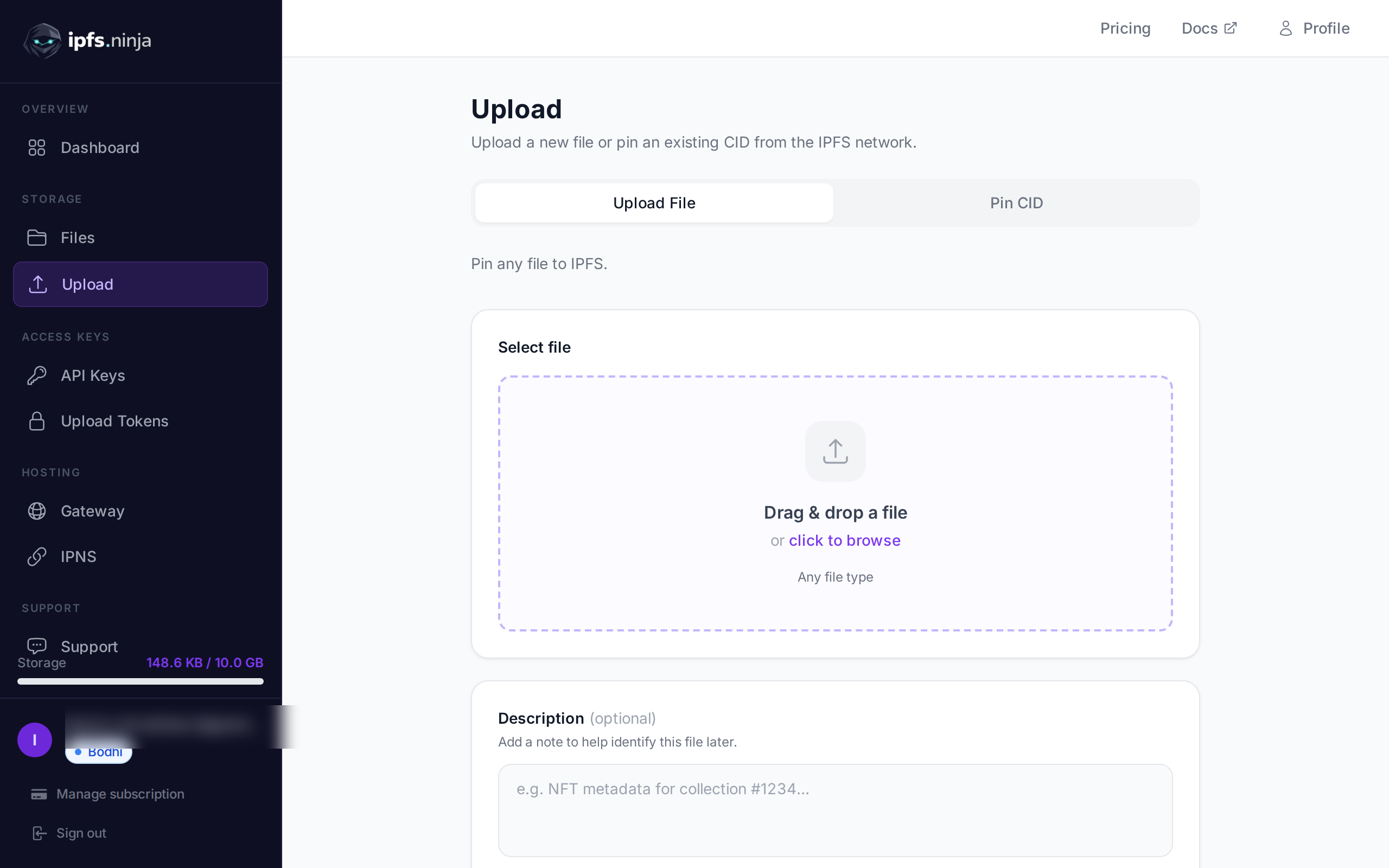
- Create an IPFS.NINJA account and generate an API key. The 7-day trial gives you full Bodhi capacity (10 GB storage, unlimited files, 20 GB bandwidth, 1 dedicated gateway) with no credit card.
- Bulk-pin every CID by looping your list through
POST https://api.ipfs.ninja/pin. Pinning is idempotent — re-running the loop is safe. - Swap gateway URLs from
<slug>.infura-ipfs.io/ipfs/<cid>to<your-slug>.gw.ipfs.ninja/ipfs/<cid>(or the publicipfs.ninja/ipfs/<cid>if you don’t need a dedicated gateway). - Verify every CID resolves on the new gateway before you delete anything on the Infura side.
- Rotate credentials. Remove Infura project IDs and secrets from your app config, CI, and any client-side bundles that may have shipped with them.
What the shutdown actually broke#
Consensys announced the shutdown in advance and executed it in two phases:
| Date | What changed |
|---|---|
| 2026-08-03 | New uploads disabled (/api/v0/add returns 403). Existing pins still resolved. |
| 2026-08-15 | Full shutdown. Pinning API, gateways (ipfs.infura.io, *.infura-ipfs.io), and dashboard writes all offline. |
| ~30 days later | Consensys did not publish a firm garbage-collection date for the cluster. Assume your pins can leave the DHT at any point after the shutdown — content that isn’t re-pinned somewhere else will eventually become unretrievable. |
If you’re reading this after 2026-08-15, your uploads and gateway have already stopped working. Your CIDs still exist as identifiers — a CID is a cryptographic hash of the content, not a pointer to Infura’s servers — but nothing is guaranteeing they stay on the network until you re-pin them somewhere.
If any part of your app still points at infura-ipfs.io gateway URLs or the Infura pinning API, you are currently serving broken links to your users. That’s the fire to put out first.
Step 1 — Export your Infura pin list#
Infura’s HTTP API followed the standard IPFS RPC pattern: POST /api/v0/pin/ls authenticated with HTTP Basic (project ID + project secret). If your project is still readable through the dashboard, use this snippet to dump every recursive pin to a text file:
export INFURA_PROJECT_ID="your-project-id"
export INFURA_PROJECT_SECRET="your-project-secret"

curl -s -X POST "https://ipfs.infura.io:5001/api/v0/pin/ls?type=recursive" \
  -u "${INFURA_PROJECT_ID}:${INFURA_PROJECT_SECRET}" \
  | jq -r '.Keys | keys[]' > infura-cids.txt

wc -l infura-cids.txt   # this is your migration size
Expected output for a healthy dump is one CID per line, e.g.:
QmXoypizjW3WknFiJnKLwHCnL72vedxjQkDDP1mXWo6uco
bafybeigdyrzt5sfp7udm7hu76uh7y26nf3efuylqabf3oclgtqy55fbzdi
QmT78zSuBmuS4z925WZfrqQ1qHaJ56DQaTfyMUF7F8ff5o
...
If that curl returns 401 Unauthorized, your project credentials are already revoked — jump to the fallback section. If it returns 403, the endpoint has been fully deprecated on your project and the same applies. If you get a 5xx, retry once — Consensys was still serving reads intermittently on some accounts in the days after 2026-08-15, but treat every read as best-effort.
Whatever you recover, keep infura-cids.txt as the source of truth for the rest of this guide.
If you can’t recover your CID list#
Most support tickets we’ve seen this month start with “I already lost dashboard access — how do I get my CIDs back?” There’s no direct API path for this after the shutdown, but here are the reconstruction routes that actually work in practice:
1. Search your git history. If your app hardcoded CIDs (config files, .env templates, JSON manifests, contract deploy scripts), they’re likely in the repo:
# Broad search — matches CIDv0 (Qm...) and CIDv1 (bafy..., bafk..., etc.)
git log --all -p | grep -oE '(Qm[1-9A-HJ-NP-Za-km-z]{44}|ba[a-z2-7]{57,})' \
  | sort -u > cids-from-git.txt
2. Extract from on-chain events. For NFT projects, every tokenURI you minted is on-chain. If you used ipfs:// URIs, they are permanent public records:
# Example: pull tokenURI from an ERC-721 contract via cast (foundry)
cast call 0xYourContract "tokenURI(uint256)(string)" 1 \
  --rpc-url https://eth.llamarpc.com
# → "ipfs://bafybei.../metadata.json"
Loop this over your minted range, strip the ipfs:// prefix, and you have a canonical list. This is the most reliable recovery path for NFT projects because the chain doesn’t forget.
3. Check dApp deployment artifacts. IPFS-hosted frontends usually left the root CID somewhere: an ENS content hash record, a Fleek/IPFS Hosting build log, a Vercel/Netlify build cache, a Cloudflare Pages deployment record. Grep those.
4. Read your ENS records. Any .eth domain that pointed at IPFS content via contenthash still holds the CID it was set to:
cast resolve <your-name>.eth --rpc-url https://eth.llamarpc.com
# → contenthash returns the encoded CID
5. Search your archived gateway URLs. If your Infura dedicated gateway was public, its URLs are indexed by search engines and archive.org. A site search like site:<yourslug>.infura-ipfs.io on Google frequently surfaces old CIDs.
You will not recover 100% of a large historical pin set this way. But for most production apps, the CIDs that matter are the ones actively referenced by users, contracts, or metadata — those are the ones on-chain or in the repo.
Step 2 — Create your IPFS.NINJA account#
Sign up — the 7-day trial runs on full Bodhi capacity, no credit card:
- Unlimited files (as of the 2026-08-26 tier update)
- 10 GB storage
- 20 GB bandwidth per month
- 1 dedicated gateway
- 1 IPNS key + 10 publishes/month
- 3 API keys
- MCP server, CAR import, S3-compatible endpoint
At day 8, pick Bodhi ($5/mo, same limits), Karma ($19/mo, 100 GB / 100 GB bandwidth), or Nirvana ($59/mo, 1 TB / 500 GB bandwidth). If you don’t upgrade, your account transitions to a 30-day read-only state — pinned CIDs continue serving through the gateway during that window, and re-subscribing at any point resumes uploads.
Generate an API key in the dashboard (API Keys → New key). The key looks like bws_a1b2c3d4e5f6a7b8c9d0e1f2a3b4c5d6. Store it in your shell:
export NINJA_KEY="bws_a1b2c3d4e5f6a7b8c9d0e1f2a3b4c5d6"Step 3 — Bulk-pin every CID#
POST https://api.ipfs.ninja/pin accepts one CID at a time. The endpoint is idempotent: pinning a CID we already hold returns 200 OK with no billing side-effect, so re-running the loop is always safe.
while read cid; do
  curl -s -X POST https://api.ipfs.ninja/pin \
    -H "X-Api-Key: $NINJA_KEY" \
    -H "Content-Type: application/json" \
    -d "{\"cid\":\"$cid\",\"description\":\"migrated from infura\"}" \
    | jq -c "{cid: .cid, status: .status}"
done < infura-cids.txt | tee migration-log.jsonl
Pinning is asynchronous for any CID our cluster doesn’t already hold — the initial response is status: "pinning" and you poll GET /pin/{cid} until status flips to "pinned". Typical mid-sized content resolves within 5 minutes; large multi-GB directories can take longer.
Full endpoint reference: ipfs.ninja/docs/api/pinning.
Step 4 — Migration script with error handling#
For anything larger than a few dozen CIDs, run it from Node.js so retries, backoff, and reporting are built in. The script below works on Node.js 18 or later using the built-in fetch — no dependencies to install.
// migrate-from-infura.mjs
// Requires Node.js 18+. Run: node migrate-from-infura.mjs infura-cids.txt
import { readFile, writeFile } from "node:fs/promises";

const API_KEY = process.env.NINJA_KEY;
const API_BASE = "https://api.ipfs.ninja";
const CONCURRENCY = 5;
const MAX_RETRIES = 3;

if (!API_KEY) {
  console.error("Set NINJA_KEY in your environment.");
  process.exit(1);
}

const sleep = (ms) => new Promise((r) => setTimeout(r, ms));

async function pinCid(cid, attempt = 1) {
  try {
    const res = await fetch(`${API_BASE}/pin`, {
      method: "POST",
      headers: {
        "Content-Type": "application/json",
        "X-Api-Key": API_KEY,
      },
      body: JSON.stringify({
        cid,
        description: "migrated from infura",
      }),
    });

    if (res.status === 402) {
      // Plan limit hit — surfaces upgrade path in the response body.
      const body = await res.json();
      throw new Error(`plan limit: ${body.error} (${body.dimension})`);
    }
    if (!res.ok) throw new Error(`HTTP ${res.status}: ${await res.text()}`);

    return await res.json();
  } catch (err) {
    if (attempt >= MAX_RETRIES) throw err;
    await sleep(1000 * 2 ** (attempt - 1)); // 1s, 2s, 4s exponential backoff
    return pinCid(cid, attempt + 1);
  }
}

async function main() {
  const inputPath = process.argv[2] || "infura-cids.txt";
  const cids = (await readFile(inputPath, "utf8"))
    .split("\n")
    .map((l) => l.trim())
    .filter(Boolean);

  console.log(`Migrating ${cids.length} CIDs with concurrency=${CONCURRENCY}...`);

  const results = { ok: [], failed: [] };
  for (let i = 0; i < cids.length; i += CONCURRENCY) {
    const batch = cids.slice(i, i + CONCURRENCY);
    const outcomes = await Promise.allSettled(batch.map((c) => pinCid(c)));

    outcomes.forEach((o, idx) => {
      const cid = batch[idx];
      if (o.status === "fulfilled") {
        results.ok.push({ cid, status: o.value.status });
        console.log(`  ok    ${cid} → ${o.value.status}`);
      } else {
        results.failed.push({ cid, error: o.reason.message });
        console.error(`  fail  ${cid} → ${o.reason.message}`);
      }
    });
  }

  await writeFile("migration-report.json", JSON.stringify(results, null, 2));
  console.log(
    `\nDone. ${results.ok.length} succeeded, ${results.failed.length} failed.`,
  );
  console.log(`Report written to migration-report.json`);
}

main().catch((e) => {
  console.error(e);
  process.exit(1);
});
Run it:
export NINJA_KEY="bws_..."
node migrate-from-infura.mjs infura-cids.txt
Expected output:
Migrating 1284 CIDs with concurrency=5...
  ok    QmXoypizjW3WknFiJnKLwHCnL72vedxjQkDDP1mXWo6uco → pinning
  ok    bafybeigdyrzt5sfp7udm7hu76uh7y26nf3efuylqabf3oclgtqy55fbzdi → pinned
  ...
Done. 1281 succeeded, 3 failed.
Report written to migration-report.json
Anything in migration-report.json’s failed array is worth manual inspection — usually one of: CID malformed (typo in the source), CID unreachable on the DHT (content never propagated widely, and Infura’s node was one of few holders), or plan quota hit (upgrade or split across accounts).
Step 5 — Swap gateway URLs#
Infura’s dedicated gateway was <your-slug>.infura-ipfs.io. The pattern to replace across your codebase:
// Before
const url = `https://myapp.infura-ipfs.io/ipfs/${cid}`;

// After — dedicated (recommended for production)
const url = `https://myapp.gw.ipfs.ninja/ipfs/${cid}`;

// After — public apex (shared, rate-limited, fine for tests)
const url = `https://ipfs.ninja/ipfs/${cid}`;
For NFT projects where you used ipfs:// URIs in on-chain metadata, no on-chain change is needed — wallets and marketplaces resolve ipfs:// via their own gateway of choice. The only replacements you need are hardcoded HTTP gateway URLs in application code, docs, and off-chain metadata references.
Recommended cutover pattern for anything user-facing:
// Environment-driven so you can flip back without a redeploy
const gatewayBase =
  process.env.IPFS_GATEWAY_BASE || "https://myapp.gw.ipfs.ninja/ipfs/";
If you had multiple Infura projects with different dedicated gateway subdomains, create a matching dedicated gateway per project on IPFS.NINJA (Bodhi tier includes one, Karma one, Nirvana many). The subdomain choice is yours.
Step 6 — Post-migration verification#
Before you touch anything on the Infura side or ship the gateway swap to production, confirm every CID actually pinned and actually resolves. Two independent checks:
Pin-status check — talks to the pinning API, tells you whether the cluster holds it:
while read cid; do
  status=$(curl -s "https://api.ipfs.ninja/pin/$cid" \
    -H "X-Api-Key: $NINJA_KEY" | jq -r '.status')
  echo "$cid $status"
done < infura-cids.txt | grep -v " pinned$" | tee missing.txt
If missing.txt is empty, every CID is pinned. If not, wait 5 minutes for asynchronous pins to complete, then re-run.
Gateway-fetch check — talks to the CDN-fronted gateway, tells you whether real user traffic will succeed. Test both the public apex and your dedicated gateway (a Cloudflare misconfiguration on either would silently degrade one but not the other):
while read cid; do
  public=$(curl -s -o /dev/null -w "%{http_code}" -I \
    "https://ipfs.ninja/ipfs/$cid")
  dedicated=$(curl -s -o /dev/null -w "%{http_code}" -I \
    "https://myapp.gw.ipfs.ninja/ipfs/$cid")
  echo "$cid public=$public dedicated=$dedicated"
done < infura-cids.txt | grep -v " public=200 dedicated=200$"
Anything that isn’t 200 200 gets investigated before you cut over user traffic.
Feature comparison: Infura IPFS → IPFS.NINJA#
| Feature | Infura IPFS (retired) | IPFS.NINJA |
|---|---|---|
| Upload API | POST /api/v0/add (multipart, Basic auth) | POST /upload/new (JSON body, X-Api-Key header) |
| Pinning by CID | POST /api/v0/pin/add?arg=<cid> | POST /pin (JSON body, idempotent) |
| List pins | POST /api/v0/pin/ls | GET /upload/list?from=…&to=… |
| Dedicated gateway | <slug>.infura-ipfs.io | <slug>.gw.ipfs.ninja (Bodhi+) |
| Public gateway | ipfs.io (shared, unaffiliated) | ipfs.ninja/ipfs/<cid> (ours, CDN-backed) |
| IPNS | Publish/resolve via /api/v0/name/* | IPNS keys with publish quota per plan |
| CAR import | POST /api/v0/dag/import | POST /upload/car |
| S3-compatible API | Not supported | Yes — drop-in for S3 clients |
| MCP for AI agents | Not supported | Yes — @ipfs-ninja/mcp-server, 12 tools |
| Auth | HTTP Basic (project ID + secret) | X-Api-Key header + signed upload tokens |
| Free tier | Discontinued 2026-08-15 | 7-day trial on Bodhi capacity, no card |
If you were relying on the /api/v0/* HTTP RPC shape specifically — for example, because you were using a Kubo-style client SDK that assumed that shape — IPFS.NINJA’s REST API is intentionally different (simpler, JSON in/out, no multipart). The migration script above and the upload API tutorial cover the mapping.
After you’ve verified — cleanup#
Only after missing.txt is empty AND the gateway-fetch check passes across both gateways:
- Rotate credentials. Remove
INFURA_PROJECT_IDandINFURA_PROJECT_SECRETfrom.envfiles, secrets managers, CI variables, and any client-side bundles that shipped them. Basic-auth Infura credentials were frequently leaked into public frontends because the API was called from browsers — worth grepping your deployed JS. - Kill dead code paths. Delete any code branch that still calls
ipfs.infura.io:5001. Anything that survives will 5xx in prod. - Update docs and READMEs. Onboarding docs referencing Infura setup steps now mislead new hires.
- Remove Infura from your monitoring. Uptime pings against
infura-ipfs.iowill alert forever otherwise.
Why we wrote this#
Our support inbox filled up in the second half of August with variations of the same question: “Infura shut off. Can you pull my CIDs back onto your infrastructure?” Some tickets had a clean pin list attached. Most didn’t — the shutdown caught teams mid-sprint, with dashboard access already revoked and no export saved.
Nobody wins when an IPFS provider shuts down. Storj filed Chapter 11 in July, Fleek deprecated its dedicated IPFS product earlier this year, and NFT.Storage sunset its free tier back in 2024 — the market is thinner every quarter. We built IPFS.NINJA because we wanted to run this ourselves on infrastructure we control, and we’re still shipping: unlimited files on Bodhi as of yesterday, IPNS publishes on every paid plan, an MCP server for AI agents, a Cloudflare-backed dedicated gateway per project.
The runbook above is what we’d tell a friend the week Infura went dark. If you get stuck at any step, our support inbox is hello@ipfs.ninja — include your missing.txt file if any CIDs failed to resolve, and we’ll poke the cluster from our side.
Ready to start pinning? Start your 7-day trial — full Bodhi capacity (10 GB / unlimited files / 20 GB bandwidth / 1 dedicated gateway). No credit card required. Then Bodhi $5/mo, Karma $19/mo, or Nirvana $59/mo.
About the author
Nacho Coll
Founder & Engineer at IPFS.NINJA
Nacho founded IPFS.NINJA to make content-addressed storage feel as simple as an S3 PUT — a single API call, a permanent CID, no wallets or peer discovery to reason about. Writes about IPFS internals, decentralized storage patterns, and the pinning-service landscape from the operator side of the wire.