

Web3.Storage Is Now Storacha — Full Migration Runbook Inside
Web3.Storage became Storacha with a UCAN-based auth model and the old endpoints deprecated. Full runbook to move your pins to IPFS.NINJA, code inside.
 by Nacho Coll
Nacho founded IPFS.NINJA to make content-addressed storage feel as simple as an S3 PUT — a single API call, a permanent CID, no wallets or peer discovery to reason about.
- Web3.Storage rebranded to Storacha and moved auth from bearer API keys to UCAN capabilities.
- The classic web3.storage upload endpoint is deprecated — old bearer-token integrations no longer work.
- Export your CID list with the storacha CLI (or reconstruct it from git and on-chain records).
- Re-pin every CID to IPFS.NINJA's /pin endpoint, swap gateway URLs, verify, then rotate credentials.
Web3.Storage rebranded to Storacha and moved its auth model from bearer API keys to UCAN capabilities. The classic api.web3.storage/upload endpoint is deprecated; integrations built against it need to be rewritten. If you’re deciding whether to adopt the new w3up client or move to a different provider entirely, this guide walks through the second path: recover your CID list, re-pin every CID to IPFS.NINJA, swap gateway URLs, verify.
TL;DR — six steps#
- Export your CID list. Use the
storachaCLI while your account access still works, or reconstruct the list from git history and on-chain records. - Create an IPFS.NINJA account and generate an API key. The 7-day trial runs on full Bodhi capacity (10 GB storage, unlimited files, 20 GB bandwidth, 1 dedicated gateway) with no credit card.
- Bulk-pin every CID through
POST https://api.ipfs.ninja/pin. Pinning is idempotent — safe to re-run. - Swap gateway URLs —
storacha.link,w3s.link, and any legacy<slug>.ipfs.w3s.linkhosts get rewritten toipfs.ninja/ipfs/<cid>or your dedicated<slug>.gw.ipfs.ninjasubdomain. - Verify every CID resolves on the new gateway before you unpin from Storacha.
- Rotate credentials. Delete leftover
WEB3_STORAGE_TOKENvalues from.env, CI, and any client bundles they leaked into.
What actually changed#
Web3.Storage started life at Protocol Labs as a free upload service for anyone wanting a public CID without running their own node. Over 2024 the project was spun into an independent brand (Storacha), the operator identity moved to a separate team, and the whole auth stack was replaced. The rebrand and endpoint migration rolled out over 2024-2025 — treat any specific date claim you see online with a pinch of salt unless it’s on docs.storacha.network itself.
| Approx. window | What changed |
|---|---|
| Pre-2024 | Classic Web3.Storage: bearer-token API, POST api.web3.storage/upload, dashboard at web3.storage. |
| 2024 | Rebrand to Storacha announced. New tooling (w3up client, w3cli, later @storacha/cli), new console at console.storacha.network. Auth model moves to UCAN capabilities. |
| 2024-2025 | Classic bearer-token endpoints deprecated. @storacha/cli supersedes w3cli as the recommended CLI. |
| Ongoing | Storacha operational; new uploads flow through up.storacha.network and the w3up client. Filecoin deals continue for content uploaded historically. |
Two clarifications worth being precise about:
- Storacha is not shut down. It’s operational, actively maintained, and a legitimate choice for teams that want a capability-based auth model. This guide isn’t a claim that Storacha is bad — it’s for teams whose existing infrastructure was built around a bearer-token model and who prefer to keep that shape.
- Your CIDs still exist. A CID is a hash of the content. Storacha’s rebrand didn’t invalidate any CID; anything you pinned there is still addressable by the same identifier. Re-pinning it elsewhere costs nothing beyond the pinning provider’s fee, and the CID stays identical.
Why the migration exists — a quick UCAN primer#
You don’t need to understand UCAN to run this migration, but you should know what changed so you can decide whether Storacha’s new shape fits your app.
Old model — bearer token. You created a Web3.Storage account, generated a long-lived API token, put it in Authorization: Bearer …, and every upload from any client authenticated as your account. Simple, familiar, matches the shape of every SaaS API.
New model — UCAN capabilities. You have an agent (a signing keypair). Your agent claims a space (a scope for uploads, identified by a DID). Your agent signs invocations — “I want to upload/add this CID to this space” — using capabilities that were delegated to it, either directly or through a chain. There’s no central bearer token; auth is a signed, verifiable statement that flows from a root capability holder down to whoever’s actually making the call. The W3 UCAN Bridge spec is the current source of truth for the HTTP surface.
That’s a defensible design for a decentralized system — capabilities are portable, revocable per-key, and don’t require a central auth server to verify. It’s also a real cognitive load for a team that just wants “put a bytes-blob at a URL and get a CID back.” If your infrastructure was built around the old bearer model and you don’t want to invest in learning UCAN, moving to a different provider that keeps a REST + header API is a legitimate call. Both paths are fine.
Step 1 — Export your Storacha upload list#
Storacha’s current CLI is @storacha/cli (binary storacha), which replaced the older w3cli. Install it, log in with the email associated with your account, pick a space, dump the upload list:
npm install -g @storacha/cli

storacha login your-email@example.com
# Confirm the link sent to your inbox before proceeding.

storacha space ls
# DID:key:z6Mki...  my-app-uploads
# DID:key:z6Mkj...  my-app-static

storacha space use did:key:z6Mki...
storacha ls --json > storacha-uploads.ndjson
Repeat the space use + ls --json pair for every space if you have multiple, appending to the same file. Output is newline-delimited JSON, one upload per line:
{"root":{"/":"bafybeigd..."},"shards":[{"/":"bagbaie..."}],"insertedAt":"2026-01-15T10:30:00Z"}Extract the flat CID list:
jq -r '.root["/"]' storacha-uploads.ndjson | sort -u > storacha-cids.txt
wc -l storacha-cids.txt   # this is your migration size
If you were using the classic Web3.Storage API and never migrated to the storacha CLI, you may still have a token that reads the legacy /user/uploads list — check whether the classic dashboard at web3.storage still resolves for your account. Reads on the classic path have been intermittent since the rebrand; treat any successful export as a bonus and move to the fallback route if it fails.
Keep storacha-cids.txt as the source of truth for the rest of the guide.
If you’ve lost dashboard access#
The rebrand consolidated auth around UCAN keys held by the storacha CLI on the machine you first logged in from. If that machine is gone, if the mailbox tied to the old Web3.Storage account is gone, or if you’re inheriting a project whose credentials were never handed over, the direct export path is closed. These reconstruction routes work in practice:
1. Search your git history. CIDs hardcoded in app configs, JSON manifests, deploy scripts, or migration files are recoverable directly from the repo:
git log --all -p | grep -oE '(Qm[1-9A-HJ-NP-Za-km-z]{44}|ba[a-z2-7]{57,})' \
  | sort -u > cids-from-git.txt
2. Extract from on-chain records. For NFT projects, every tokenURI you minted is a permanent public record. Loop over the token ID range with cast (Foundry) or the ethers/viem equivalent, strip the ipfs:// prefix, and you have the canonical list. Chain memory doesn’t get rebranded away.
3. Search archived gateway URLs. If your Storacha uploads were served through w3s.link/ipfs/<cid> or storacha.link/ipfs/<cid>, those URLs are indexed by search engines and archive.org. A site: query surfaces old CIDs faster than you’d expect.
4. Read your dApp deployment artifacts. ENS contenthash records, Fleek build logs, Vercel deploy caches, and Cloudflare Pages metadata all quietly hold the CID your frontend was pointing at. Grep them.
You won’t recover 100% of a large historical upload set this way. But for a live application, the CIDs that matter are the ones actually referenced by users, contracts, or metadata — those are almost always in the repo, on-chain, or in a search cache.
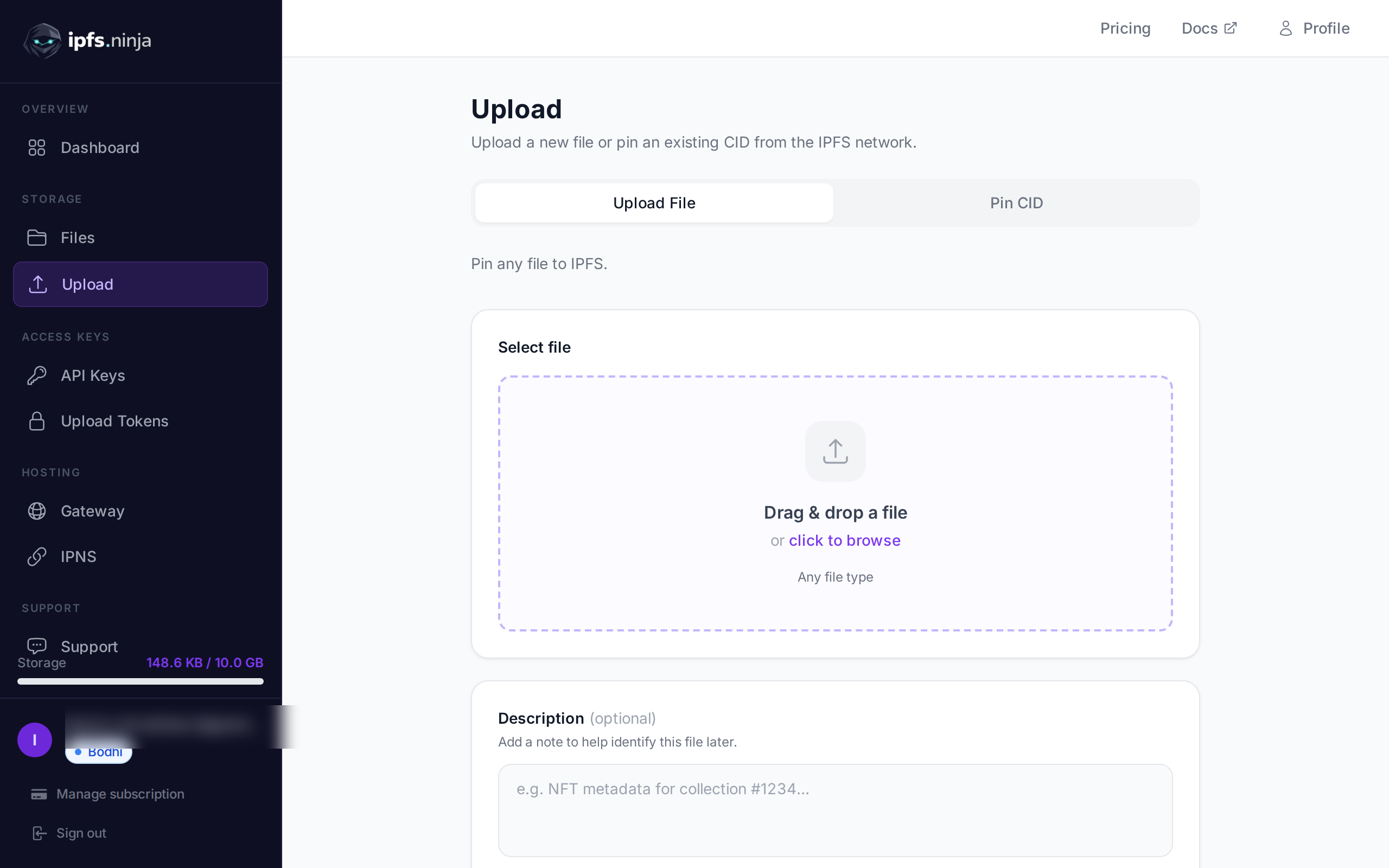
Step 2 — Create your IPFS.NINJA account#
Sign up — the 7-day trial runs on full Bodhi capacity, no credit card:
- Unlimited files (as of the 2026-08-26 tier update)
- 10 GB storage
- 20 GB bandwidth per month
- 1 dedicated gateway (
<slug>.gw.ipfs.ninja) - 1 IPNS key + 10 publishes/month
- 3 API keys
- MCP server, CAR import, S3-compatible endpoint
At day 8, pick Bodhi ($5/mo, same limits), Karma ($19/mo, 100 GB / 100 GB bandwidth), or Nirvana ($59/mo, 1 TB / 500 GB bandwidth). If you don’t upgrade, the account transitions to a 30-day read-only state — migrated CIDs continue serving through the gateway during that window, and re-subscribing resumes uploads at any point.
Generate an API key in the dashboard (API Keys → New key). Format: bws_ + 32 hex chars.
export NINJA_KEY="bws_a1b2c3d4e5f6a7b8c9d0e1f2a3b4c5d6"Step 3 — Bulk-pin every CID#
POST https://api.ipfs.ninja/pin accepts one CID at a time. The endpoint is idempotent: pinning a CID our cluster already holds returns 200 OK with no billing side-effect, so re-running the loop is safe.
while read cid; do
  curl -s -X POST https://api.ipfs.ninja/pin \
    -H "X-Api-Key: $NINJA_KEY" \
    -H "Content-Type: application/json" \
    -d "{\"cid\":\"$cid\",\"description\":\"migrated from storacha\"}" \
    | jq -c "{cid: .cid, status: .status}"
done < storacha-cids.txt | tee migration-log.jsonl
Pinning is asynchronous for any CID our cluster doesn’t already hold — the initial response is status: "pinning" and you poll GET /pin/{cid} until it flips to "pinned". Mid-sized content typically resolves within 5 minutes; multi-GB directories can take longer.
Full endpoint reference: ipfs.ninja/docs/api/pinning.
Step 4 — Migration script with error handling#
For anything larger than a handful of CIDs, run it from Node.js so retries, backoff, and reporting come for free. The script works on Node.js 18 or later using the built-in fetch — no dependencies.
// migrate-from-storacha.mjs
// Requires Node.js 18+. Run: node migrate-from-storacha.mjs storacha-cids.txt
import { readFile, writeFile } from "node:fs/promises";

const API_KEY = process.env.NINJA_KEY;
const API_BASE = "https://api.ipfs.ninja";
const CONCURRENCY = 5;
const MAX_RETRIES = 3;

if (!API_KEY) {
  console.error("Set NINJA_KEY in your environment.");
  process.exit(1);
}

const sleep = (ms) => new Promise((r) => setTimeout(r, ms));

async function pinCid(cid, attempt = 1) {
  try {
    const res = await fetch(`${API_BASE}/pin`, {
      method: "POST",
      headers: {
        "Content-Type": "application/json",
        "X-Api-Key": API_KEY,
      },
      body: JSON.stringify({
        cid,
        description: "migrated from storacha",
      }),
    });

    if (res.status === 402) {
      // Plan limit hit — response body carries the upgrade dimension.
      const body = await res.json();
      throw new Error(`plan limit: ${body.error} (${body.dimension})`);
    }
    if (!res.ok) throw new Error(`HTTP ${res.status}: ${await res.text()}`);

    return await res.json();
  } catch (err) {
    if (attempt >= MAX_RETRIES) throw err;
    await sleep(1000 * 2 ** (attempt - 1)); // 1s, 2s, 4s exponential backoff
    return pinCid(cid, attempt + 1);
  }
}

async function main() {
  const inputPath = process.argv[2] || "storacha-cids.txt";
  const cids = (await readFile(inputPath, "utf8"))
    .split("\n")
    .map((l) => l.trim())
    .filter(Boolean);

  console.log(`Migrating ${cids.length} CIDs, concurrency=${CONCURRENCY}...`);

  const results = { ok: [], failed: [] };
  for (let i = 0; i < cids.length; i += CONCURRENCY) {
    const batch = cids.slice(i, i + CONCURRENCY);
    const outcomes = await Promise.allSettled(batch.map((c) => pinCid(c)));

    outcomes.forEach((o, idx) => {
      const cid = batch[idx];
      if (o.status === "fulfilled") {
        results.ok.push({ cid, status: o.value.status });
        console.log(`  ok    ${cid} → ${o.value.status}`);
      } else {
        results.failed.push({ cid, error: o.reason.message });
        console.error(`  fail  ${cid} → ${o.reason.message}`);
      }
    });
  }

  await writeFile("migration-report.json", JSON.stringify(results, null, 2));
  console.log(
    `\nDone. ${results.ok.length} succeeded, ${results.failed.length} failed.`,
  );
  console.log(`Report written to migration-report.json`);
}

main().catch((e) => {
  console.error(e);
  process.exit(1);
});
Run it:
export NINJA_KEY="bws_..."
node migrate-from-storacha.mjs storacha-cids.txt
Expected output:
Migrating 842 CIDs, concurrency=5...
  ok    bafybeigd... → pinning
  ok    bafybeih... → pinned
  ...
Done. 839 succeeded, 3 failed.
Report written to migration-report.json
Anything in migration-report.json’s failed array is worth manual inspection — the usual culprits are malformed CIDs (typo in the source), CIDs unreachable on the DHT (content that never propagated widely and Storacha’s node was one of few holders), or plan quota hit (upgrade or split across accounts).
Step 5 — Swap gateway URLs#
Storacha’s public gateway hosts are w3s.link (historical) and storacha.link (current). Path-style URLs are the most common; subdomain-style URLs (<cid>.ipfs.w3s.link) also exist for browsers that need each CID on its own origin. The pattern to replace across your codebase:
// Before — Storacha (path-style)
const url = `https://w3s.link/ipfs/${cid}`;
const url2 = `https://storacha.link/ipfs/${cid}`;

// Before — Storacha (subdomain-style)
const url3 = `https://${cid}.ipfs.w3s.link/`;

// After — IPFS.NINJA dedicated gateway (recommended for production)
const url = `https://myapp.gw.ipfs.ninja/ipfs/${cid}`;

// After — IPFS.NINJA public apex (shared, fine for tests)
const url = `https://ipfs.ninja/ipfs/${cid}`;
For NFT projects where ipfs:// URIs were minted on-chain, no on-chain change is needed — wallets and marketplaces resolve those through their own gateway of choice. The only replacements you need are hardcoded HTTP gateway URLs in application code, docs, and off-chain metadata references.
Environment-driven base URL is the pattern that lets you flip back to Storacha without a redeploy while you’re still monitoring:
const gatewayBase =
  process.env.IPFS_GATEWAY_BASE || "https://myapp.gw.ipfs.ninja/ipfs/";
Step 6 — Post-migration verification#
Before you touch anything on the Storacha side, confirm every CID actually pinned and actually resolves. Two independent checks:
Pin-status check — talks to the pinning API, tells you whether the cluster holds it:
while read cid; do
  status=$(curl -s "https://api.ipfs.ninja/pin/$cid" \
    -H "X-Api-Key: $NINJA_KEY" | jq -r '.status')
  echo "$cid $status"
done < storacha-cids.txt | grep -v " pinned$" | tee missing.txt
If missing.txt is empty, every CID is pinned. If not, wait 5 minutes for asynchronous pins to complete, then re-run.
Gateway-fetch check — talks to the CDN-fronted gateway, tells you whether real user traffic will succeed. Hit both the public apex and your dedicated gateway; a Cloudflare misconfiguration on either would silently degrade one but not the other:
while read cid; do
  public=$(curl -s -o /dev/null -w "%{http_code}" -I \
    "https://ipfs.ninja/ipfs/$cid")
  dedicated=$(curl -s -o /dev/null -w "%{http_code}" -I \
    "https://myapp.gw.ipfs.ninja/ipfs/$cid")
  echo "$cid public=$public dedicated=$dedicated"
done < storacha-cids.txt | grep -v " public=200 dedicated=200$"
Anything that isn’t 200 200 gets investigated before you cut over user traffic.
Feature comparison: Storacha → IPFS.NINJA#
| Feature | Storacha | IPFS.NINJA |
|---|---|---|
| Auth model | UCAN capabilities (agents, spaces, delegated invocations) | X-Api-Key header + optional signed upload tokens |
| Client | @storacha/cli + w3up JS client + UCAN-HTTP Bridge | REST API, dashboard, S3 SDK, @ipfs-ninja/mcp-server |
| Upload API shape | UCAN-signed invocations against up.storacha.network | POST /upload/new (JSON body / multipart) |
| Pinning by CID | upload/add capability against the target space | POST /pin (idempotent, JSON body) |
| Public gateway | w3s.link, storacha.link | ipfs.ninja/ipfs/<cid> (CDN-backed) |
| Dedicated gateway | Available on paid tiers | <slug>.gw.ipfs.ninja, included from Bodhi |
| IPNS | Filecoin-anchored variants; check current docs | IPNS keys with publish quota per plan |
| S3-compatible API | Not the primary path | Yes — drop-in for existing S3 clients |
| MCP for AI agents | Not offered | Yes — @ipfs-ninja/mcp-server, 12 tools |
| Pricing shape | Per-usage tiers (see storacha.network/pricing) | Flat monthly tier ($0 trial / $5 / $19 / $59) |
| Best for | Teams that want UCAN, capability delegation, Filecoin anchoring | Teams that want a stable REST API and predictable flat pricing |
The two model differences that matter for a migration decision:
Auth shape. UCAN is a real design choice with real tradeoffs. If you’re building a system where end-users hold their own keys and you want to delegate upload rights without ever handling a central token, UCAN is the right shape and Storacha is a good home. If your integration is a server-side worker that reads a token from an env var and calls one endpoint, keeping that model on IPFS.NINJA is less code to maintain.
Pricing predictability. Storacha’s pricing shape follows their usage model; IPFS.NINJA is a flat monthly tier. Neither is inherently better — flat tiers cap your bill by design; per-usage bills scale down when you have low activity months. Read both pricing pages before deciding.
Why we wrote this#
Support inbox pattern this month: “We were on Web3.Storage. The old token stopped working. We don’t have bandwidth to learn UCAN this sprint — what’s the fastest path to a working upload endpoint?” That’s the audience for this guide. If your answer is instead “we’re excited about capabilities, we want to build on w3up,” the Storacha team is doing legitimate work and their docs at docs.storacha.network are the right next click.
The broader IPFS provider landscape thinned meaningfully over 2024-2026 — Infura IPFS shut down on 2026-08-15, Storj Labs filed Chapter 11 on 2026-07-26, Fleek discontinued its IPFS product on 2026-01-31, NFT.Storage retired its free tier back in 2024. We track the current state of every major provider in the IPFS provider status hub, which is the piece to read if you’re evaluating more than one destination.
We’re still building. Unlimited files on Bodhi as of the 2026-08-26 tier update, IPNS on every paid plan, a Cloudflare-backed dedicated gateway per project, an MCP server for AI agents, an S3-compatible endpoint for existing SDK users. The migration script above is what we’d send a friend the week their w3up rewrite estimate came in higher than they wanted.
Ready to start pinning? Start your 7-day trial — full Bodhi capacity (10 GB / unlimited files / 20 GB bandwidth / 1 dedicated gateway). No credit card required. Then Bodhi $5/mo, Karma $19/mo, or Nirvana $59/mo. If your Storacha account holds more than 1 TB, ping hello@ipfs.ninja and we’ll help plan the cutover.
Frequently asked questions
Is Web3.Storage shut down?
Do my CIDs change when I migrate off Storacha?
What is UCAN and why did Storacha adopt it?
Should I migrate to Storacha's w3up client or to a different provider?
How much does the migration cost on IPFS.NINJA?
About the author
Nacho Coll
Founder & Engineer at IPFS.NINJA
Nacho founded IPFS.NINJA to make content-addressed storage feel as simple as an S3 PUT — a single API call, a permanent CID, no wallets or peer discovery to reason about. Writes about IPFS internals, decentralized storage patterns, and the pinning-service landscape from the operator side of the wire.