한국어
한국어
Appearance

IPNS (InterPlanetary Name System)는 시간이 지남에 따라 다른 콘텐츠를 가리키도록 업데이트할 수 있는 안정적이고 공유 가능한 주소를 제공합니다. IPFS CID는 콘텐츠가 변경될 때마다 바뀌지만, IPNS 이름은 그대로 유지됩니다 — 가리키는 대상만 업데이트하면 됩니다.
Bodhi (3개 이름, 월 100회 발행) 및 Nirvana (10개 이름, 월 1,000회 발행) 플랜에서 사용할 수 있습니다.
IPNS에 대해 자세히 알아보기
IPNS가 프로토콜 수준에서 어떻게 작동하는지에 대한 자세한 내용은 IPFS 공식 문서의 IPNS를 참조하세요.
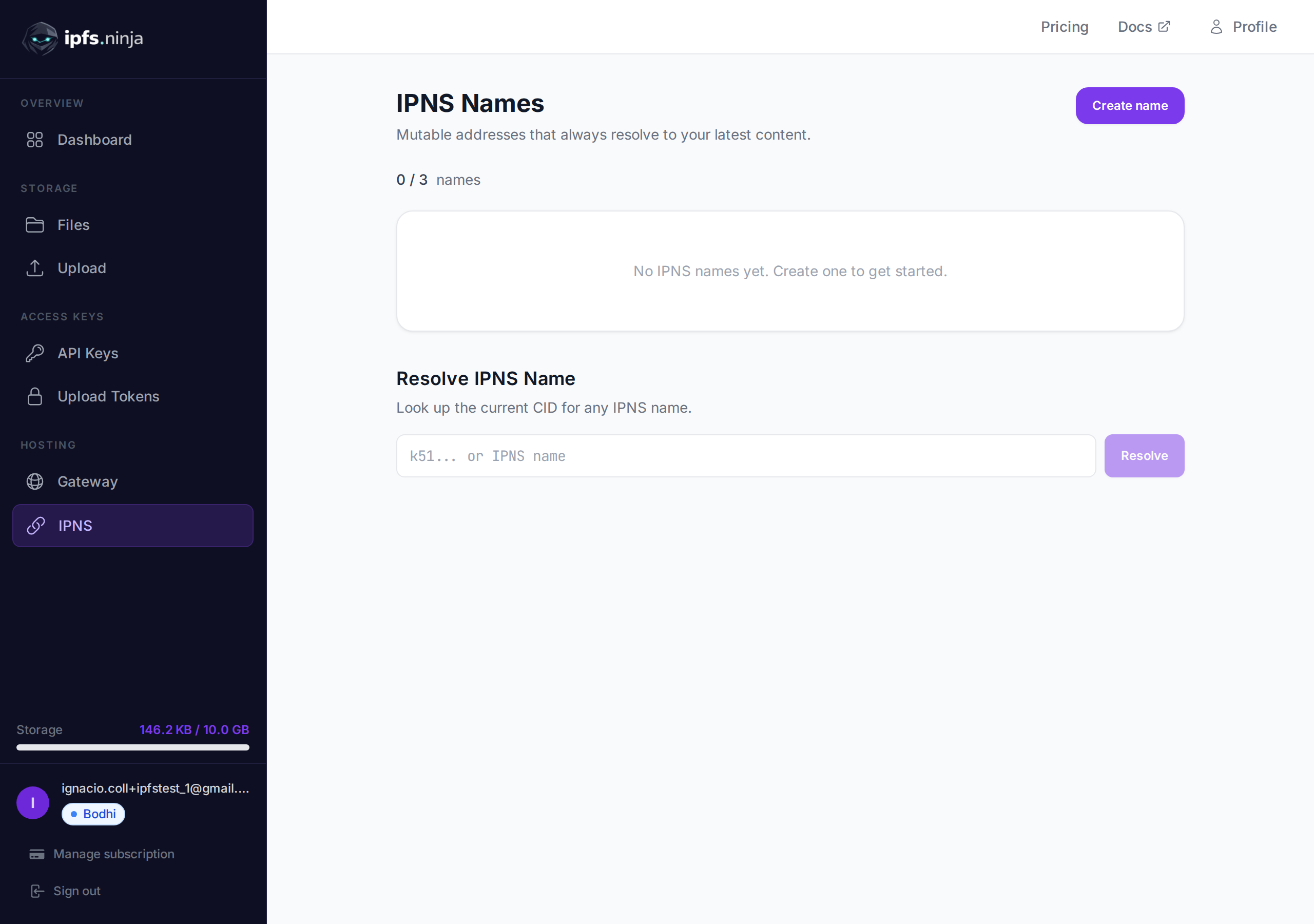
문제: IPFS에 파일의 새 버전을 업로드할 때마다 다른 CID를 받습니다. 이전 CID를 사용자와 공유했다면, 그들은 여전히 이전 콘텐츠를 봅니다. 매번 새 링크를 공유해야 합니다.
해결책: IPNS 이름을 한 번 만들고 공유한 다음, 콘텐츠가 변경될 때마다 가리키는 대상을 업데이트하세요. IPNS 주소를 가진 사람은 항상 최신 버전을 받습니다.
tokenURI를 IPNS 주소로 지정합니다. 스마트 컨트랙트를 변경하지 않고 메타데이터를 업데이트합니다 (예: 게임 아이템 레벨업).https://yourdomain.com이 항상 최신 IPFS 콘텐츠를 제공하도록 합니다.k51...로 시작)를 복사합니다 — 이것이 영구적이고 공유 가능한 주소입니다.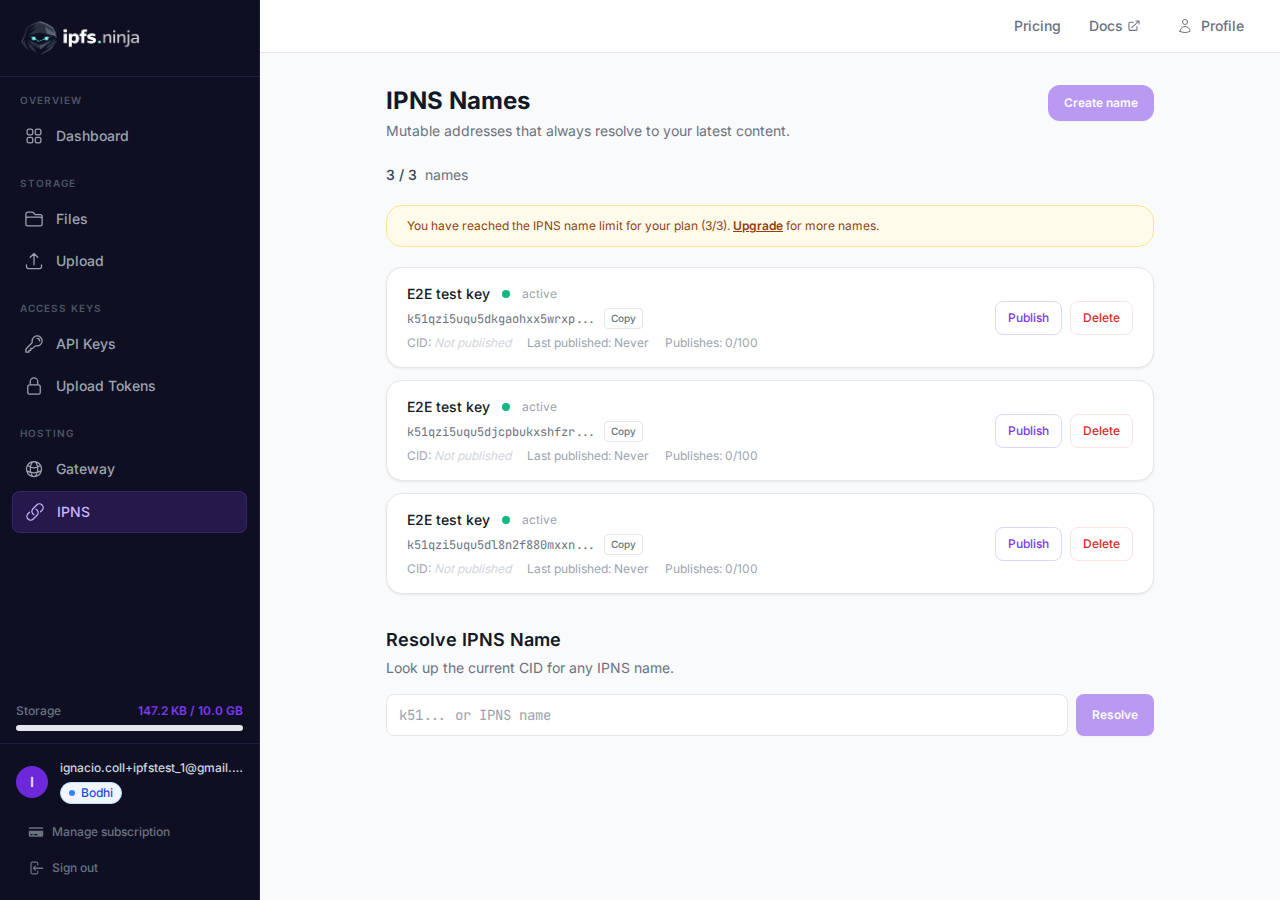
QmXk7VRz... 또는 bafybei...)를 입력합니다.https://ipfs.ninja/ipns/{your-ipns-name}https://dweb.link/ipns/{your-ipns-name}ipns://{your-ipns-name}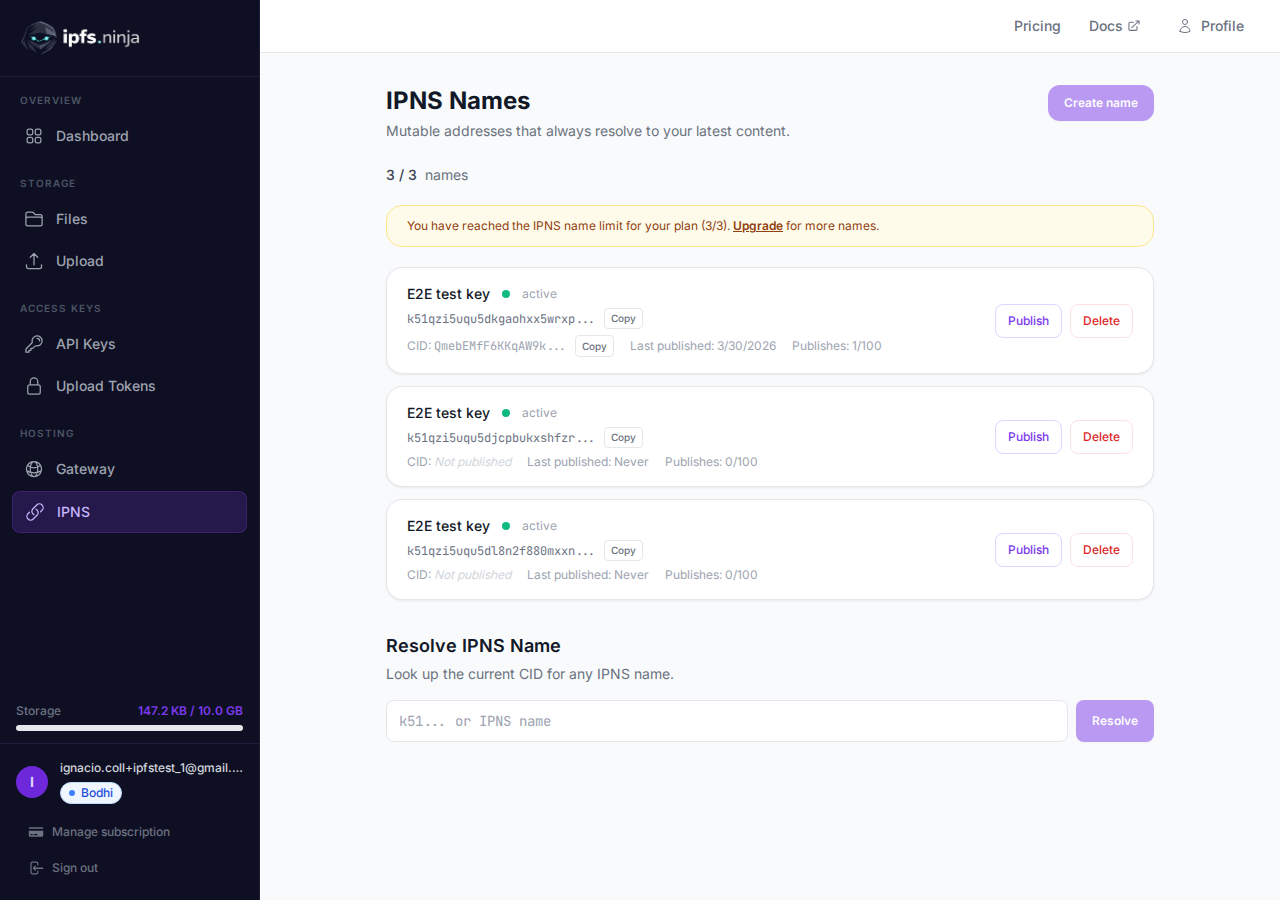
콘텐츠가 변경되면:
페이지 하단의 해석 섹션을 사용하여 모든 IPNS 이름의 현재 CID를 조회하세요 — 자신의 것이든 다른 사람의 것이든.
이름 옆의 삭제 버튼을 클릭합니다. IPNS 레코드는 48시간 이내에 네트워크에서 만료됩니다.
DNSLink를 사용하여 자체 도메인 이름을 IPNS 주소로 지정할 수 있습니다. 이를 통해 사용자는 https://yourdomain.com과 같은 일반 URL로 IPFS 콘텐츠에 접근할 수 있습니다.
IPNS 이름을 생성하고 콘텐츠 CID를 발행합니다 (위의 단계).
도메인 DNS 공급자에서 DNS TXT 레코드를 추가합니다:
_dnslink.yourdomain.com TXT "dnslink=/ipns/{your-ipns-name}"예시: IPNS 이름이 k51qzi5uqu5djcpbukxs...인 경우:
_dnslink.myapp.com TXT "dnslink=/ipns/k51qzi5uqu5djcpbukxs..."dig 또는 nslookup으로 레코드를 확인합니다:
dig +short TXT _dnslink.myapp.com
# Should return: "dnslink=/ipns/k51qzi5uqu5djcpbukxs..."
DNSLink를 지원하는 IPFS 게이트웨이를 통해 접근합니다:
https://ipfs.ninja/ipns/myapp.com또는 IPFS를 지원하는 브라우저 (예: Brave)를 통해:
ipns://myapp.comDNS 전파
DNS 변경이 전 세계적으로 전파되는 데 최대 24시간이 걸릴 수 있습니다. TXT 레코드를 추가한 후 테스트하기 전에 몇 시간 기다리세요.
TIP
DNSLink는 한 번만 설정하면 됩니다. IPNS 이름에 새 CID를 발행하면 도메인이 자동으로 새 콘텐츠를 해석합니다 — DNS 변경이 필요 없습니다.
Cloudflare를 사용하는 경우:
_dnslink, Content: dnslink=/ipns/k51..._dnslink.yourdomain.com, Type: TXT, Value: "dnslink=/ipns/k51..."# 1. Build your site
npm run build
# 2. Upload the build output to IPFS
CID=$(curl -s -X POST https://api.ipfs.ninja/upload/new \
-H "X-Api-Key: bws_your_api_key" \
-H "Content-Type: application/json" \
-d "{\"content\": $(cat dist/index.html | base64 -w0 | jq -Rs .), \"description\": \"Website v2.1\"}" \
| jq -r '.cid')
echo "Uploaded: $CID"
# 3. Update your IPNS name to point to the new build
curl -X POST https://api.ipfs.ninja/ipns/publish \
-H "X-Api-Key: bws_your_api_key" \
-H "Content-Type: application/json" \
-d "{\"ipnsName\": \"k51qzi5uqu5dlvj2bv6...\", \"cid\": \"$CID\"}"
# Your site at ipns://k51... now serves the new version// Smart contract points tokenURI to IPNS address:
// tokenURI = "ipns://k51qzi5uqu5dlvj2bv6..."
// When the NFT evolves (e.g., game item levels up):
const newMetadata = {
name: "Dragon Sword",
description: "A legendary weapon — Level 5",
image: "ipfs://QmNewImageCID...",
attributes: [
{ trait_type: "Level", value: 5 },
{ trait_type: "Damage", value: 150 }
]
};
// Upload new metadata
const uploadRes = await fetch("https://api.ipfs.ninja/upload/new", {
method: "POST",
headers: {
"Content-Type": "application/json",
"X-Api-Key": "bws_your_api_key"
},
body: JSON.stringify({ content: newMetadata, description: "Dragon Sword v5" })
});
const { cid } = await uploadRes.json();
// Update the IPNS pointer — tokenURI stays the same!
await fetch("https://api.ipfs.ninja/ipns/publish", {
method: "POST",
headers: {
"Content-Type": "application/json",
"X-Api-Key": "bws_your_api_key"
},
body: JSON.stringify({ ipnsName: "k51qzi5uqu5dlvj2bv6...", cid })
});# GitHub Actions: auto-publish to IPNS on every push
- name: Upload to IPFS and publish IPNS
run: |
CID=$(curl -s -X POST https://api.ipfs.ninja/upload/new \
-H "X-Api-Key: ${{ secrets.IPFS_NINJA_API_KEY }}" \
-H "Content-Type: application/json" \
-d '{"content": '"$(cat build/output.json)"', "description": "Deploy ${{ github.sha }}"}' \
| jq -r '.cid')
curl -X POST https://api.ipfs.ninja/ipns/publish \
-H "X-Api-Key: ${{ secrets.IPFS_NINJA_API_KEY }}" \
-H "Content-Type: application/json" \
-d '{"ipnsName": "${{ vars.IPNS_NAME }}", "cid": "'"$CID"'"}'모든 API 예시는 X-Api-Key 헤더를 사용합니다. API 키 페이지에서 API 키를 받으세요.
curl https://api.ipfs.ninja/ipns/keys \
  -H "X-Api-Key: bws_your_api_key_here"
응답:
[
  {
    "ipnsName": "k51qzi5uqu5dlvj2bv6...",
    "keyName": "my-website",
    "currentCid": "bafybeigdyrzt5sfp7udm7hu76uh7y26nf3efuylqabf3oclgtqy55fbzdi",
    "lastPublishedAt": 1711123200000,
    "publishCountMonth": 12,
    "status": "active",
    "createdAt": 1711036800000
  }
]curl -X POST https://api.ipfs.ninja/ipns/keys \
-H "X-Api-Key: bws_your_api_key_here" \
-H "Content-Type: application/json" \
-d '{"name": "my-website"}'응답 201:
{
  "ipnsName": "k51qzi5uqu5dlvj2bv6...",
  "keyName": "my-website",
  "createdAt": 1711036800000
}발행은 IPNS 이름이 새 CID를 가리키도록 업데이트합니다. IPFS DHT에 전파되며 최대 60초가 걸릴 수 있습니다.
curl -X POST https://api.ipfs.ninja/ipns/publish \
  -H "X-Api-Key: bws_your_api_key_here" \
  -H "Content-Type: application/json" \
  -d '{"ipnsName": "k51qzi5uqu5dlvj2bv6...", "cid": "bafybeigdyrzt5sfp7udm7hu76uh7y26nf3efuylqabf3oclgtqy55fbzdi"}'
응답:
{
  "ipnsName": "k51qzi5uqu5dlvj2bv6...",
  "cid": "bafybeigdyrzt5sfp7udm7hu76uh7y26nf3efuylqabf3oclgtqy55fbzdi",
  "published": true
}모든 IPNS 이름의 현재 CID를 조회합니다.
curl https://api.ipfs.ninja/ipns/resolve/k51qzi5uqu5dlvj2bv6... \
  -H "X-Api-Key: bws_your_api_key_here"
응답:
{
  "ipnsName": "k51qzi5uqu5dlvj2bv6...",
  "cid": "bafybeigdyrzt5sfp7udm7hu76uh7y26nf3efuylqabf3oclgtqy55fbzdi"
}curl -X DELETE https://api.ipfs.ninja/ipns/keys/k51qzi5uqu5dlvj2bv6... \
-H "X-Api-Key: bws_your_api_key_here"응답:
{ "success": true }k51...)가 됩니다.| 플랜 | IPNS 이름 수 | 월간 발행 횟수 |
|---|---|---|
| Dharma (무료) | 사용 불가 | — |
| Bodhi ($5/월) | 3 | 100 |
| Nirvana ($29/월) | 10 | 1,000 |