Best IPFS Pinning Services 2026: 7 Free & Paid Compared
Compare 7 IPFS pinning services in 2026: trials, real monthly cost, and gateway API quality — Pinata, Filebase, Storacha, IPFS Ninja ($5/mo, 7-day trial).
 by Nacho Coll
Nacho founded IPFS.NINJA to make content-addressed storage feel as simple as an S3 PUT — a single API call, a permanent CID, no wallets or peer discovery to reason about.
- Compare 7 pinning services on trial / entry pricing, API quality, and gateway performance side by side.
- IPFS Ninja's $5/mo Bodhi plan and Pinata's $20/mo Picnic anchor the low end of the market in 2026.
- Only IPFS Ninja and Pinata offer built-in IPNS support for mutable names pointing to changing CIDs.
- Filebase and 4EVERLAND stand out for multi-network storage spanning IPFS, Sia, Storj, or Arweave.
Updated 2026-08-27 — latest pricing and provider status. IPFS Ninja Bodhi remains $5/mo (10 GB, dedicated gateway, IPNS). Pinata Picnic is $20/mo (1 TB). Filebase Pro is usage-based from $5.99/TB/mo with separate bandwidth. Storacha (formerly Web3.Storage) Medium is $10/mo for 100 GB. NFT.Storage moved to a $4.99/GB one-time onchain endowment model. Storj Labs (one of Filebase’s underlying networks) filed Chapter 11 on 2026-07-26; Filebase itself is operational. All numbers below are the providers’ publicly listed prices as of the update date — pricing pages change, so double-check before signing up.
The leading IPFS pinning services in 2026 — the providers that keep your content addressable — are IPFS Ninja ($5/mo, dedicated gateway + IPNS), Pinata ($20/mo, most established), Filebase (S3-compatible, multi-network), Storacha ($10/mo, Filecoin-backed), and Lighthouse (pay-once permanent). Free IPFS storage tiers exist on Filebase and 4EVERLAND (5 GB), Pinata (1 GB); IPFS Ninja runs a 7-day trial with full paid capacity instead.
Last verified: 2026-08-27
Uploading a file to IPFS is the easy part. Keeping it available is where things get tricky. When you add content to the InterPlanetary File System, it only stays accessible as long as at least one node on the network actively pins it. Stop pinning, and the network’s garbage collector eventually sweeps your data away. That is why IPFS pinning services exist: they run infrastructure that keeps your content online 24/7 so you do not have to.
Choosing the right pinning service matters more than it used to. In 2026 the market has matured considerably, with providers differentiating on API design, gateway performance, pricing models, and additional features like encryption, analytics, and multi-network redundancy. Whether you are storing NFT metadata, hosting a decentralized frontend, or building an API that writes files to IPFS on every request, the right provider can save you hours of integration work and hundreds of dollars a year.
In this guide we compare seven leading IPFS pinning services across the dimensions that matter most: entry pricing, what you get during evaluation (trial vs free tier), API and SDK quality, gateway performance, and unique capabilities. We have ranked them based on overall value for developers in 2026, but every service on this list is production-worthy, and the best choice depends on your specific use case.
One dimension worth flagging up front: how each provider lets you evaluate before paying. Some run a permanent free tier (fixed low caps forever). Others run a time-boxed trial (you get the full paid experience for a limited window, then choose a plan). Each model has trade-offs — permanent free tiers reward hobbyists who never scale; trials show you what you’d actually get on the paid plan you’re about to commit to. IPFS Ninja changed from the free-tier model to a 7-day trial in 2026 — during the trial you get 10 GB storage / 200 files / 20 GB bandwidth / 1 dedicated gateway / 1 IPNS key / 3 API keys, no credit card required. Paid Bodhi ($5/mo) matches the same specs but removes the 200-file trial cap.
If you’re still deciding between IPFS and traditional cloud storage, see our IPFS vs S3 guide for a detailed comparison.
Quick Comparison Table#
The table below compares seven leading IPFS pinning providers across evaluation options (trial vs free tier), entry pricing, API type, and gateway support. As of 2026-08-27, IPFS Ninja and Pinata anchor the low-cost segment ($5/mo and $20/mo respectively), while Filebase and 4EVERLAND lead on multi-network S3 compatibility and Storacha remains the Protocol Labs option for Filecoin-anchored persistence.
| Service | Try before you pay | Lowest Paid Plan | API Type | Dedicated Gateway | Standout Feature |
|---|---|---|---|---|---|
| IPFS Ninja | 7-day trial (10 GB / 200 files / 20 GB bw / 1 dedicated gateway; Bodhi paid removes file cap) | $5/mo (Bodhi, 10 GB) | REST API | Yes, on all paid plans | IPNS names + signed upload tokens + analytics + MCP for AI agents |
| Pinata | Free tier: 500 files, 1 GB | $20/mo (Picnic, 1 TB) | REST + JS/TS SDK | Yes | Gateway access controls, image optimization, traffic-by-CID analytics |
| Filebase | Free tier: 5 GB | Usage-based; Unlimited at $500/mo | S3-compatible | Yes (paid plans, up to 10) | Multi-network (IPFS + Sia + Storj), per-bucket IPNS |
| Web3.Storage (now Storacha) | Free tier: 5 GB (Mild) | $10/mo (Medium, 100 GB) | HTTP API + CLI | Shared (storacha.link) | Filecoin deals for long-term persistence |
| NFT.Storage | No free tier | $4.99/GB one-time | HTTP API + JS client | Yes (nftstorage.link) | Purpose-built for NFT metadata |
| Lighthouse | 5 GB free trial | $20/5 GB one-time (Beacon) | REST API + SDK | Yes | Permanent storage with encryption |
| 4EVERLAND | Free tier: 5 GB | Usage-based | S3-compatible + API | Yes | IPFS + Arweave dual-network hosting |
Reading the “try before you pay” column. IPFS Ninja’s row is a 7-day trial of the full paid plan — during the trial you exercise the exact features you’d get if you upgrade (dedicated gateway, IPNS, signed tokens, analytics, S3 API, MCP server), then pick Bodhi $5/mo, Karma $19/mo, or Nirvana $59/mo on day 8. Rows marked “free tier” are permanent low-cap allocations from the other providers. Neither model is strictly better — a free tier is a fit for a permanent hobby project that stays tiny, and a trial is a fit for evaluating whether a paid plan actually solves the problem before you commit.
Detailed Reviews#
Detailed reviews follow for each of the seven services below. IPFS Ninja and Pinata target production developer workflows with REST APIs and dedicated gateways. Filebase and 4EVERLAND emphasize S3-compatible multi-network storage. Storacha and NFT.Storage add Filecoin deals for verifiable persistence, while Lighthouse specializes in pay-once permanent storage with built-in encryption.
1. IPFS Ninja#
Website: ipfs.ninja
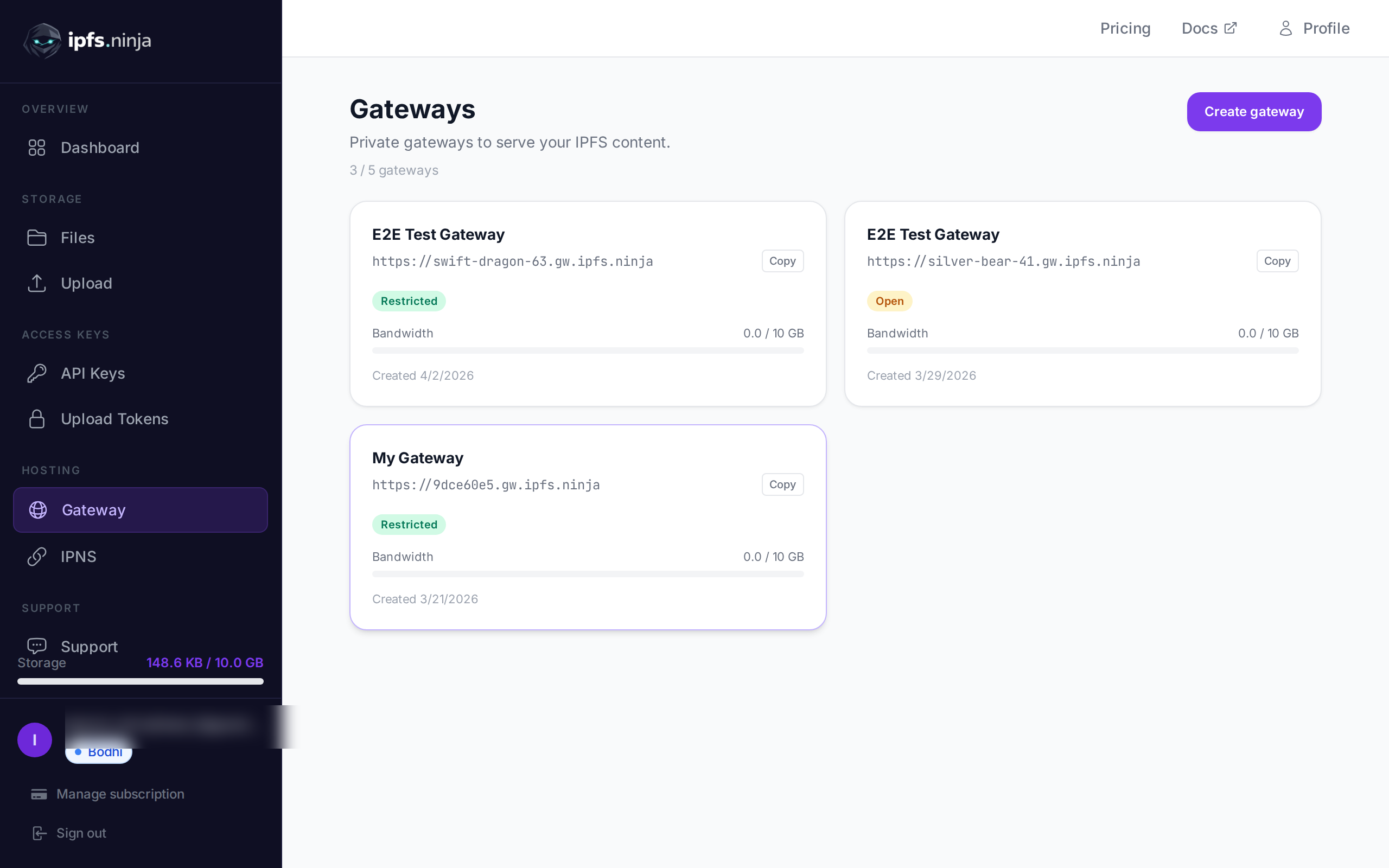
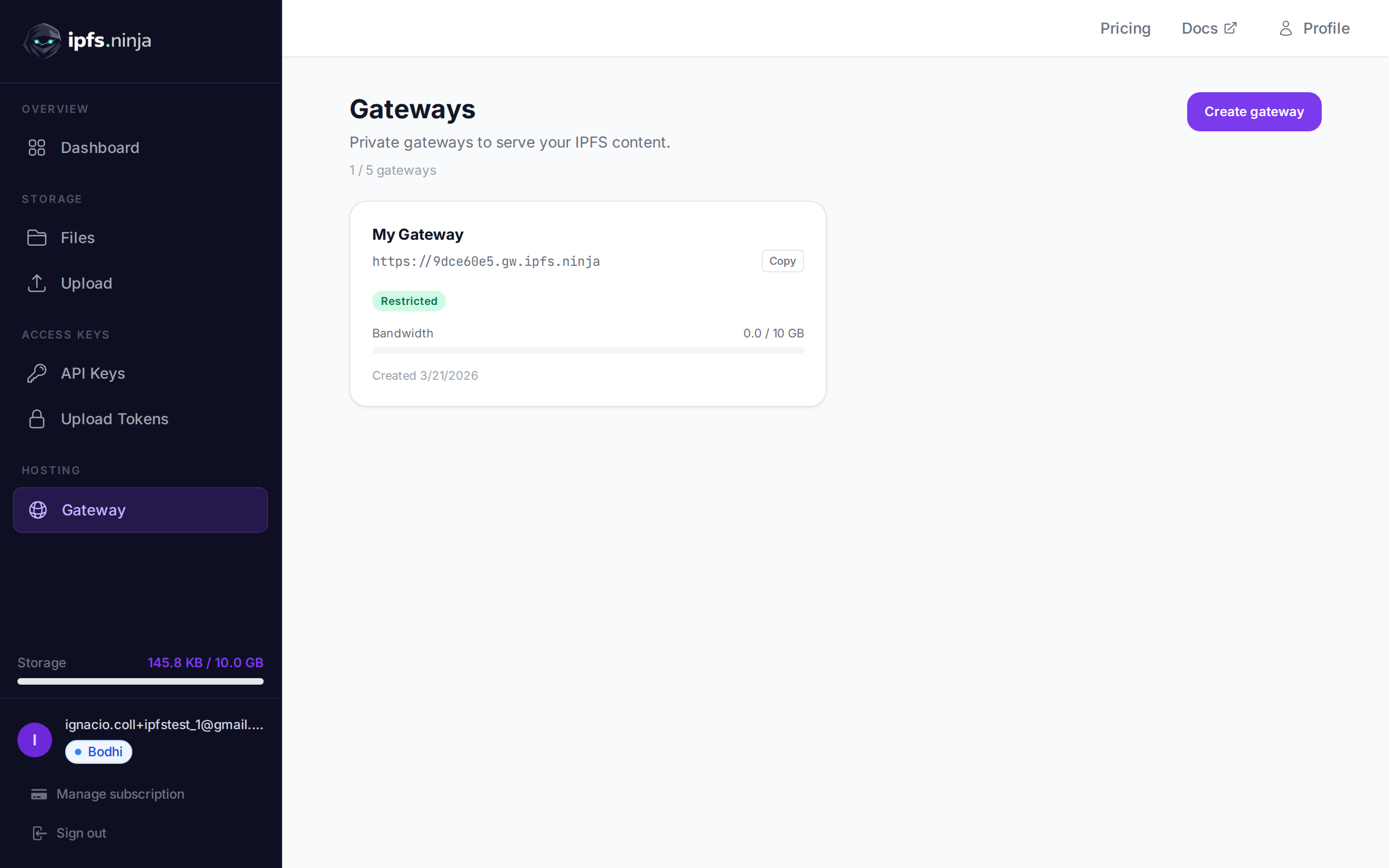
IPFS Ninja takes a refreshingly straightforward approach to IPFS pinning. Rather than burying functionality behind complex SDKs or requiring you to learn a new protocol, it exposes a clean REST API that accepts any file type — JSON, images, PDFs, videos, or arbitrary binary data — and returns a CID. What sets it apart is its focus on developer experience for production workloads: signed upload tokens let you safely delegate uploads to frontend clients without exposing your API key, dedicated gateways with built-in access controls give you fine-grained distribution options, and a real-time analytics dashboard shows you exactly how your content is being accessed. IPFS Ninja is also one of the few pinning services to offer built-in IPNS (InterPlanetary Name System) support, letting you create mutable names that point to changing CIDs — 1 name on Bodhi, 3 on Karma, 10 on Nirvana. The onboarding experience is among the fastest we have tested; you can go from signup to first pinned file in under two minutes. Instead of a permanent free tier with fixed low caps, new signups get a 7-day trial that matches paid Bodhi’s storage, bandwidth, and dedicated gateway (with a 200-file cap during the trial that lifts to unlimited on paid Bodhi) — the exact features (dedicated gateway, IPNS, signed tokens, analytics, S3 API, MCP server) you’d use on the paid plan you’re evaluating, not a stripped-down preview.
Pricing:
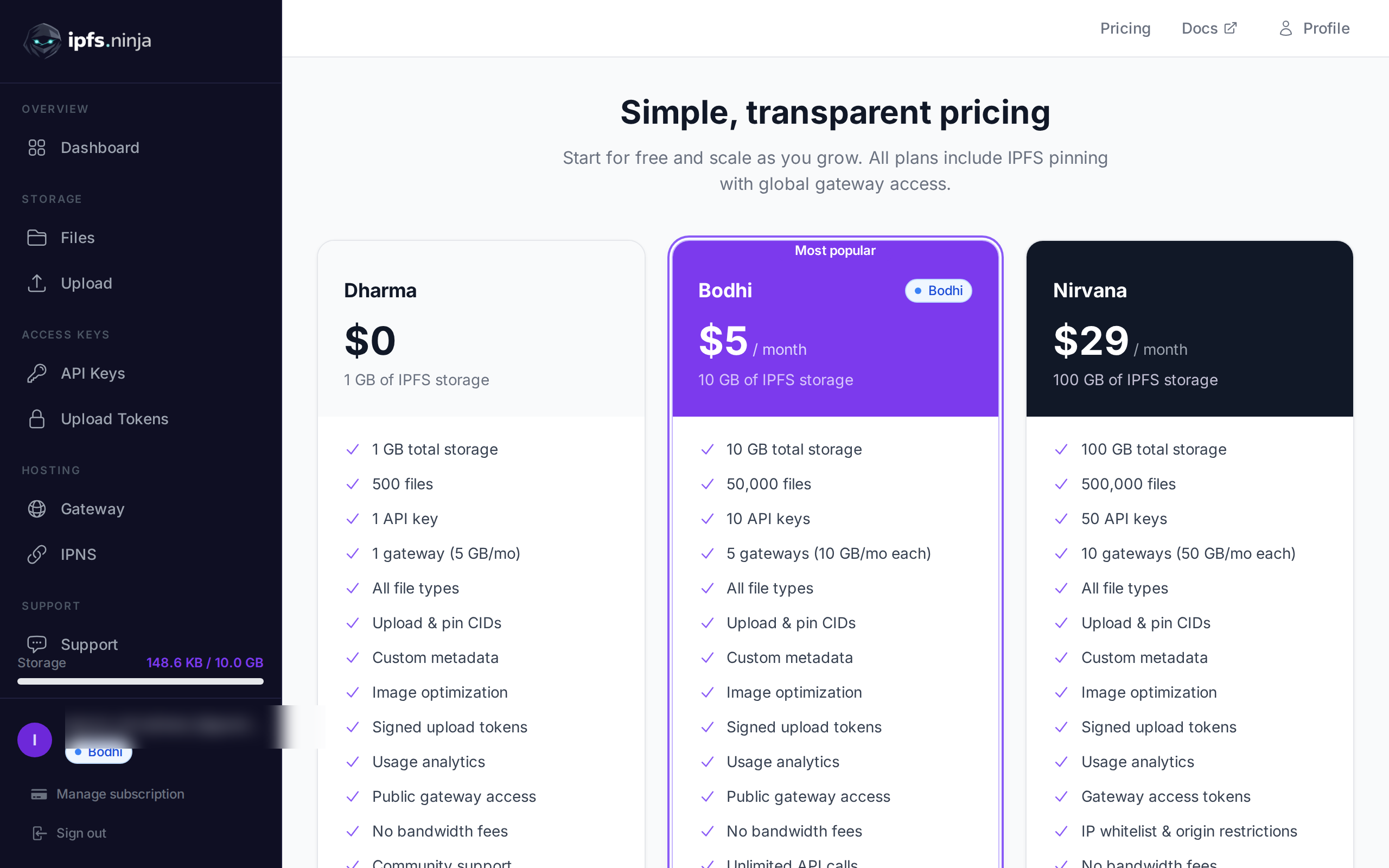
- 7-day trial: $0, no credit card — 10 GB storage, 200 files (trial cap; Bodhi lifts to unlimited), 20 GB bandwidth, 1 dedicated gateway, 1 IPNS key, 3 API keys
- Bodhi: $5/month — 10 GB storage, 20 GB bandwidth, dedicated gateway, analytics
- Karma: $19/month — 100 GB storage, 100 GB bandwidth, dedicated gateway, IPNS, full analytics
- Nirvana: $59/month — 1 TB storage, 500 GB bandwidth, unlimited files, dedicated gateway with access controls, priority support
If you don’t upgrade after the trial, your account transitions to a read-only state for 30 days — pinned CIDs continue serving through the gateway during that window and you can re-subscribe at any time to resume uploads.
Pros:
- Exceptionally clean REST API with comprehensive documentation — no SDK installation required, works from any language or platform with an HTTP client
- Signed upload tokens enable secure client-side uploads without exposing credentials, which is ideal for web and mobile applications
- Built-in IPNS support (up to 10 mutable names) solves the “immutable CID” problem for apps that need updatable content behind a stable address
- Dedicated gateways with access controls and analytics provide production-grade content delivery out of the box
Cons:
Newer entrant compared to Pinata or Web3.Storage, so the community and third-party integration ecosystem is still growing
No native SDK for specific languages yet (though the REST API is straightforward enough that most developers will not miss one)
Best for: Developers who want a fast, no-fuss REST API for production IPFS uploads with built-in gateway management and analytics. See how simple the API is in our developer tutorial.
2. Pinata#
Website: pinata.cloud
Pinata is the most established name in IPFS pinning and for good reason. It has been around since the early days of IPFS adoption and has built a mature platform with an official TypeScript/JavaScript SDK, a polished web dashboard, and a feature called Private IPFS that lets you gate access to pinned content behind conditions like NFT ownership or email verification. Pinata handles billions of pins for some of the largest NFT marketplaces and decentralized applications in the ecosystem. Its API supports the IPFS Pinning Service standard, which means you can also use it directly from the IPFS CLI or desktop app.
Pricing:
- Free: 500 files, 1 GB storage, 10 GB bandwidth, 1 dedicated gateway
- Picnic: $20/month — 1 TB storage, 1M API requests, 500 GB bandwidth, 5M files, 1 gateway + CDN
- Fiesta: $100/month — higher limits for scaling teams
- Enterprise: Custom pricing for high-volume needs
Pros:
- Battle-tested at scale with years of uptime history and the largest user base among IPFS pinning providers
- First-party TypeScript/JavaScript SDK, plus support for the IPFS Pinning Service API standard
- Private IPFS feature provides unique content-gating capabilities that no other pure pinning service offers
Cons:
- Free tier is limited to 500 files and 1 GB, and the jump to the $20/month plan is steep for small projects
- Gateway performance can be inconsistent during peak traffic periods, and advanced gateway features require higher-tier plans
Best for: Teams that need a proven, enterprise-grade pinning service with rich SDKs and content-gating features. For a deeper dive, see our IPFS Ninja vs Pinata comparison.
3. Filebase#
Website: filebase.com
Filebase differentiates itself with an S3-compatible API, which means you can swap it into any existing workflow that uses Amazon S3, MinIO, or any S3 client library. Under the hood, Filebase pins your data across multiple decentralized storage networks simultaneously — IPFS, Sia, and Storj — providing a level of redundancy that single-network services cannot match. This multi-network approach means your data persists even if one network experiences issues. The 5 GB free tier is one of the most generous in the space, and the S3 compatibility makes Filebase especially appealing for teams migrating existing applications from centralized cloud storage.
One 2026 caveat worth naming: Storj Labs filed for Chapter 11 bankruptcy protection on 2026-07-26 (Crowdfund Insider coverage). Chapter 11 is a reorganization filing rather than a liquidation — the Storj network is still running as of publish and Filebase itself remains fully operational. But if you were relying on the Storj-backed leg of Filebase’s multi-network redundancy specifically, its long-term ownership and terms are less certain than they were pre-filing. See our Storj Chapter 11 migration guide for the practical response.
Pricing:
- Free: 5 GB storage across all networks
- Pro: Usage-based pricing starting at $5.99/TB/month for storage, with separate bandwidth charges
- Enterprise: Custom pricing with SLA guarantees
Pros:
- S3-compatible API means zero learning curve for teams already using AWS S3, and compatibility with hundreds of existing S3 tools and libraries
- Multi-network storage (IPFS, Sia, Storj) provides genuine redundancy beyond what single-network pinning offers
- Generous 5 GB free tier with no file count limits
Cons:
- The S3 abstraction, while convenient, hides some IPFS-specific functionality and makes it harder to work with raw CIDs and IPFS-native features
- Usage-based pricing can become unpredictable for applications with variable traffic patterns
Best for: Teams migrating from S3 or centralized storage who want multi-network redundancy without rewriting their upload code. For a direct comparison with Filebase, see our Filebase alternative guide.
4. Web3.Storage (now Storacha)#
Website: web3.storage / storacha.network
Web3.Storage (now Storacha) is backed by Protocol Labs, the organization behind IPFS and Filecoin, and it leverages that lineage to offer a unique value proposition: every file you upload is pinned to IPFS for fast retrieval and simultaneously stored via Filecoin deals for cryptographically verifiable long-term persistence. The platform is fully open source, which means you can audit exactly how your data is handled, and the w3up client provides a modern, capability-based authorization model built on UCANs. Web3.Storage has gone through several iterations, and the current version (w3up) represents a significant architectural improvement with better performance and a more developer-friendly API.
Pricing:
- Mild (Free): 5 GB storage
- Medium: $10/month — 100 GB storage
- Extra Spicy: $100/month — 2 TB storage
- Filecoin storage deals are included at no additional cost
Pros:
- Dual persistence on IPFS and Filecoin provides verifiable, long-term storage with on-chain proofs that your data exists
- Fully open-source stack backed by Protocol Labs, giving transparency and the ability to self-host components
- UCAN-based authorization is forward-thinking and allows fine-grained, delegatable permissions without centralized API key management
Cons:
- The platform has undergone multiple significant architectural changes, which means documentation and tutorials from even a year ago may be outdated
- Filecoin deal mechanics add complexity that is unnecessary if you only need standard IPFS pinning
Best for: Projects that need verifiable long-term storage with Filecoin proofs and prefer an open-source, Protocol Labs-backed solution. If you are currently using Web3.Storage (Storacha) and want to switch, see our step-by-step Web3.Storage migration guide.
5. NFT.Storage#
Website: nft.storage
NFT.Storage was purpose-built for one thing: making NFT metadata and assets permanently available on IPFS and Filecoin. Originally launched as a free public good funded by Protocol Labs, NFT.Storage has since transitioned to a paid model. It now charges a one-time fee of $4.99/GB using an onchain endowment model, where payment funds long-term Filecoin storage deals that persist your data without recurring costs. The service accepts NFT metadata in standard formats, pins it to IPFS, and creates Filecoin deals to ensure long-term preservation. If your use case is specifically NFT-related — minting collections, storing artwork, preserving metadata — NFT.Storage provides a straightforward storage solution.
Pricing:
- $4.99/GB one-time fee (onchain endowment model — no recurring charges)
- Payment funds long-term Filecoin deals for persistent storage
Pros:
- One-time payment model with no recurring fees, powered by an onchain endowment that funds ongoing Filecoin storage deals
- Purpose-built workflows for NFT metadata standards (ERC-721, ERC-1155) with validation and best-practice guidance
- Backed by Filecoin deals for long-term persistence, ensuring NFT metadata survives even if the service itself changes
Cons:
- No longer free; the $4.99/GB one-time fee may add up for large NFT collections with significant asset storage needs
- Strictly scoped to NFT use cases; it is not appropriate (or intended) for general-purpose file storage or application data
Best for: NFT creators and marketplaces that need reliable, long-term storage for metadata and digital assets with a pay-once pricing model.
6. Lighthouse#
Website: lighthouse.storage
Lighthouse takes a fundamentally different approach to pricing: instead of monthly subscriptions, you pay once and your data is stored permanently. This pay-once model is powered by Filecoin deals that Lighthouse manages on your behalf, and it includes built-in encryption so you can store sensitive data without wrapping it in your own encryption layer. Lighthouse also supports programmable access control, letting you define on-chain conditions (like token ownership) that determine who can decrypt and access your files. For projects where data must persist indefinitely and cost predictability matters, the pay-once model is genuinely compelling.
Pricing:
- Free trial: 5 GB storage for testing
- Beacon: $20/month — 5 GB storage (~$4.00/GB)
- Navigator: $100/month — 25 GB storage (~$4.00/GB)
- Harbor: $500/month — 150 GB storage (~$3.33/GB)
- Recurring annual plans are also available alongside pay-once options
Pros:
- Pay-once permanent storage eliminates recurring costs entirely, which is ideal for archival data and long-lived applications
- Built-in encryption and token-gated access control provide privacy features that most pinning services lack or charge extra for
- Filecoin-backed persistence with active deal renewal ensures data remains available long-term without manual intervention
Cons:
- Retrieval speeds can be slower than dedicated IPFS pinning services since data may need to be unsealed from Filecoin deals
- The pay-once pricing model makes cost estimation difficult for projects with unpredictable or rapidly growing storage needs
Best for: Projects that need permanent, encrypted storage with a one-time payment and do not require the fastest possible retrieval times.
7. 4EVERLAND#
Website: 4everland.org
4EVERLAND positions itself as a Web3 cloud computing platform rather than a pure pinning service, and that broader scope is both its strength and its complexity. It supports pinning to both IPFS and Arweave, giving you a choice between content-addressed and permanent storage paradigms. Beyond storage, 4EVERLAND offers Web3 hosting (deploy your frontend to IPFS with a single command), an S3-compatible storage gateway, and a decentralized RPC aggregation service. If you are building a fully decentralized application stack and want a single provider for hosting, storage, and compute, 4EVERLAND offers the broadest feature set on this list.
Pricing:
- Free: 5 GB IPFS storage, 1 GB Arweave, limited bandwidth
- Usage-based: Pay-as-you-go pricing for storage and bandwidth beyond free limits
- Developer plans: Starting at competitive rates for combined hosting and storage
Pros:
- Dual-network support (IPFS and Arweave) lets you choose the right persistence model for each piece of data
- Integrated Web3 hosting means you can deploy your frontend and pin your data with the same provider and dashboard
- S3-compatible API plus a conventional REST API give you flexibility in how you integrate
Cons:
- The breadth of features creates a steeper learning curve compared to focused pinning services; the documentation tries to cover too much ground
- As a newer and more ambitious platform, individual features may be less mature than what dedicated single-purpose providers offer
Best for: Teams building full-stack decentralized applications that want a single provider for IPFS pinning, Arweave storage, and Web3 frontend hosting.
How to Choose the Right IPFS Pinning Service#
Choosing the right IPFS pinning service in 2026 depends on four dimensions: budget (free tier vs $5-$20/mo vs pay-once), API preference (REST, S3-compatible, or SDK), storage duration (recurring subscription vs Filecoin-backed permanence), and gateway needs (dedicated vs shared). Below is a framework that maps common project types — NFT minting, dApp hosting, general storage — to the provider best suited for each.
Start with your budget#
If you are just experimenting or building a side project, the free tiers from Filebase (5 GB) or 4EVERLAND (5 GB) give you the most room to work indefinitely at $0. IPFS Ninja replaces that with a 7-day trial that gives you the full paid experience (10 GB, 200 files, 20 GB bandwidth, 1 dedicated gateway, IPNS, signed tokens, MCP, analytics) — better for evaluating whether the paid plan solves your problem before committing, worse if what you actually want is a permanent $0 hobby account. NFT.Storage charges a one-time $4.99/GB fee with no recurring costs. For production workloads under $30/month, IPFS Ninja ($5/mo Bodhi or $19/mo Karma) and Pinata offer the most predictable pricing with flat monthly plans rather than usage-based billing that can surprise you.
Consider your API preferences#
If you want the fastest integration with the least friction, IPFS Ninja’s REST API and signed upload tokens get you from zero to production in minutes. If your team already uses S3 workflows, Filebase or 4EVERLAND drop in without code changes. If you prefer rich client libraries, Pinata’s TypeScript/JavaScript SDK is the most mature. If you care about decentralized authorization, Web3.Storage’s UCAN model is the most forward-thinking.
Think about storage duration#
Most pinning services keep your data available as long as you pay. If you need verifiable long-term persistence, Web3.Storage and NFT.Storage add Filecoin deals on top of IPFS pinning. If you want permanent storage, Lighthouse offers both pay-once and recurring annual plans with built-in encryption.
Evaluate gateway needs#
If you are serving content directly to end users, gateway quality matters. IPFS Ninja and Pinata both offer dedicated gateways with custom domains. IPFS Ninja adds access controls and analytics at the gateway level, which is particularly useful if you need to restrict or monitor content access. Filebase and 4EVERLAND provide gateway access but with less granular control.
Factor in your ecosystem#
Building an NFT project? Consider NFT.Storage for the assets and metadata with its pay-once endowment model. Need multi-chain storage redundancy? Filebase pins across three networks. Want everything under one roof? 4EVERLAND covers hosting, storage, and compute. Want a focused, developer-first experience? IPFS Ninja keeps things simple and performant.
Conclusion#
The IPFS pinning landscape in 2026 offers genuine choice. Every service on this list is capable of keeping your content reliably available on the network, but they differ meaningfully in how they approach the developer experience, pricing, and additional features.
IPFS Ninja stands out for its clean API design, signed upload tokens for secure client-side uploads, and dedicated gateways with analytics — a combination that makes it particularly well-suited for production applications where developer velocity and operational visibility matter. Pinata remains the safe choice for teams that value maturity and ecosystem breadth. Filebase is unbeatable for S3-compatible workflows. Web3.Storage and NFT.Storage are the go-to options when Filecoin-backed persistence is a requirement. Lighthouse offers pay-once and recurring plans with encryption for archival needs. And 4EVERLAND provides the broadest Web3 infrastructure platform for teams that want to consolidate providers.
No matter which service you choose, the important thing is that you are pinning at all. Unpinned data on IPFS is ephemeral by design. Pick a provider, pin your content, and build with the confidence that your data will be there when your users need it.
Ready to start pinning? Start your 7-day trial — 10 GB / 200 files / 20 GB bandwidth / 1 dedicated gateway (trial file cap — Bodhi lifts to unlimited). No credit card required. Then Bodhi $5/mo, Karma $19/mo, or Nirvana $59/mo.
If you’re building games, see our guide to storing game assets on IPFS for Unity and Unreal Engine integration patterns.
If you’re ready to switch from Pinata, follow our Pinata migration guide for the concrete steps.
About the author
Nacho Coll
Founder & Engineer at IPFS.NINJA
Nacho founded IPFS.NINJA to make content-addressed storage feel as simple as an S3 PUT — a single API call, a permanent CID, no wallets or peer discovery to reason about. Writes about IPFS internals, decentralized storage patterns, and the pinning-service landscape from the operator side of the wire.