Filebase का विकल्प: S3 झंझट के बिना आसान IPFS Pinning
IPFS Ninja और Filebase की तुलना। अगर आप S3 protocol की जटिलता के बिना simple REST API pinning चाहते हैं, तो जानें developers क्यों switch करते हैं।
 द्वारा Nacho Coll
Nacho founded IPFS.NINJA to make content-addressed storage feel as simple as an S3 PUT — a single API call, a permanent CID, no wallets or peer discovery to reason about.

- एक ही curl command में IPFS पर फ़ाइल अपलोड करें — किसी S3 bucket, access key, या XML request की आवश्यकता नहीं।
- Filebase का S3-संगत API उन टीमों के लिए उपयुक्त है जो पहले से AWS tooling इस्तेमाल कर रही हैं; IPFS Ninja REST की सरलता को प्राथमिकता देता है।
- IPFS Ninja हस्ताक्षरित अपलोड टोकन और इमेज ऑप्टिमाइज़ेशन जोड़ता है, जो Filebase का S3 फ्लो प्रदान नहीं करता।
- Filebase का मुफ्त टियर 5 GB स्टोरेज देता है; IPFS Ninja का सशुल्क प्रवेश 10 GB के लिए $5/महीना से शुरू होता है।
Filebase बनाम IPFS Ninja की तुलना करें: मुख्य अंतर#
| Feature | Filebase | IPFS Ninja |
|---|---|---|
| API style | S3-compatible (XML/multipart) | Simple REST/JSON |
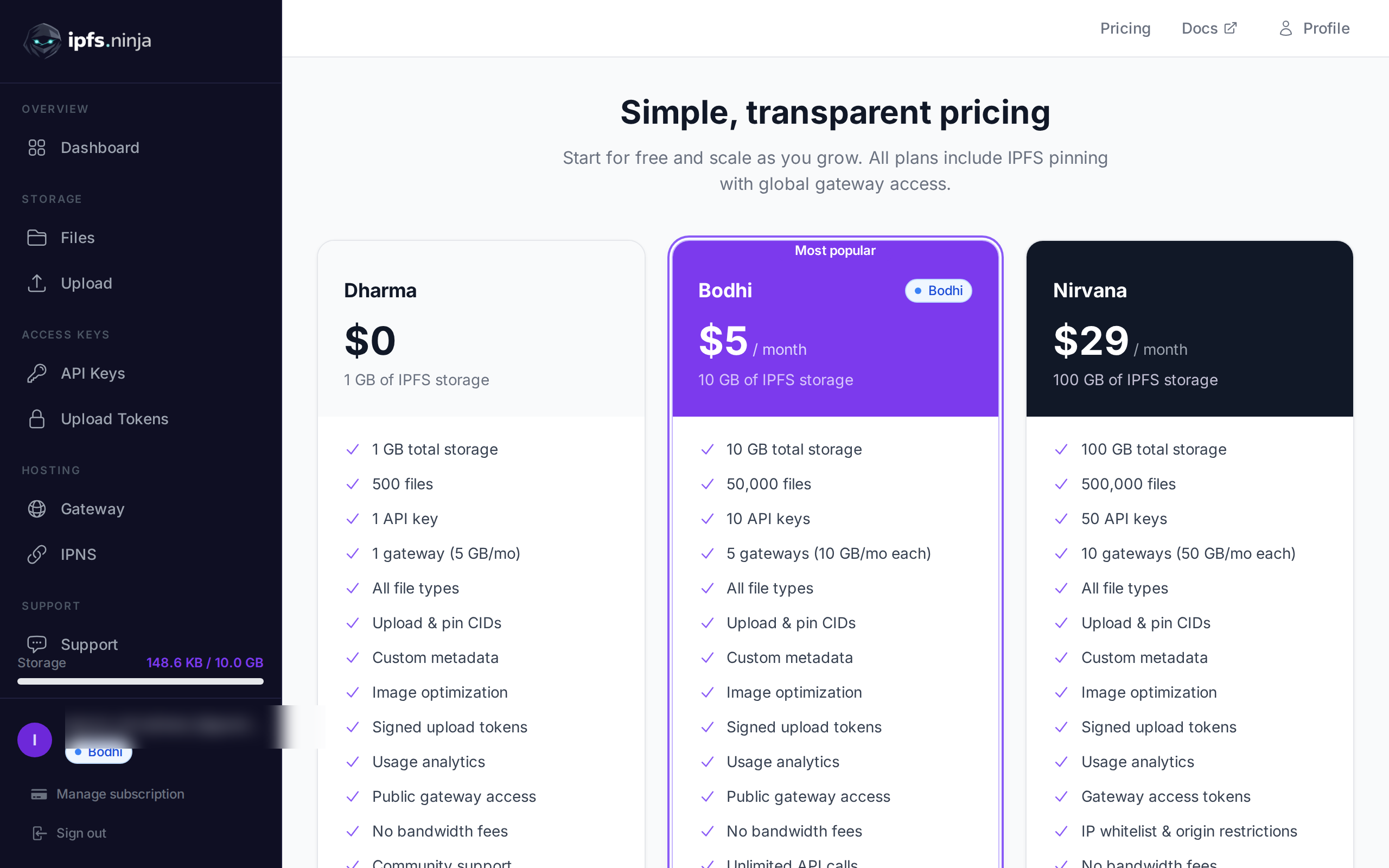
| Free tier | 5 GB storage | 1 GB, 500 files |
| Paid entry | $19.99/mo (Performance) | $5/mo (Bodhi) |
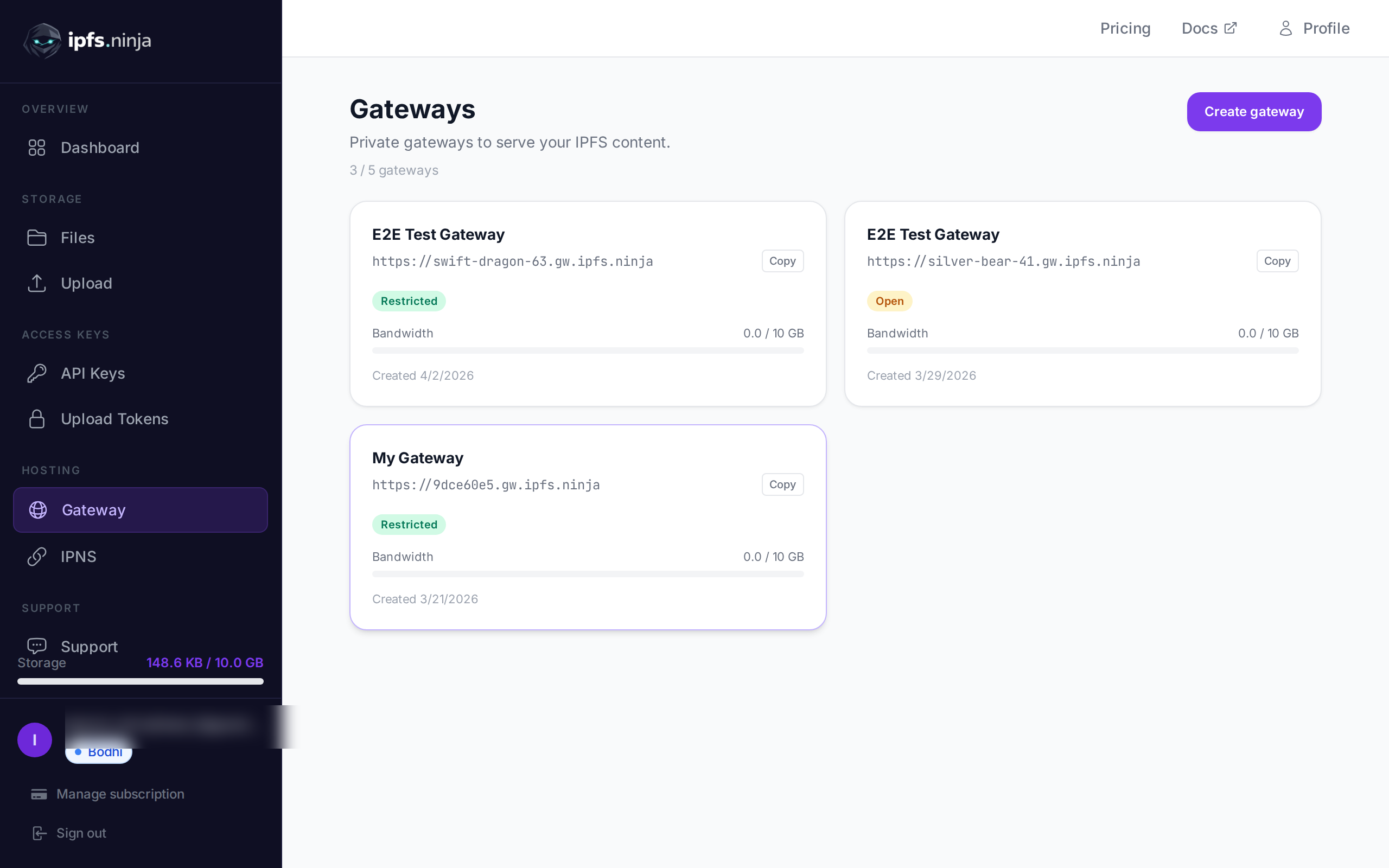
| Dedicated gateways | Yes | Yes (up to 10 on Nirvana) |
| Image optimization | No | Yes (/image/{cid}) |
| Auth for uploads | AWS-style signing | X-Api-Key or signed tokens |
| Pinning existing CIDs | Via S3 PUT to bucket | POST /pin |
| Client-side uploads | Needs pre-signed URL plumbing | Signed upload tokens, built-in |
सार यह है: अगर आप पहले से AWS SDK clients से काम कर रहे हैं, तो Filebase स्वाभाविक रूप से फिट बैठता है। लेकिन अगर आप एक curl command में IPFS पर file भेजना चाहते हैं, तो IPFS Ninja सरलता में जीतता है।

30 सेकंड में IPFS पर File Upload करें#
यह IPFS Ninja का upload path है। कोई SDK नहीं, कोई XML नहीं, कोई bucket creation step नहीं:
curl -X POST https://api.ipfs.ninja/upload/new \
  -H "X-Api-Key: bws_a1b2c3d4e5f6a1b2c3d4e5f6a1b2c3d4" \
  -H "Content-Type: application/json" \
  -d '{
    "content": "Hello from IPFS Ninja!",
    "description": "My first file"
  }'
Response:
{
  "cid": "bafkreib4mrow...",
  "sizeMB": 0.00002,
  "uris": {
    "ipfs": "ipfs://bafkreib4mrow...",
    "url": "https://ipfs.ninja/ipfs/bafkreib4mrow..."
  }
}
बस। वह CID pin हो गया है, IPFS पर accessible है, और public gateway के ज़रिए तुरंत reachable है।
अब Filebase का equivalent flow देखें:
- Filebase console में account और bucket बनाएं।
- एक access key + secret key pair generate करें।
- endpoint
https://s3.filebase.com, regionus-east-1, और अपनी credentials के साथ एक S3 client configure करें। - अपने file body के साथ
putObjectcall करें। - IPFS CID प्राप्त करने के लिए object का metadata poll करें (यह Filebase द्वारा pin होने के बाद
x-amz-meta-cidheader के रूप में दिखता है)।
यह गलत नहीं है — बस अधिकांश REST-native projects की ज़रूरत से ज़्यादा moving parts हैं।
Developers को Filebase पर S3 Friction क्यों आती है#
Filebase की S3 compatibility वास्तव में उपयोगी है जब:
- आपके पास existing infrastructure है जो S3 से बात करता है (Lambda functions, Terraform modules, backup agents)।
- आप बड़े blobs store करते हैं और multipart upload semantics चाहते हैं जो आप पहले से जानते हैं।
- आपकी team AWS-fluent है और S3 SDK पहले से एक dependency है।
लेकिन बहुत से developers जो IPFS को एक web app, dApp, या CI pipeline में build कर रहे हैं, वे उस दुनिया से नहीं आते। उन्हें ये समस्याएं आती हैं:
XML error responses। S3 XML लौटाता है। आपका JavaScript fetch call <?xml version="1.0" ...><Error><Code>InvalidAccessKeyId</Code> वापस पाता है और आपको debug करने के लिए एक XML parser जोड़ना पड़ता है।
Credential management। S3-style auth (access key + secret + HMAC-SHA256 request signing) browser या edge function में scratch से implement करना आसान नहीं है। Pre-signed URLs मदद करते हैं, लेकिन उन्हें server-side generate करना एक extra round trip जोड़ता है।
CID retrieval एक afterthought के रूप में। CID, S3 object पर metadata है, primary response नहीं। आपको या तो response headers parse करने होंगे या एक अलग metadata endpoint call करना होगा।
Native signed upload tokens नहीं। अगर आप चाहते हैं कि users बिना server credentials expose किए browser से सीधे upload करें, तो Filebase के लिए आपको खुद एक pre-signed URL generation endpoint बनाना होगा।
IPFS Ninja के signed upload tokens इस pattern को natively handle करते हैं: server-side पर एक बार time-limited token generate करें, उसे अपने frontend में embed करें, और users को token expire होने या revoke करने तक api.ipfs.ninja पर सीधे POST करने दें।
Pricing की साथ-साथ तुलना#
| Plan | Filebase | IPFS Ninja |
|---|---|---|
| Free | 5 GB, public gateway only | 500 files, 1 GB, 1 dedicated gateway |
| Entry paid | ~$19.99/mo (Performance) | $5/mo (Bodhi: 50K files, 10 GB) |
| Mid-tier | — | $29/mo (Nirvana: 500K files, 100 GB) |
| Dedicated gateways | Yes | Yes (Bodhi: 5, Nirvana: 10) |
छोटे से मध्यम projects के लिए, free से पहले paid tier तक की छलांग IPFS Ninja पर $5/mo बनाम Filebase पर लगभग $20/mo है। अगर आप एक side project या startup MVP बना रहे हैं, तो यह अंतर मायने रखता है।
Gateway Features की तुलना#
दोनों services dedicated IPFS gateways प्रदान करती हैं (subdomains जो HTTPS पर आपका pinned content serve करते हैं)। जहां वे अलग हैं:
Filebase paid plans पर dedicated gateway देता है। यह आपके bucket का content serve करता है और उनके S3 namespace के साथ integrate होता है।
IPFS Ninja के gateways https://{slug}.gw.ipfs.ninja पर support करते हैं:
- Access modes: restricted (token required), open (public), या folder (directory listing)।
- IP whitelisting: gateway को known server IPs तक lock करें।
- Origin restrictions: specific HTTP origins तक restrict करें, browser-only CORS scenarios के लिए उपयोगी।
- Image optimization:
/image/{cid}endpoint आपको on the fly resize, crop, और format convert करने देता है — कोई अलग image CDN नहीं चाहिए।
अगर आपका use case web frontend को assets serve करना है, तो CORS origin restriction और built-in image optimization endpoints आपको एक अलग service integration से बचाते हैं।
किसी मौजूदा CID को Pin करना#
पहले से किसी दूसरे node या service से CID है? दोनों platforms आपको बिना re-upload किए pin करने देते हैं। IPFS Ninja पर:
curl -X POST https://api.ipfs.ninja/pin \
  -H "X-Api-Key: bws_a1b2c3d4e5f6a1b2c3d4e5f6a1b2c3d4" \
  -H "Content-Type: application/json" \
  -d '{
    "cid": "bafkreib4mrow...",
    "description": "Pinned from external source"
  }'
Filebase पर, आप CID को custom metadata header के साथ अपने bucket में PUT के ज़रिए pin करते हैं, फिर Filebase उसे fetch और pin करता है। IPFS Ninja पर CID-first workflow अधिक direct है अगर आप S3-native की बजाय IPFS-native mindset से आ रहे हैं।
पinning क्यों मायने रखती है और content pin न होने पर क्या होता है, इसकी गहरी व्याख्या के लिए what is IPFS pinning देखें।
Credentials Leak किए बिना Client-Side Uploads#
यह एक common architecture question है: आप browser को IPFS पर upload करने कैसे देते हैं बिना अपनी API key client को भेजे?
Filebase approach: अपने server पर एक pre-signed S3 PUT URL generate करें, उसे client को return करें, client सीधे PUT करे। Standard S3 pre-sign pattern, ठीक काम करता है, लेकिन आपको server-side signing endpoint implement करना होगा।
IPFS Ninja approach: signed upload token बनाने के लिए /token/upload/new call करें (या dashboard से generate करें)। उस token को अपने frontend में embed करें। Client Authorization: Signed {token} का उपयोग करके api.ipfs.ninja पर post करता है। Token को एक निश्चित समय के बाद expire होने या dashboard से तुरंत revoke करने के लिए scope किया जा सकता है।
// Frontend code — token was fetched from your server
const token = 'your-signed-upload-token';

const response = await fetch('https://api.ipfs.ninja/upload/new', {
  method: 'POST',
  headers: {
    'Authorization': `Signed ${token}`,
    'Content-Type': 'application/json',
  },
  body: JSON.stringify({
    content: btoa(fileContentAsArrayBuffer), // base64 for binary
    description: 'User uploaded file',
  }),
});

const { cid, uris } = await response.json();
console.log('Pinned at:', uris.url);
Upload patterns की गहरी walkthrough के लिए, how to upload files to IPFS देखें।
Filebase कब चुनें#
यह article honest होने के लिए है, एकतरफा pitch नहीं।
Filebase चुनें अगर:
- आपका codebase पहले से AWS SDK v3 या Boto3 उपयोग करता है और आप कोई additional dependency नहीं चाहते।
- आप S3 से IPFS पर migrate कर रहे हैं और upload logic rewrite करने की बजाय endpoints swap करना चाहते हैं।
- आप बहुत बड़े files store कर रहे हैं और S3 semantics के साथ reliable multipart upload चाहते हैं (हालांकि IPFS Ninja के पास भी एक large upload API है)।
- आपकी team में deep AWS expertise है और S3 auth, REST headers से अधिक familiar लगती है।
IPFS Ninja चुनें अगर:
- आप बिना intermediate steps के CID वापस पाने के लिए एक single
POST /upload/newचाहते हैं। - आप frontend-first app बना रहे हैं और pre-sign infrastructure बनाए बिना client-safe upload tokens चाहते हैं।
- आप बिना किसी अतिरिक्त service के image optimization और access-controlled gateways चाहते हैं।
- आप price-sensitive हैं और $5/mo entry point आपके project stage के लिए मायने रखता है।
सारांश#
Filebase उन teams के लिए एक solid product है जो पहले से AWS ecosystem में काम कर रहे हैं। उस context में इसकी S3 compatibility एक real advantage है। लेकिन उन developers के लिए जो बस एक clean REST API के ज़रिए IPFS पर files pin करना चाहते हैं — और तुरंत CID वापस पाना चाहते हैं — S3 layer बिना किसी फ़ायदे के complexity जोड़ती है।
IPFS Ninja API surface को minimal रखता है: upload, pin, fetch। Gateway, image optimization, और upload token features तब available हैं जब आपको ज़रूरत हो, upfront required नहीं।
IPFS Ninja की दूसरी services से तुलना के व्यापक दृष्टिकोण के लिए, best IPFS pinning services देखें।
Pinning शुरू करने के लिए तैयार हैं? मुफ़्त account बनाएं — 500 files, 1 GB storage, कोई credit card नहीं चाहिए।
इस article के बारे में: यह article एक AI assistant द्वारा IPFS.NINJA के content generation workflow का उपयोग करके draft किया गया था, फिर Nacho Coll द्वारा review और approve किया गया। सभी code examples को live IPFS.NINJA API के विरुद्ध verify किया गया था। अगर आपको कोई गलती दिखे, तो कृपया https://github.com/ipfs-ninja/feedback पर issue खोलें। हम AI का उपयोग अपने content में कैसे करते हैं इस बारे में और पढ़ें और IPFS.NINJA के पीछे के लोगों से मिलें।
लेखक के बारे में
Nacho Coll
Founder & Engineer at IPFS.NINJA
Nacho founded IPFS.NINJA to make content-addressed storage feel as simple as an S3 PUT — a single API call, a permanent CID, no wallets or peer discovery to reason about. Writes about IPFS internals, decentralized storage patterns, and the pinning-service landscape from the operator side of the wire.