Python IPFS 上传完整指南:使用 requests 库的代码示例教程
使用 IPFS.NINJA REST API 从 Python 上传文件到 IPFS。包含 requests 库示例的完整指南。

希望将文件上传到 IPFS 的 Python 开发者无需运行本地 IPFS 节点或处理复杂的库依赖。虽然 IPFS.NINJA 没有提供专用的 Python SDK,但其 REST API 非常适合使用内置 requests 库的 Python 应用程序。
本指南向您展示如何从 Python 上传文件、图像和 JSON 数据到 IPFS、管理您的固定文件,以及利用高级功能,如用于安全客户端上传的签名上传令牌。

5 分钟完成 Python IPFS 上传配置#
无需专用 SDK,只需三步即可在 Python 中开始使用 IPFS 上传:
- 安装 — 只需 Python 3.6+ 和内置的
requests库,无需额外依赖。 - 认证 — 在 IPFS.NINJA 控制台 获取 API 密钥,并放入
X-Api-Key请求头。 - 第一次上传调用 — 使用
requests.post向/upload/new端点发送 JSON 或 base64 编码的文件,即可获得返回的 CID。
这套工作流之所以适合 Python 开发者,原因如下:
- 无 SDK 依赖:使用 Python 内置的
requests库 - RESTful API:遵循 HTTP 标准的清晰、可预测的端点
- JSON 原生:直接上传 JSON 数据而无需文件转换
- 多种认证方法:API 密钥、签名令牌或 JWT
- 内置分析:跟踪上传性能和使用情况
- 自定义网关:为您的应用程序提供品牌化的 IPFS 访问
如果您对 IPFS 固定概念不熟悉,请查看我们的关于什么是 IPFS 固定的完整指南和如何将文件上传到 IPFS。
设置您的 Python 环境#
首先,确保您拥有 Python 3.6+ 并安装所需的库:
pip install requests对于本指南后面的图像处理示例:
pip install Pillow # 用于图像处理认证设置#
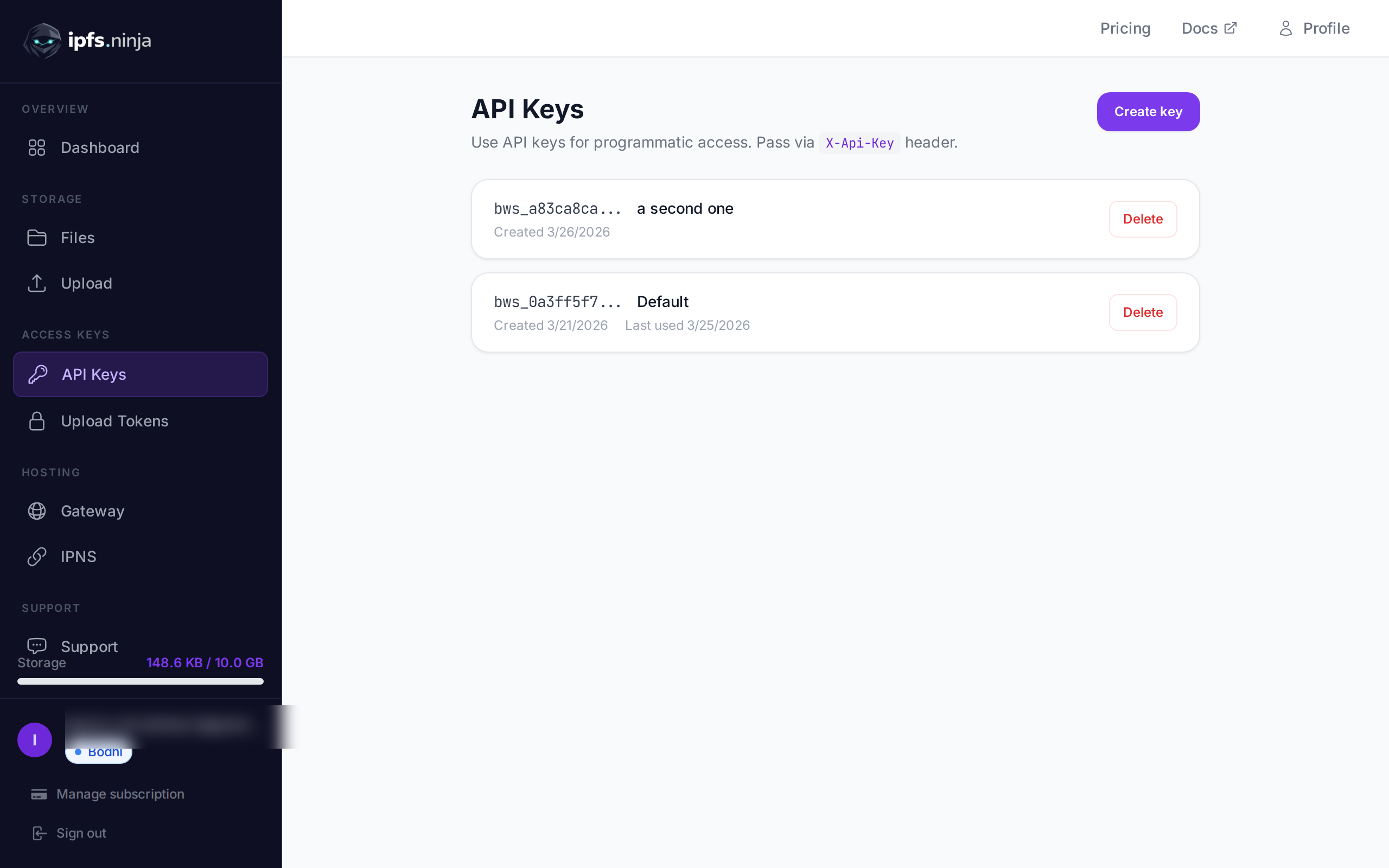
所有 IPFS.NINJA API 调用都需要认证。Python 应用程序最简单的方法是使用带有 X-Api-Key 标头的 API 密钥。
import requests
import json
import base64

# 您的 IPFS.NINJA API 密钥(格式:bws_ + 32 个十六进制字符)
API_KEY = "bws_1234567890abcdef1234567890abcdef"
BASE_URL = "https://api.ipfs.ninja"

# 所有请求的默认标头
headers = {
    "X-Api-Key": API_KEY,
    "Content-Type": "application/json"
}
创建账户后,从 IPFS.NINJA 仪表板 获取您的 API 密钥。
将 JSON 数据上传到 IPFS#
IPFS.NINJA 的独特功能之一是原生 JSON 支持。您不需要将 JSON 转换为文件 — 直接上传对象:
def upload_json_to_ipfs(data, description=None, metadata=None):
    """
    直接将 JSON 数据上传到 IPFS

    参数:
        data (dict): 要上传的 JSON 数据
        description (str, 可选): 文件的描述
        metadata (dict, 可选): 附加元数据

    返回:
        dict: 包含 CID 和访问 URL 的响应
    """
    payload = {
        "content": data,
        "description": description,
        "metadata": metadata
    }

    response = requests.post(
        f"{BASE_URL}/upload/new",
        headers=headers,
        json=payload
    )

    if response.status_code == 200:
        return response.json()
    else:
        raise Exception(f"Upload failed: {response.status_code} - {response.text}")

# 示例:上传用户资料
user_profile = {
    "name": "Alice Smith",
    "bio": "Python developer and IPFS enthusiast",
    "website": "https://alice.dev",
    "social": {
        "github": "alicesmith",
        "twitter": "@alice_dev"
    }
}

try:
    result = upload_json_to_ipfs(
        data=user_profile,
        description="User profile for Alice Smith",
        metadata={"type": "profile", "version": "1.0"}
    )

    print(f"✅ Upload successful!")
    print(f"CID: {result['cid']}")
    print(f"Size: {result['sizeMB']} MB")
    print(f"IPFS URL: {result['uris']['ipfs']}")
    print(f"Gateway URL: {result['uris']['url']}")

except Exception as e:
    print(f"❌ Upload failed: {e}")
使用 Base64 编码上传文件#
对于二进制文件,如图像、文档或任何文件类型,使用 base64 编码:
def upload_file_to_ipfs(file_path, description=None, metadata=None):
    """
    使用 base64 编码将文件上传到 IPFS

    参数:
        file_path (str): 要上传的文件路径
        description (str, 可选): 文件的描述
        metadata (dict, 可选): 附加元数据

    返回:
        dict: 包含 CID 和访问 URL 的响应
    """
    try:
        with open(file_path, "rb") as file:
            file_content = base64.b64encode(file.read()).decode('utf-8')

        payload = {
            "content": file_content,
            "description": description or f"File upload: {file_path}",
            "metadata": metadata
        }

        response = requests.post(
            f"{BASE_URL}/upload/new",
            headers=headers,
            json=payload
        )

        if response.status_code == 200:
            return response.json()
        else:
            raise Exception(f"Upload failed: {response.status_code} - {response.text}")

    except FileNotFoundError:
        raise Exception(f"File not found: {file_path}")

# 示例:上传图像
try:
    result = upload_file_to_ipfs(
        file_path="./logo.png",
        description="Company logo",
        metadata={
            "type": "image",
            "format": "png",
            "purpose": "branding"
        }
    )

    print(f"✅ Image uploaded successfully!")
    print(f"CID: {result['cid']}")
    print(f"View at: {result['uris']['url']}")

except Exception as e:
print(f"❌ Upload failed: {e}")批量上传函数#
高效上传多个文件:
import os
from pathlib import Path

def batch_upload_files(directory_path, file_extensions=None):
    """
    从目录上传多个文件

    参数:
        directory_path (str): 包含要上传文件的目录
        file_extensions (list, 可选): 按文件扩展名过滤(例如 ['.png', '.jpg'])

    返回:
        list: 每个上传的结果
    """
    results = []
    directory = Path(directory_path)

    if not directory.exists():
        raise Exception(f"Directory not found: {directory_path}")

    # 获取所有文件或按扩展名过滤
    if file_extensions:
        files = []
        for ext in file_extensions:
            files.extend(directory.glob(f"*{ext}"))
    else:
        files = [f for f in directory.iterdir() if f.is_file()]

    print(f"Found {len(files)} files to upload...")

    for file_path in files:
        try:
            print(f"Uploading {file_path.name}...")

            result = upload_file_to_ipfs(
                file_path=str(file_path),
                description=f"Batch upload: {file_path.name}",
                metadata={
                    "batch_upload": True,
                    "original_name": file_path.name,
                    "file_size": file_path.stat().st_size
                }
            )

            results.append({
                "filename": file_path.name,
                "success": True,
                "cid": result['cid'],
                "url": result['uris']['url']
            })

        except Exception as e:
            results.append({
                "filename": file_path.name,
                "success": False,
                "error": str(e)
            })
            print(f"Failed to upload {file_path.name}: {e}")

    return results

# 使用示例
try:
    results = batch_upload_files("./images", file_extensions=['.png', '.jpg', '.jpeg'])

    successful = [r for r in results if r['success']]
    failed = [r for r in results if not r['success']]

    print(f"\n✅ Successfully uploaded: {len(successful)} files")
    print(f"❌ Failed uploads: {len(failed)} files")

    for result in successful:
        print(f"  - {result['filename']}: {result['url']}")

except Exception as e:
print(f"Batch upload error: {e}")扩展名过滤与失败追踪#
batch_upload_files 函数已经通过 file_extensions 参数支持按扩展名过滤,但在生产环境中,同时支持允许列表(明确允许上传的扩展名)和排除列表(明确排除的扩展名)会更实用,可以避免误将临时文件或系统文件(例如 .tmp、.DS_Store)上传到 IPFS。同时,不要只统计失败数量,而应按失败原因分类汇总,这样可以更清楚地了解是网络超时较多,还是文件体积超限较多,从而针对性地改进重试逻辑。
from collections import Counter

def batch_upload_with_tracking(directory_path, allowed_extensions=None, excluded_extensions=None):
    """
    带扩展名过滤和失败原因追踪的批量上传

    参数:
        directory_path (str): 包含要上传文件的目录
        allowed_extensions (list, 可选): 允许的扩展名(白名单)
        excluded_extensions (list, 可选): 排除的扩展名(黑名单)
    """
    results = batch_upload_files(
        directory_path,
        file_extensions=allowed_extensions
    )

    if excluded_extensions:
        results = [
            r for r in results
            if not any(r["filename"].endswith(ext) for ext in excluded_extensions)
        ]

    failure_reasons = Counter(
        r["error"].split(":")[0] for r in results if not r["success"]
    )

    print("失败原因统计:")
    for reason, count in failure_reasons.most_common():
        print(f"  - {reason}: {count} 次")

    return results
将白名单与黑名单结合使用,可以防止意外的文件类型混入批量上传,同时持续监控失败模式。如果您在 CI/CD 流水线中定期运行批量上传,将这些统计结果接入告警或仪表盘,能帮助您更早发现问题。
管理您的固定文件#
检索和管理您上传的文件:
def list_pinned_files(limit=50, offset=0):
    """
    列出您固定的文件

    参数:
        limit (int): 要检索的文件数(最多 100)
        offset (int): 要跳过的文件数

    返回:
        dict: 包含文件列表和分页的响应
    """
    params = {
        "limit": limit,
        "offset": offset
    }

    response = requests.get(
        f"{BASE_URL}/files",
        headers=headers,
        params=params
    )

    if response.status_code == 200:
        return response.json()
    else:
        raise Exception(f"Failed to list files: {response.status_code} - {response.text}")

def get_file_details(cid):
    """
    获取特定文件的详细信息

    参数:
        cid (str): 文件的内容标识符

    返回:
        dict: 文件详细信息
    """
    response = requests.get(
        f"{BASE_URL}/files/{cid}",
        headers=headers
    )

    if response.status_code == 200:
        return response.json()
    else:
        raise Exception(f"Failed to get file details: {response.status_code} - {response.text}")

# 示例:列出最近的上传
try:
    files = list_pinned_files(limit=10)

    print(f"Total files: {files.get('total', 0)}")
    print("\nRecent uploads:")

    for file_info in files.get('files', []):
        print(f"  - {file_info['cid'][:12]}... | {file_info['sizeMB']} MB | {file_info['description']}")

except Exception as e:
    print(f"Failed to list files: {e}")
固定现有 IPFS 内容#
固定已存在于 IPFS 上的内容:
def pin_existing_cid(cid, description=None):
    """
    通过 CID 固定现有 IPFS 内容

    参数:
        cid (str): 要固定的内容标识符
        description (str, 可选): 固定内容的描述

    返回:
        dict: 包含固定状态的响应
    """
    payload = {
        "cid": cid,
        "description": description or f"Pinned existing content: {cid}"
    }

    response = requests.post(
        f"{BASE_URL}/pin",
        headers=headers,
        json=payload
    )

    if response.status_code == 200:
        return response.json()
    else:
        raise Exception(f"Pin failed: {response.status_code} - {response.text}")

# 示例:固定流行的 NFT 元数据
try:
    result = pin_existing_cid(
        cid="QmYwAPJzv5CZsnA625s3Xf2nemtYgPpHdWEz79ojWnPbdG",
        description="Popular NFT metadata backup"
    )

    print(f"✅ Successfully pinned existing content!")
    print(f"CID: {result['cid']}")

except Exception as e:
print(f"❌ Pin failed: {e}")使用签名上传令牌#
对于安全的客户端上传或临时访问,使用签名令牌:
def create_upload_token(expires_in_hours=24, max_uses=None):
    """
    创建用于临时上传的签名上传令牌

    参数:
        expires_in_hours (int): 令牌过期时间(小时)
        max_uses (int, 可选): 最大使用次数(如果为 None 则无限制)

    返回:
        dict: 包含签名令牌字符串的令牌详细信息
    """
    from datetime import datetime, timedelta

    expiry_time = datetime.utcnow() + timedelta(hours=expires_in_hours)

    payload = {
        "expiry": expiry_time.isoformat() + "Z",
        "maxUses": max_uses
    }

    response = requests.post(
        f"{BASE_URL}/upload-tokens",
        headers=headers,
        json=payload
    )

    if response.status_code == 200:
        return response.json()
    else:
        raise Exception(f"Token creation failed: {response.status_code} - {response.text}")

def upload_with_token(data, token, description=None):
    """
    使用签名令牌而非 API 密钥进行上传

    参数:
        data: 要上传的内容(JSON 用 dict,文件用 base64 字符串)
        token (str): 签名上传令牌
        description (str, 可选): 上传的描述

    返回:
        dict: 上传响应
    """
    token_headers = {
        "Authorization": f"Signed {token}",
        "Content-Type": "application/json"
    }

    payload = {
        "content": data,
        "description": description
    }

    response = requests.post(
        f"{BASE_URL}/upload/new",
        headers=token_headers,
        json=payload
    )

    if response.status_code == 200:
        return response.json()
    else:
        raise Exception(f"Token upload failed: {response.status_code} - {response.text}")

# 示例:为客户端上传创建令牌
try:
    token_info = create_upload_token(expires_in_hours=1, max_uses=10)
    upload_token = token_info['token']

    print(f"Created upload token: {upload_token[:20]}...")
    print(f"Expires: {token_info['expiry']}")
    print(f"Max uses: {token_info.get('maxUses', 'unlimited')}")

    # 使用令牌进行上传
    test_data = {"message": "Hello from signed token!"}
    result = upload_with_token(test_data, upload_token, "Token test upload")

    print(f"✅ Token upload successful: {result['cid']}")

except Exception as e:
    print(f"❌ Token operation failed: {e}")
完整示例:NFT 元数据上传器#
下面是一个实用示例,结合了多个概念用于 NFT 元数据管理:
class NFTMetadataUploader:
    def __init__(self, api_key):
        self.api_key = api_key
        self.base_url = "https://api.ipfs.ninja"
        self.headers = {
            "X-Api-Key": api_key,
            "Content-Type": "application/json"
        }

    def upload_nft_image(self, image_path, name, description=""):
        """上传 NFT 图像并返回 IPFS URL"""
        try:
            with open(image_path, "rb") as file:
                image_content = base64.b64encode(file.read()).decode('utf-8')

            payload = {
                "content": image_content,
                "description": f"NFT Image: {name}",
                "metadata": {
                    "type": "nft_image",
                    "name": name,
                    "description": description
                }
            }

            response = requests.post(
                f"{self.base_url}/upload/new",
                headers=self.headers,
                json=payload
            )

            if response.status_code == 200:
                result = response.json()
                return result['uris']['ipfs']  # 返回 IPFS URI
            else:
                raise Exception(f"Image upload failed: {response.text}")

        except Exception as e:
            raise Exception(f"Failed to upload image {image_path}: {e}")

    def upload_nft_metadata(self, name, description, image_ipfs_url, attributes=None, external_url=None):
        """上传完整的 NFT 元数据"""
        metadata = {
            "name": name,
            "description": description,
            "image": image_ipfs_url,
        }

        if attributes:
            metadata["attributes"] = attributes
        if external_url:
            metadata["external_url"] = external_url

        payload = {
            "content": metadata,
            "description": f"NFT Metadata: {name}",
            "metadata": {
                "type": "nft_metadata",
                "standard": "ERC-721"
            }
        }

        response = requests.post(
            f"{self.base_url}/upload/new",
            headers=self.headers,
            json=payload
        )

        if response.status_code == 200:
            return response.json()
        else:
            raise Exception(f"Metadata upload failed: {response.text}")

    def create_complete_nft(self, image_path, name, description, attributes=None, external_url=None):
        """上传图像和元数据以获得完整的 NFT"""
        print(f"Creating NFT: {name}")

        # 步骤 1:上传图像
        print("  1. Uploading image...")
        image_ipfs_url = self.upload_nft_image(image_path, name, description)
        print(f"     Image IPFS URL: {image_ipfs_url}")

        # 步骤 2:上传元数据
        print("  2. Uploading metadata...")
        metadata_result = self.upload_nft_metadata(
            name=name,
            description=description,
            image_ipfs_url=image_ipfs_url,
            attributes=attributes,
            external_url=external_url
        )

        print(f"     Metadata CID: {metadata_result['cid']}")
        print(f"     Metadata URL: {metadata_result['uris']['url']}")

        return {
            "image_ipfs": image_ipfs_url,
            "metadata_cid": metadata_result['cid'],
            "metadata_url": metadata_result['uris']['url'],
            "metadata_ipfs": metadata_result['uris']['ipfs']
        }

# 使用示例
if __name__ == "__main__":
    uploader = NFTMetadataUploader("bws_1234567890abcdef1234567890abcdef")

    try:
        nft_result = uploader.create_complete_nft(
            image_path="./nft_artwork.png",
            name="Cosmic Cat #001",
            description="A rare cosmic cat exploring the digital universe",
            attributes=[
                {"trait_type": "Background", "value": "Space"},
                {"trait_type": "Species", "value": "Cosmic Cat"},
                {"trait_type": "Rarity", "value": "Legendary"},
                {"trait_type": "Power Level", "value": 95}
            ],
            external_url="https://myproject.com/nft/1"
        )

        print("\n🎉 NFT created successfully!")
        print(f"Use this metadata URI in your smart contract: {nft_result['metadata_ipfs']}")

    except Exception as e:
print(f"❌ NFT creation failed: {e}")错误处理和最佳实践#
为生产应用程序实施稳健的错误处理:
import time
from functools import wraps

def retry_on_failure(max_retries=3, delay=1):
    """用于重试失败上传的装饰器"""
    def decorator(func):
        @wraps(func)
        def wrapper(*args, **kwargs):
            for attempt in range(max_retries):
                try:
                    return func(*args, **kwargs)
                except Exception as e:
                    if attempt == max_retries - 1:
                        raise e
                    print(f"Attempt {attempt + 1} failed: {e}")
                    print(f"Retrying in {delay} seconds...")
                    time.sleep(delay)
            return None
        return wrapper
    return decorator

@retry_on_failure(max_retries=3, delay=2)
def robust_upload(file_path, description=None):
    """失败时自动重试上传"""
    return upload_file_to_ipfs(file_path, description)

def validate_api_response(response, operation="operation"):
    """验证 API 响应并提供详细的错误信息"""
    if response.status_code == 200:
        return response.json()
    elif response.status_code == 401:
        raise Exception(f"Authentication failed for {operation}. Check your API key.")
    elif response.status_code == 413:
        raise Exception(f"File too large for {operation}. Check your plan limits.")
    elif response.status_code == 429:
        raise Exception(f"Rate limit exceeded for {operation}. Please wait and retry.")
    else:
raise Exception(f"{operation} failed: {response.status_code} - {response.text}")使用指数退避处理速率限制#
上面的 retry_on_failure 装饰器使用固定的等待时间进行重试,但在生产环境中,针对 HTTP 429(超出速率限制)实现指数退避非常重要。固定间隔重试可能会在速率限制解除之前反复发送请求,反而延长了限制生效的时间。下面的实现在每次重试时将等待时间翻倍,并加入随机抖动(jitter),避免多个客户端同时重试造成新的拥堵。
import random

def exponential_backoff_upload(file_path, description=None, max_retries=5, base_delay=1):
    """
    针对速率限制(HTTP 429)使用指数退避进行重试

    参数:
        file_path (str): 要上传的文件路径
        description (str, 可选): 文件的描述
        max_retries (int): 最大重试次数
        base_delay (int): 初始等待时间(秒)
    """
    for attempt in range(max_retries):
        try:
            return upload_file_to_ipfs(file_path, description)
        except Exception as e:
            if "429" not in str(e) or attempt == max_retries - 1:
                raise
            wait_time = base_delay * (2 ** attempt) + random.uniform(0, 1)
            print(f"检测到速率限制,等待 {wait_time:.1f} 秒后重试 {attempt + 1}/{max_retries}...")
            time.sleep(wait_time)
    return None
这种模式在批量上传大量文件时尤其重要。当接近套餐的速率限制时,API 会返回 429,而指数退避能让重试间隔自然拉长,避免在限制解除前继续给服务器施加压力。
记录上传日志#
在生产环境中,记录每个文件何时上传、是否成功至关重要。使用 Python 标准库的 logging 模块,可以将结果持久化写入文件,而不仅仅依赖控制台输出,方便日后排查问题或审计。
import logging

logging.basicConfig(
    filename="ipfs_uploads.log",
    level=logging.INFO,
    format="%(asctime)s [%(levelname)s] %(message)s"
)

def logged_upload(file_path, description=None):
    """将上传结果记录到日志文件"""
    try:
        result = upload_file_to_ipfs(file_path, description)
        logging.info(f"SUCCESS file={file_path} cid={result['cid']} size={result.get('sizeMB')}MB")
        return result
    except Exception as e:
        logging.error(f"FAILED file={file_path} error={e}")
        raise
这份日志有助于事后分析上传失败的规律,或者审计某个 CID 具体是何时创建的。如果您在 CI/CD 流水线中自动化批量上传,将日志文件保存为构建产物,会让故障排查变得容易得多。
下一步#
您现在拥有了从 Python 上传文件到 IPFS 的完整工具包!这涵盖了:
- 使用 IPFS.NINJA API 进行 JSON 和文件上传
- 多个文件的批处理
- 文件管理和固定现有内容
- 使用签名令牌的安全上传
- 生产就绪的错误处理
有关更多高级功能,请探索我们的其他指南:
- 完整的 IPFS 上传 API 教程 了解 API 详细信息
- IPFS.NINJA vs Pinata 比较 了解优势
- 最佳 IPFS 固定服务 进行服务比较
IPFS.NINJA API 提供了基于 Python 的 IPFS 应用程序所需的一切,无需运行自己的基础设施的复杂性。
准备好开始固定了吗? 创建免费账户 — 50 个文件,1 GB 存储,2 GB 带宽/月。无需信用卡。
See also: IPFS CIDs explained.

关于作者
Nacho Coll
Founder & Engineer at IPFS.NINJA
Nacho founded IPFS.NINJA to make content-addressed storage feel as simple as an S3 PUT — a single API call, a permanent CID, no wallets or peer discovery to reason about. Writes about IPFS internals, decentralized storage patterns, and the pinning-service landscape from the operator side of the wire.