Thay thế Pinata: Tại sao nhà phát triển chuyển sang IPFS.NINJA
Khám phá tại sao nhà phát triển chuyển từ Pinata sang IPFS.NINJA. So sánh giá ($5 vs $20/tháng), tính năng và trải nghiệm nhà phát triển.
 bởi Nacho Coll
Nacho founded IPFS.NINJA to make content-addressed storage feel as simple as an S3 PUT — a single API call, a permanent CID, no wallets or peer discovery to reason about.

Khi chọn dịch vụ IPFS pinning, nhà phát triển thường bắt đầu với lựa chọn phổ biến nhất: Pinata. Nó đã tồn tại nhiều năm, có tài liệu tốt, và phục vụ nhiều dự án Web3. Nhưng khi team mở rộng và ngân sách thắt chặt, nhiều người nhận ra mô hình giá của Pinata tạo khoảng cách đáng kể giữa gói miễn phí và gói trả phí đầu tiên --- bước nhảy $20/tháng khó biện minh cho team nhỏ và nhà phát triển độc lập.
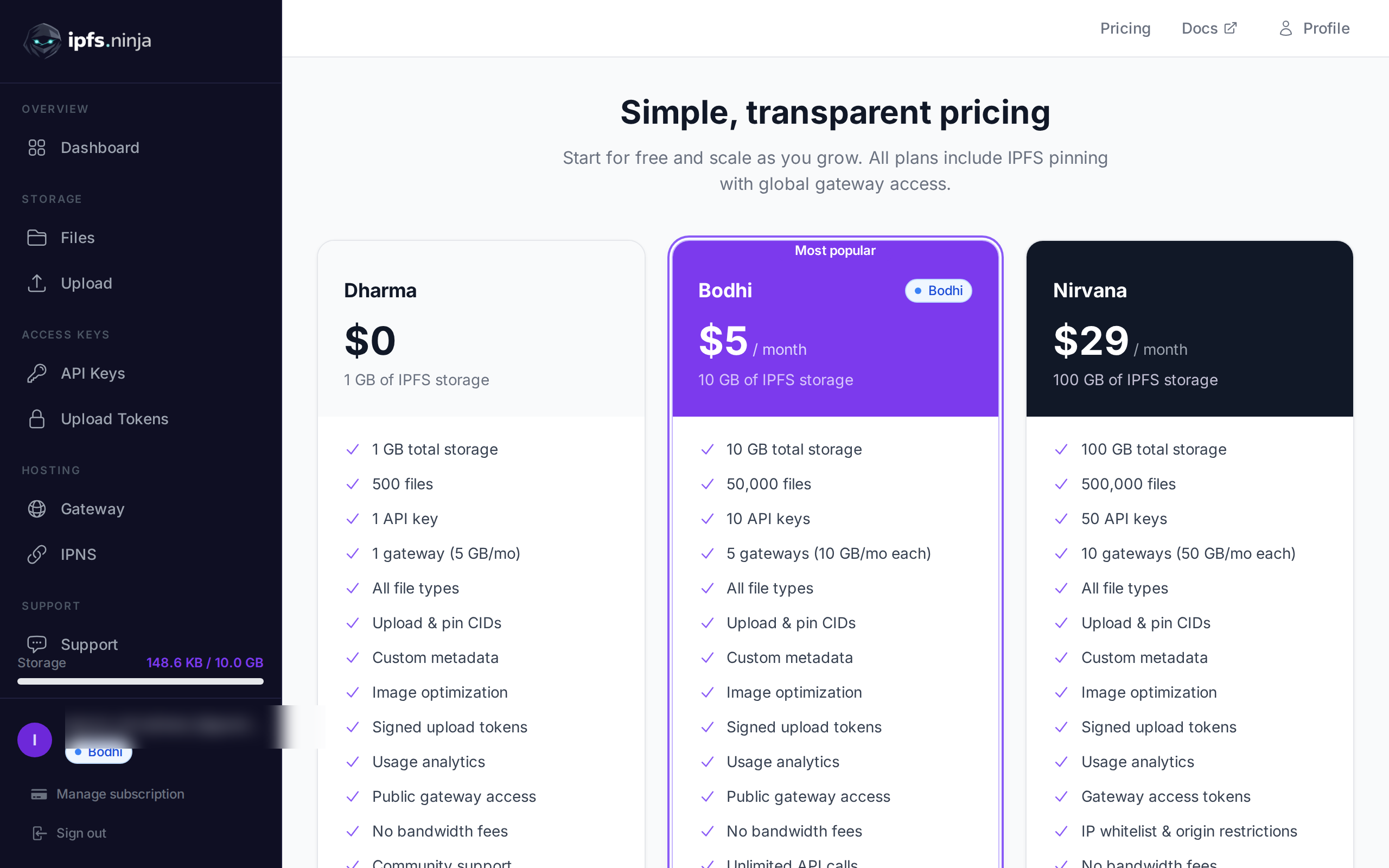
IPFS Ninja với gói Bodhi $5/tháng đã lấp đầy khoảng cách này một cách hoàn hảo.

Bước 1 — Kiểm kê các pin Pinata của bạn#
| IPFS Ninja | Pinata | |
|---|---|---|
| Gói miễn phí | 500 file, 1 GB, 1 gateway | 500 file, 1 GB |
| Gói trả phí thấp nhất | $5/tháng (Bodhi) | $20/tháng (Picnic) |
| Dung lượng (thấp nhất) | 10 GB | 1 TB |
| File (thấp nhất) | 50,000 | 5,000,000 |
| API key (thấp nhất) | 10 | Không giới hạn |
| Gateway (thấp nhất) | 5 dedicated | 1 + CDN |
| IPNS mutable name | 3–10 mỗi gói | Không có |
| Gói tiếp theo | $29/tháng (Nirvana, 100 GB) | $100/tháng (Fiesta) |
So sánh tính năng#
API Key và quản lý team#
Ngay cả gói Bodhi $5 cũng có 10 API key.
Upload Token#
const createToken = async () => {
  const response = await fetch('https://api.ipfs.ninja/upload-tokens', {
    method: 'POST',
    headers: { 'Content-Type': 'application/json', 'X-Api-Key': 'bws_1234567890abcdef1234567890abcdef' },
    body: JSON.stringify({ name: 'Frontend Upload Token', expires: '2026-04-28T00:00:00Z', maxUploads: 100 })
  });
  const { token } = await response.json();
  return token;
};

const uploadWithToken = async (file, token) => {
  const response = await fetch('https://api.ipfs.ninja/upload/new', {
    method: 'POST',
    headers: { 'Content-Type': 'application/json', 'Authorization': `Signed ${token}` },
    body: JSON.stringify({ content: await fileToBase64(file), description: file.name })
  });
  return await response.json();
};
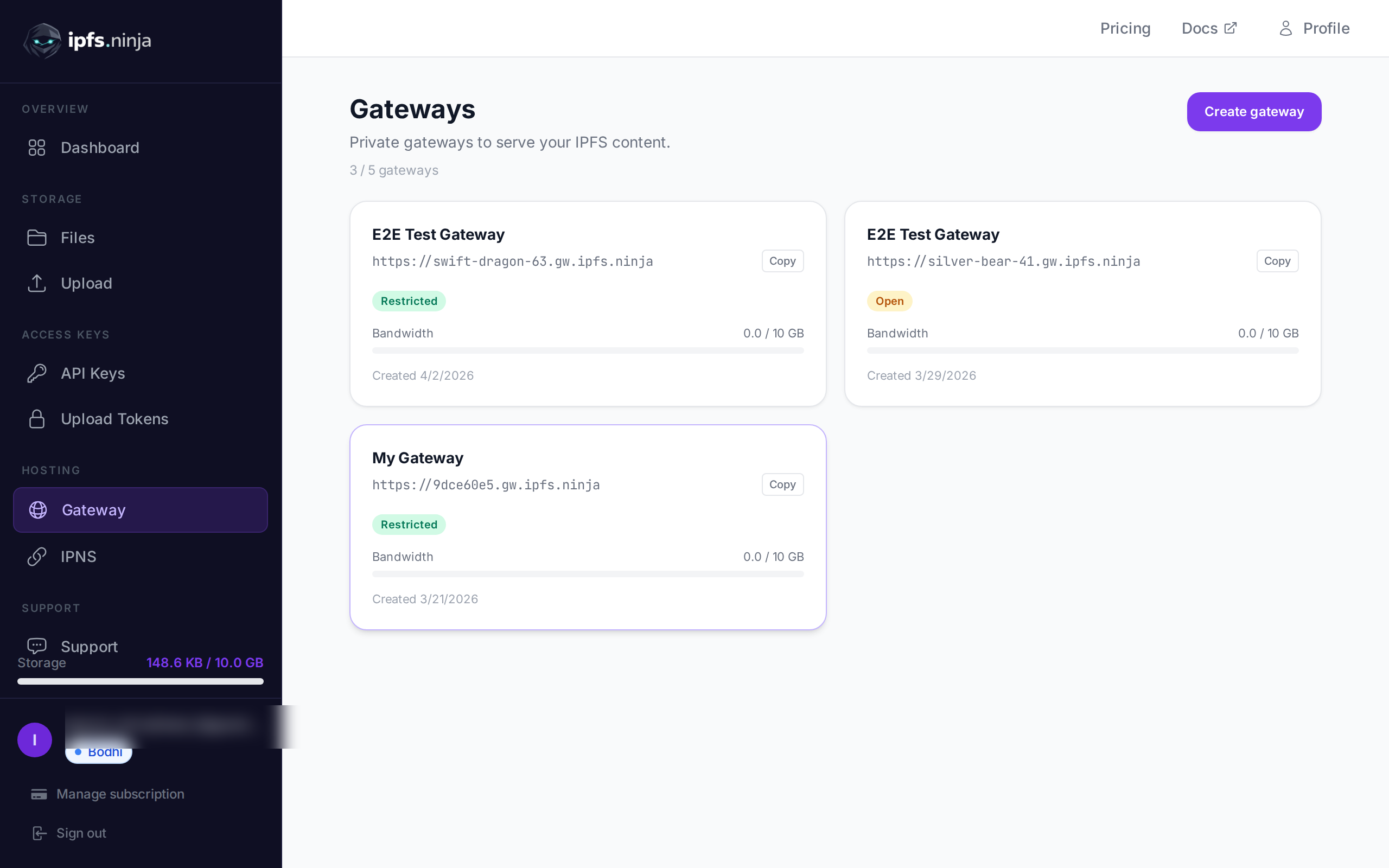
Nhiều Gateway với kiểm soát truy cập#
const setupGateway = async () => {
  const response = await fetch('https://api.ipfs.ninja/gateways', {
    method: 'POST',
    headers: { 'Content-Type': 'application/json', 'X-Api-Key': 'bws_1234567890abcdef1234567890abcdef' },
    body: JSON.stringify({ slug: 'my-app', accessMode: 'restricted', allowedOrigins: ['https://myapp.com'], ipWhitelist: ['203.0.113.0/24'] })
  });
  return await response.json();
};
Trải nghiệm nhà phát triển: Thiết kế API#
IPFS Ninja:
const upload = async (content) => {
  const response = await fetch('https://api.ipfs.ninja/upload/new', {
    method: 'POST',
    headers: { 'Content-Type': 'application/json', 'X-Api-Key': 'bws_1234567890abcdef1234567890abcdef' },
    body: JSON.stringify({ content: content, description: 'My file', metadata: { app: 'my-app', version: '1.0' } })
  });
  const { cid, sizeMB, uris } = await response.json();
  console.log(`Uploaded: ${uris.url}`);
};
Pinata (so sánh):
const FormData = require('form-data');
const upload = async (content) => {
  const form = new FormData();
  form.append('file', content);
  form.append('pinataMetadata', JSON.stringify({ name: 'My file' }));
  const response = await fetch('https://api.pinata.cloud/pinning/pinFileToIPFS', {
    method: 'POST', headers: { 'Authorization': `Bearer ${JWT_TOKEN}` }, body: form
  });
  const { IpfsHash } = await response.json();
  console.log(`Uploaded: https://gateway.pinata.cloud/ipfs/${IpfsHash}`);
};
Cách tiếp cận của IPFS Ninja gọn hơn --- không cần thao tác FormData, hỗ trợ JSON native cho cả nội dung text và binary (qua base64), và cấu trúc response dễ dự đoán hơn.
Phân tích nâng cao#
const getAnalytics = async () => {
  const response = await fetch('https://api.ipfs.ninja/analytics/files', { headers: { 'X-Api-Key': 'bws_1234567890abcdef1234567890abcdef' } });
  const analytics = await response.json();
  console.log(`Total requests: ${analytics.totalRequests}`);
  console.log(`Bandwidth used: ${analytics.bandwidthMB} MB`);
};
Tính năng nâng cao#
Tối ưu hóa hình ảnh#
const uploadImage = async (imageFile) => {
  const response = await fetch('https://api.ipfs.ninja/upload/new', {
    method: 'POST',
    headers: { 'Content-Type': 'application/json', 'X-Api-Key': 'bws_1234567890abcdef1234567890abcdef' },
    body: JSON.stringify({ content: await fileToBase64(imageFile), description: 'Profile picture' })
  });
  const { cid } = await response.json();
  const thumbnailUrl = `https://api.ipfs.ninja/image/${cid}?w=150&h=150&fit=cover`;
  const webpUrl = `https://api.ipfs.ninja/image/${cid}?format=webp&quality=80`;
  return { cid, thumbnailUrl, webpUrl };
};
Pin nội dung có sẵn#
const pinExisting = async (cid) => {
  const response = await fetch('https://api.ipfs.ninja/pin', {
    method: 'POST',
    headers: { 'Content-Type': 'application/json', 'X-Api-Key': 'bws_1234567890abcdef1234567890abcdef' },
    body: JSON.stringify({ cid: cid, description: 'Pinned from external source' })
  });
  return await response.json();
};
Di chuyển dữ liệu#
const migratePins = async (existingCids) => {
  const results = [];
  for (const cid of existingCids) {
    try {
      const response = await fetch('https://api.ipfs.ninja/pin', {
        method: 'POST',
        headers: { 'Content-Type': 'application/json', 'X-Api-Key': 'bws_1234567890abcdef1234567890abcdef' },
        body: JSON.stringify({ cid: cid, description: 'Migrated from Pinata' })
      });
      if (response.ok) results.push({ cid, status: 'success' });
      else results.push({ cid, status: 'failed', error: await response.text() });
    } catch (error) { results.push({ cid, status: 'error', error: error.message }); }
  }
  return results;
};
Trường hợp sử dụng thực tế#
Dự án NFT#
const uploadNFTMetadata = async (metadata, imageFile) => {
  const imageResponse = await fetch('https://api.ipfs.ninja/upload/new', {
    method: 'POST',
    headers: { 'Content-Type': 'application/json', 'X-Api-Key': 'bws_1234567890abcdef1234567890abcdef' },
    body: JSON.stringify({ content: await fileToBase64(imageFile), description: `NFT Image: ${metadata.name}`, metadata: { type: 'nft-image', collection: metadata.collection } })
  });
  const { cid: imageCid } = await imageResponse.json();
  const metadataWithImage = { ...metadata, image: `ipfs://${imageCid}` };
  const metadataResponse = await fetch('https://api.ipfs.ninja/upload/new', {
    method: 'POST',
    headers: { 'Content-Type': 'application/json', 'X-Api-Key': 'bws_1234567890abcdef1234567890abcdef' },
    body: JSON.stringify({ content: JSON.stringify(metadataWithImage), description: `NFT Metadata: ${metadata.name}`, metadata: { type: 'nft-metadata', collection: metadata.collection } })
  });
  return await metadataResponse.json();
};
Ứng dụng phi tập trung#
const FileUploader = () => {
  const [uploadToken, setUploadToken] = useState(null);
  useEffect(() => { fetchUploadToken().then(setUploadToken); }, []);
  const handleFileUpload = async (file) => {
    if (!uploadToken) return;
    const response = await fetch('https://api.ipfs.ninja/upload/new', {
      method: 'POST',
      headers: { 'Content-Type': 'application/json', 'Authorization': `Signed ${uploadToken}` },
      body: JSON.stringify({ content: await fileToBase64(file), description: file.name })
    });
    const result = await response.json();
    console.log('File uploaded:', result.uris.url);
  };
};
Khi nào Pinata vẫn phù hợp#
- Team doanh nghiệp lớn cần tính năng quản lý người dùng đầy đủ
- Dự án có yêu cầu tuân thủ phức tạp hưởng lợi từ track record dài của Pinata
- Team đã tích hợp sâu với hệ sinh thái Pinata
Hiệu suất và độ tin cậy#
Xem phân tích chi tiết tại IPFS Ninja vs Pinata và dịch vụ IPFS Pinning tốt nhất.
Bắt đầu với IPFS Ninja#
- Đăng ký tài khoản Dharma miễn phí
- Tạo API key trong dashboard
- Bắt đầu upload với API đơn giản
- Nâng cấp lên Bodhi khi cần thêm dung lượng
Xem hướng dẫn đầy đủ tại IPFS Upload API Tutorial và cách upload file lên IPFS.
Kết luận#
Việc chuyển từ Pinata sang IPFS Ninja thường quy về giá trị. 10 GB với $5/tháng so với $20/tháng cho cùng dung lượng --- IPFS Ninja mang lại giá trị gấp 4 lần đồng thời bổ sung tính năng như upload token, nhiều gateway, và tối ưu hóa hình ảnh tích hợp.
Với team nhỏ, nhà phát triển độc lập, và dự án đang phát triển, sự chênh lệch giá này không chỉ đáng kể --- nó thường là sự khác biệt giữa khả năng chi trả cho IPFS hosting chuyên nghiệp hay không.
Sẵn sàng bắt đầu pinning? Tạo tài khoản miễn phí — 500 file, 1 GB lưu trữ, dedicated gateway. Không cần thẻ tín dụng.
Về tác giả
Nacho Coll
Founder & Engineer at IPFS.NINJA
Nacho founded IPFS.NINJA to make content-addressed storage feel as simple as an S3 PUT — a single API call, a permanent CID, no wallets or peer discovery to reason about. Writes about IPFS internals, decentralized storage patterns, and the pinning-service landscape from the operator side of the wire.